O suporte cobre acesso ao download, arquivos entregues que estejam faltando e dúvidas com base nas notas de instalação publicadas.
Instalação personalizada, conversão de framework, configuração em servidor ao vivo e trabalho em recursos personalizados não estão incluídos, salvo quando indicado na página do produto.
Pergunte antes de comprar se seu servidor usa recursos de framework, inventário ou banco de dados muito modificados.
Compatibilidade, configuração e comprovação do produto em um olhar
Use os dados publicados nesta página para confirmar se Police Badge Show é compatível com seu servidor antes do checkout.
Compatibilidade
Frameworks
ESX
Categoria
Police Scripts
Configuração e requisitos
Fluxo de instalação
Download → pasta resources → ensure no server.cfg
Requisitos
Publicado nesta página
Tamanho do arquivo
1.37 MB
Comprovação e perguntas de compradores
Avaliações
Sem avaliações ainda
Perguntas Respondidas
Pergunte antes de comprar
Compre quando isso economizar tempo de configuração
Use esta checklist para decidir rapidamente se o recurso combina com seu servidor, framework e expectativas de suporte.
Ganho para o administrador
Police Badge Show foi posicionado para reduzir Police Scripts, em vez de você reconstruir o mesmo sistema do zero.
Compatibilidade
Funciona com esx. Verifique o bloco de requisitos antes de usar em um servidor ativo.
Confiança na compra
Download instantâneo, checkout Stripe, acesso ao suporte e contexto de reembolso são exibidos antes do pagamento.
Elementos de decisão
Requisitos, detalhes de instalação, Vídeo de pré-visualização, Perguntas do Produto
Descrição
Police Badge Show - Professional Law Enforcement Identification
Every law enforcement officer needs a way to identify themselves professionally during interactions. This police badge script gives your officers a clean, realistic way to display their credentials to civilians, suspects, and other players. Instead of awkwardly announcing I'm a cop in chat, officers simply show their badge with a command, and nearby players see an authentic identification display.
With 184 servers using this badge system, it's become the standard solution for roleplay communities that take police interactions seriously. The script adds that essential layer of realism where officers can prove their authority without breaking immersion or relying on metagaming.
What's Included
You're getting a complete badge identification system that works seamlessly with ESX police jobs. The script displays professional-looking badge credentials including the officer's name, rank, badge number, and department. The display appears to nearby players only, maintaining realism by limiting visibility to those who would actually see a physical badge in real life.
The badge interface is clean and easy to read, designed to look like an actual police credential rather than a generic game UI. It appears quickly when triggered and dismisses automatically after a few seconds, keeping the interaction smooth and natural.
Key Features
Realistic Badge Display - Professional credential interface showing rank, name, and badge number
Proximity-Based Visibility - Only nearby players can see the badge when shown (realistic range)
Auto-Populated Information - Pulls officer data from ESX job system automatically
Custom Badge Numbers - Unique identification numbers for each officer
Department Branding - Customizable department names and logos
Rank Display - Shows current job grade/rank on the badge
Quick Command Access - Simple command to show badge during interactions
Configurable Design - Customize colors, layout, and information displayed
Screenshot Friendly - Badge displays clearly in screenshots for evidence
Multi-Department Support - Different badges for police, sheriff, state police, etc.
Permission Integration - Only works for players with police job assignments
No Animation Required - Badge shows without interrupting player movement
Perfect For
Serious roleplay servers with active law enforcement
Communities requiring proper identification during stops
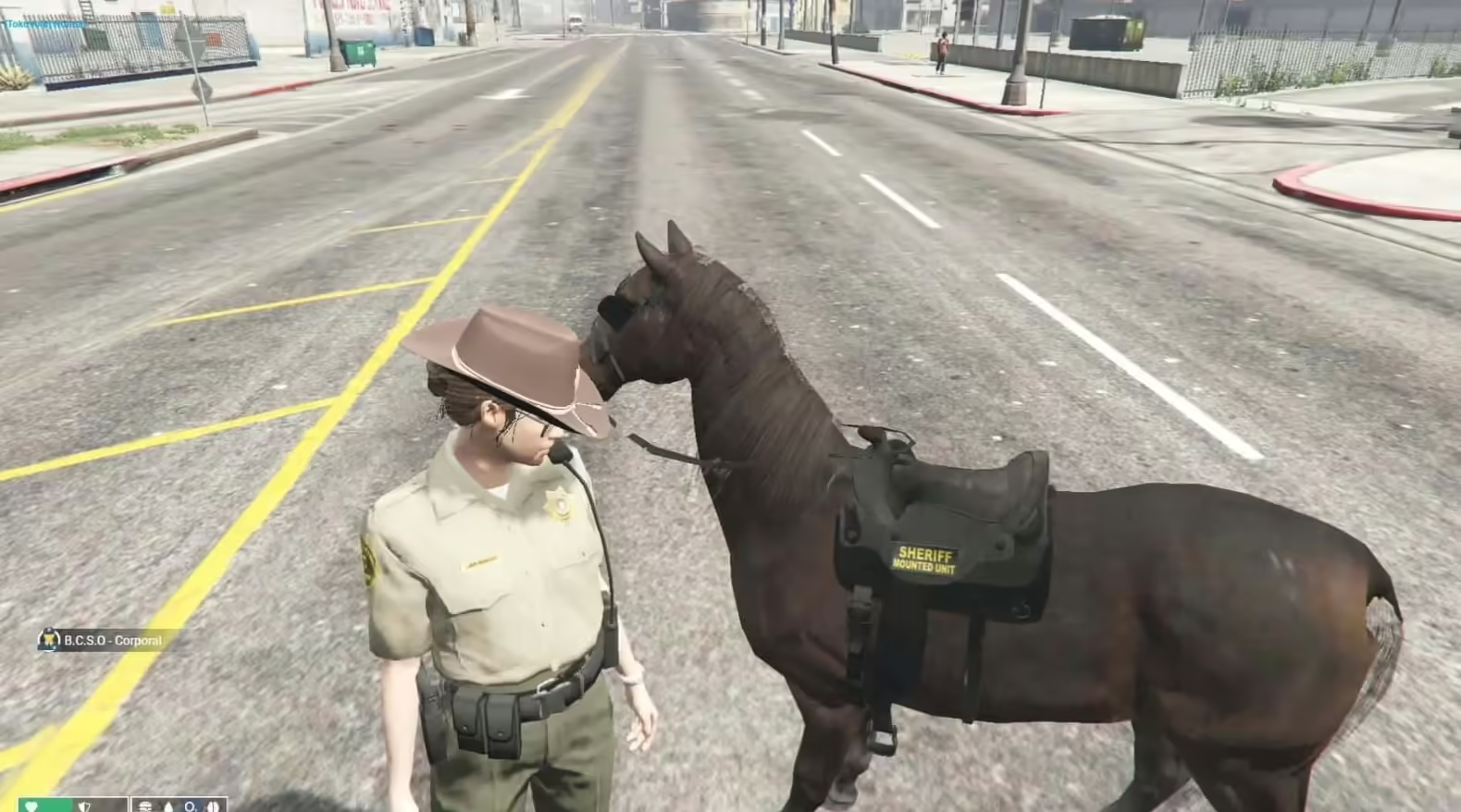
Servers with multiple police departments (LSPD, BCSO, State Police)
Training academies teaching proper police procedure
Investigative roleplay (showing credentials during investigations)
Any server wanting professional police interactions
How It Works
For Officers: When you need to identify yourself to a civilian or suspect, use the badge command (typically /badge or a configurable keybind). Your badge credential appears on nearby players' screens showing your official information. The display lasts a few seconds, giving people time to read your details, then automatically disappears. You can continue moving and interacting normally while the badge is visible.
For Civilians: When an officer shows their badge, you see a professional credential display on your screen showing their name, rank, badge number, and department. This confirms you're dealing with a legitimate officer rather than an impersonator. The information appears clearly and gives you time to note their details for roleplay purposes.
For Administrators: Configure badge appearance, proximity range, display duration, and department information through simple config files. Assign unique badge numbers to officers, customize the look for different departments, and integrate the system with your existing ESX job structure.
Realistic Police Scenarios
Traffic Stops: Officer pulls over a speeding driver. Before requesting documents, they show their badge to identify themselves as law enforcement. The driver sees Officer J. Smith, Badge #2847, Los Santos Police Department and knows this is an official stop, not a criminal impersonating police.
Investigations: Detectives arrive at a business to interview witnesses about a crime. They show their badges at the door to establish authority and get cooperation. The badge display proves they're legitimate investigators rather than random people asking questions.
Undercover Operations: An undercover officer needs to break cover during an emergency. They quickly flash their badge to uniformed officers responding to a scene, proving they're law enforcement and preventing friendly fire or accidental arrests.
Court Testimony: During courtroom roleplay, officers presenting evidence show their credentials to establish their authority and position. The badge display adds formality to legal proceedings and helps with proper courtroom procedure.
Citizen Interactions: When civilians question an officer's authority or request identification, the officer can professionally present their credentials instead of arguing in voice chat. The badge settles disputes about legitimacy immediately.
Installation & Configuration
Download and extract the police badge script to your resources folder
Add the resource to your server.cfg file
Configure badge command or keybind in config.lua
Customize department names, colors, and badge design
Set proximity range for badge visibility (default 5-10 meters)
Assign unique badge numbers to your officers (optional)
Configure which ESX jobs can use the badge system
Restart server and test with police characters
The script integrates cleanly with ESX job systems, automatically pulling officer information from their job data. No manual database work required for basic functionality.
Technical Details
Framework Required: ESX (es_extended)
Performance: Minimal resource usage, only active when badge is shown
Customization: Full config file for appearance and behavior
Compatibility: Works with all ESX versions and police job scripts
✅ ESX Police Jobs - Works with esx_policejob and custom police resources
⚠️ QBCore - ESX version only (separate QBCore versions may exist)
Customization Options
Visual Design: Modify badge colors to match your department branding. Change text sizes, fonts, and layout arrangement. Add department logos or seals. Adjust transparency and positioning on screen. The config file gives you control over every visual element.
Information Display: Choose which details appear on the badge - name, rank, badge number, department, division, years of service. You can add custom fields for specialized information like certifications or special units. Tailor the display to match your server's police structure.
Department Separation: Configure different badge designs for LSPD, BCSO, State Police, FBI, or custom departments. Each agency can have unique colors, layouts, and information displays while using the same core script.
Badge Numbers: Manually assign specific badge numbers to officers for authenticity, or let the system auto-generate them. Track badge numbers in your roster for administrative purposes and roleplay continuity.
What Makes It Stand Out
Most servers either skip police identification entirely or rely on officers typing their info in chat. This script provides the professional alternative - a clean, visual credential display that feels authentic and maintains immersion. The proximity-based system means only people close enough to actually see a physical badge can see the display, adding realism that general announcements lack.
The automatic integration with ESX job data means officers don't have to manually enter their information or worry about keeping badge displays updated. When they get promoted, their badge rank updates automatically. When they transfer departments, their badge reflects the new assignment. It just works.
The minimal performance impact and simple configuration make it a low-maintenance addition that provides high-value roleplay enhancement. Install it once, configure your departments, and it runs reliably without constant admin attention.
Why Servers Choose Police Badge Show
With 184 active installations, this badge script has become essential for serious police roleplay. It solves a fundamental problem - how do officers professionally identify themselves in-game? The answer is this clean, simple, effective credential system that works exactly as expected.
Server administrators appreciate how easy it is to set up and customize. Police departments love having proper identification tools that make their interactions more professional. Civilians benefit from being able to verify officer legitimacy. Everyone wins when police identification is handled properly.
The script has proven reliable across thousands of traffic stops, investigations, and police interactions. It doesn't break, it doesn't lag, it just provides the identification functionality your law enforcement needs to operate professionally.
Requires a FiveM server, esx, access to server resources, and permission to restart the resource after configuration.
Apenas os dados publicados nesta página devem ser considerados confirmados. Se você precisar de mais detalhes, revise a descrição, requisitos, histórico de alterações, avaliações e perguntas do produto antes do checkout.
Use este produto como parte de uma configuração maior. Explore categorias relacionadas, frameworks alternativos, pacotes premium e downloads gratuitos complementares.