
Best-selling premium QBOX Scripts
The top-priced products in this category with repeated, measured demand. Ranked by paid orders since 2024, not by editorial pick.





Showing 1–24 of 70 results







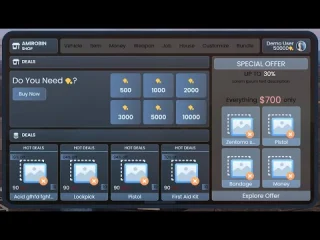












What is a QBOX script?
A QBOX script is a FiveM server resource that explicitly supports the Qbox framework. Qbox evolved from the QBCore ecosystem and keeps selected compatibility patterns, but a QBCore label does not prove that a resource works correctly on Qbox. Some scripts depend on specific framework APIs, database tables, inventory, targeting, menu or notification systems; others provide a documented bridge. Before buying, verify native Qbox support, the tested framework version, required libraries, SQL changes, configuration files, source-access or escrow status, license and installation instructions on the individual product page. Do not assume that ox_lib, ox_inventory, ox_target or oxmysql is required unless the package says so. Back up files and data, install one resource at a time on staging, follow the documented start order, and test persistence, permissions, reconnects and restarts. Use the QBCore archive only when the listing confirms that compatibility path.
How to Install QBOX Scripts on Your FiveM Server
QBOX is a modern, modular framework for FiveM built on ox_lib, with native support for ox_inventory, ox_target, and oxmysql. It’s lightweight, fast, and perfect for modern RP servers.
✅ Requirements
-
FiveM server with txAdmin (Framework setup guide)
-
Git installed
-
MariaDB/MySQL with oxmysql
-
Node.js & npm
🚀 Installation Steps
Download QBOX
cd resources
git clone https://github.com/overextended/qb-core.git [qbx_core]
git clone https://github.com/overextended/ox_lib.git
git clone https://github.com/overextended/ox_inventory.git
git clone https://github.com/overextended/ox_target.git
Configure Database
CREATE DATABASE qbox;-
In your server.cfg:
set mysql_connection_string "mysql://username:password@localhost/qbox"
ensure oxmysql
ensure ox_lib
ensure ox_inventory
ensure ox_target
ensure qbx_core
Run Migrations
cd resources/oxmysql
npm install
npm run migrate
Start Your Server
cd /path/to/fivem/server
bash ./run.sh +exec server.cfg
Your server is now running with QBOX and ox scripts enabled. 🎉
❓ QBOX Scripts FAQ
Do I need QBCore?
No — QBOX is a standalone framework, but you can migrate from QBCore if needed.
Can I still use mysql-async?
Not recommended. Switch to oxmysql since mysql-async is deprecated.
My server crashes on startup. What should I check?
-
Ensure all dependencies (ox_lib, ox_target, ox_inventory, oxmysql) are installed & ensured.
-
Verify your mysql_connection_string.
-
Run migrations.
-
See our FiveM Error Codes & Fixes guide.
Can I customize QBOX scripts?
Yes! QBOX is open-source and designed for flexibility. See our guide on how to customize QBCore scripts.
Where do I get more QBOX scripts?
Browse our QBCore scripts and FiveM inventory scripts in the FIVEMX Store.
👉 Ready to take your server further? Explore our Converting FiveM Scripts guide to migrate your old resources into the Ox ecosystem.


