







Özel Uygulamalar
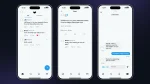
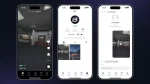
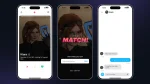
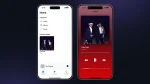
LB Phone, UI'ye sahip veya uygulamayı açtığınızda işlevleri tetikleyen uygulamalar eklemenize olanak tanır. Uygulamayı açtığınızda bir işlevi tetikleyen bir uygulama eklemek için şuraya gidin: lb-phone/config/config.lua ve uygulamayı şuraya ekleyin Config.CustomApps tablo, şöyle:
Config.CustomApps = { ["app_identifier"] = { -- A unique identifier for the app, not shown to the user name = "App Name", -- The name of the app, shown to the user description = "App Description", -- The description of the app, shown to the user developer = "LB Phone", -- OPTIONAL the developer of the app defaultApp = true, -- OPTIONAL if set to true, app should be added without having to download it, game = false, -- OPTIONAL if set to true, app will be added to the game section size = 59812, -- OPTIONAL in kB images = { "https://example.com/photo.jpg" }, -- OPTIONAL array of images for the app on the app store ui = "resource-name/ui/index.html", -- OPTIONAL icon = "https://cfx-nui-" .. GetCurrentResourceName() .. "/ui/icon.png", -- OPTIONAL app icon price = 0, -- OPTIONAL, Make players pay with in-game money to download the app landscape = false, -- OPTIONAL, if set to true, the app will be displayed in landscape mode keepOpen = true, -- OPTIONAL, if set to true, the app will not close when the player opens the app (only works if ui is not defined) onUse = function() -- OPTIONAL function to be called when the app is opened -- do something end, onServerUse = function(source) -- OPTIONAL server side function to be called when the app is opened -- do something end }}UI kullanarak özel uygulamalar
Uygulamanız için özel bir UI kullanmak istiyorsanız, ayrı bir betik oluşturmanız ve HTML dosyasının yolunu sağlamanız ve bunu şu şekilde göndermeniz gerekir: ui.
UI ile bir uygulama oluşturmanın önerilen yolu, onu dışa aktarmalar kullanarak oluşturmaktır. Bizim şablon uygulamalar referans olarak kullanabileceğiniz.
Kullanıcı koyu modu etkinleştirdiyse, data-theme koyu olarak ayarlanacaktır. Aksi takdirde, açık olarak ayarlanacaktır.
Uygulama ekleniyor
Uygulamayı eklemek için şunu kullanın: AddCustomApp export.
Uygulamayı kaldırma
Uygulamayı kaldırmak için şunları kullanın: RemoveCustomApp export.
UI'ye mesaj gönderiliyor
UI'ye mesaj göndermek için şunu kullanmanız gerekir: ÖzelUygulamaMesajıGönder SendNUIMessage yerine export kullanın. Frontend'de aynı şekilde dinleyeceksiniz.
İçe aktarılan bileşenler ve işlevler
Uygulama telefona yüklendiğinde, birkaç işlev şuraya aktarılır: globalThis nesne.
| İsim | Tip | Tanım |
|---|---|---|
| kaynakAdı | string | Özel uygulamayı ekleyen kaynağın adı |
| appName | string | Uygulama adı |
| ayarlar | nesne | Telefonun ayarları |
| components | nesne | Kullanışlı components uygulama için |
Bileşenler
Aşağıdaki bileşenlere şuradan erişilebilir: globalThis.components. Bir TypeScript bildirim dosyası görüntüleyebilirsiniz lb-reactts/ui/src/components.d.ts.
createGameRender
Oyunu bir tuvale işleyen bir oyun işleyicisi oluşturur. Bu, uygulamanızda bir kamera oluşturmak için kullanılır ve şununla birlikte kullanılmalıdır: kamera dışa aktarımları.
const gameRender = components.createGameRender(canvas) // set the aspect ratiogameRender.resizeByAspect(9 / 16) // pause the renderinggameRender.pause() // unpause the renderinggameRender.resume() // take a photoconst blob: Blob = await gameRender.takePhoto() // take a videoconst recorder = gameRender.startRecording((blob: Blob) => { const video = URL.createObjectURL(blob)}) await new Promise((resolve) => setTimeout(resolve, 5000)) recorder.stop() // destroy the game rendergameRender.destroy()uploadMedia
Medya yükler ve URL ile bir promise döndürür.
// Upload type can be 'Video' | 'Image' | 'Audio'const url = await components.uploadMedia('Video', blob)saveToGallery
Galeriye bir URL kaydeder ve kimlikle bir söz döndürür
const id = await components.saveToGallery(url)setColorPicker
components.setColorPicker({ onSelect(color) {}, onClose(color) {}})setPopUp
components.setPopUp({ title: 'Popup Menu', description: 'Confirm your choice', buttons: [ { title: 'Cancel', color: 'red', cb: () => { console.log('Cancel') } }, { title: 'Confirm', color: 'blue', cb: () => { console.log('Confirm') } } ]})setContextMenu
components.setContextMenu({ title: 'Context menu', buttons: [ { title: 'Phone Notification', color: 'blue', cb: () => { sendNotification({ title: notificationText }) } }, { title: 'GTA Notification', color: 'red', cb: () => { fetchNui('drawNotification', { message: notificationText }) } } ]})setContactSelector
components.setContactSelector({ onSelect(contact) { components.setPopUp({ title: 'Selected contact', description: `${contact.firstname ?? '??'} ${contact.lastname ?? ''} ${contact.number}`, buttons: [ { title: 'OK' } ] }) }})setShareComponent
Bakın AirShare dışa aktarma hangi verinin gönderileceği için.
components.setShareComponent({ type: 'image', data: { isVideo: false, src: 'https://docs.lbscripts.com/images/icons/icon.png' }})setEmojiPickerVisible
components.setEmojiPickerVisible({ onSelect: (emoji) => { components.setEmojiPickerVisible(false) components.setPopUp({ title: 'Selected emoji', description: emoji.emoji, buttons: [ { title: 'OK' } ] }) }})setGifPickerVisible
components.setGifPickerVisible({ onSelect(gif) { components.setPopUp({ title: 'Selected GIF', attachment: { src: gif }, buttons: [ { title: 'OK' } ] }) }})setGallery
components.setGallery({ includeVideos: true, includeImages: true, allowExternal: true, multiSelect: false, onSelect(data) { components.setPopUp({ title: 'Selected media', attachment: { src: Array.isArray(data) ? data[0].src : data.src }, buttons: [ { title: 'OK' } ] }) }})setFullscreenImage
components.setFullscreenImage('https://docs.lbscripts.com/images/icons/icon.png')setHomeIndicatorVisible
components.setHomeIndicatorVisible(true)Fonksiyonlar
fetchNui(event, data, scriptName?)
fetchNui('test', { foo: 'bar'})onNuiEvent
NUI mesajlarını dinleyin ÖzelUygulamaMesajıGönder
onNuiEvent('test', (data) => { console.log(data)})onSettingsChange
Ayarlar değişikliklerini dinle
onSettingsChange((newSettings) => { console.log(newSettings)})createCall
createCall({ number: '1234567890', // you can send `company` instead of `number` to call a company videoCall: false, hideNumber: false})