WELCOME kuponu mevcut 31 Temmuz 2026'ya kadar ödeme sırasında WELCOME kodunu kullanın. WELCOME
Luka

Luka

Ben Luke, bir oyuncuyum ve FiveM, GTA ve rol yapma hakkında yazmayı seviyorum. Bir rol yapma topluluğu yönetiyorum ve sunucuları yönetme konusunda yaklaşık 10 yıllık deneyimim var.

How to Clear FiveM Cache

How to Clear FiveM Cache

Say goodbye to stutters, crashes, and weird glitches—clearing your FiveM cache is the quick fix that keeps the ride smooth and glitch‑free. Our step‑by‑step guide shows you how to wipe it safely and fast, so you can get back to enjoying the game.

FiveM Infinite Yükleme Ekranı: Tam Düzeltme Kılavuzu

Yükleme Ekranı

FiveM loading screen hangs occur when client-server handshake fails, resources exceed streaming capacity, or network paths block essential UDP traffic on ports 30110-30125. This guide provides systematic diagnostics and fixes for all three failure categories. Immediate Diagnostics Press F8 during…

FiveM Crash Help: Troubleshooting Guide

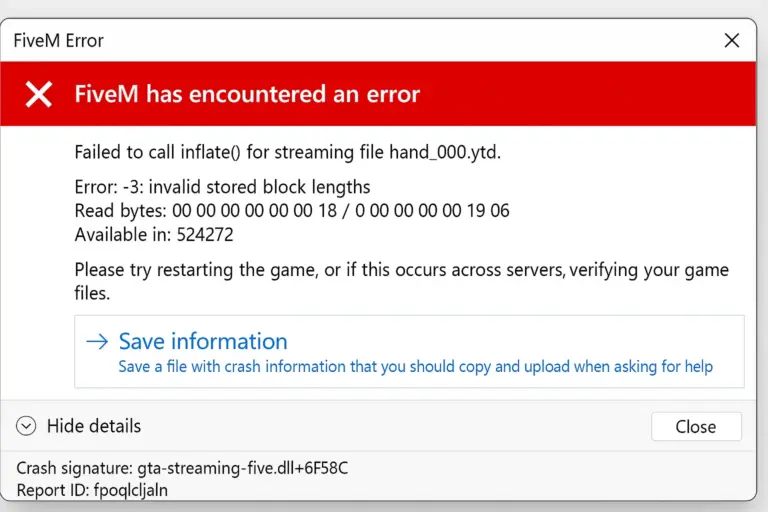
FiveM'de 'Şişirme Başarısız Oldu' Hatasını Nasıl Düzelttim (Adım Adım Kılavuz)

Quick‑Start FiveM Crash Fix Guide > Got a “no‑launch” error? Follow these simple steps and you’ll have your FiveM client up and running in minutes. Prerequisites Diagnostic Steps 1. Check Crash Logs Navigate to FiveM installation directory and locate crash…

FiveM Windows'a Nasıl Kurulur (10 / 11)

BeşM

Prerequisites Before installation, verify your system meets these requirements: System Requirements Minimum: Recommended: Required Software Step 1: Verify GTA V Installation Steam Users: Epic Games Users: Rockstar Launcher Users: Step 2: Download FiveM You can also use our direct link…

Sorun giderme: FXServer yanıt vermiyor! (Nasıl düzeltilir)

FiveM'de 'Şişirme Başarısız Oldu' Hatasını Nasıl Düzelttim (Adım Adım Kılavuz)

When your FXServer shows “not responding” errors, you’re typically dealing with one of five core issues. This guide provides systematic troubleshooting steps for FiveM server administrators experiencing connectivity failures between txAdmin and FXServer. Primary Cause: Port Configuration Mismatch Issue: txAdmin…