







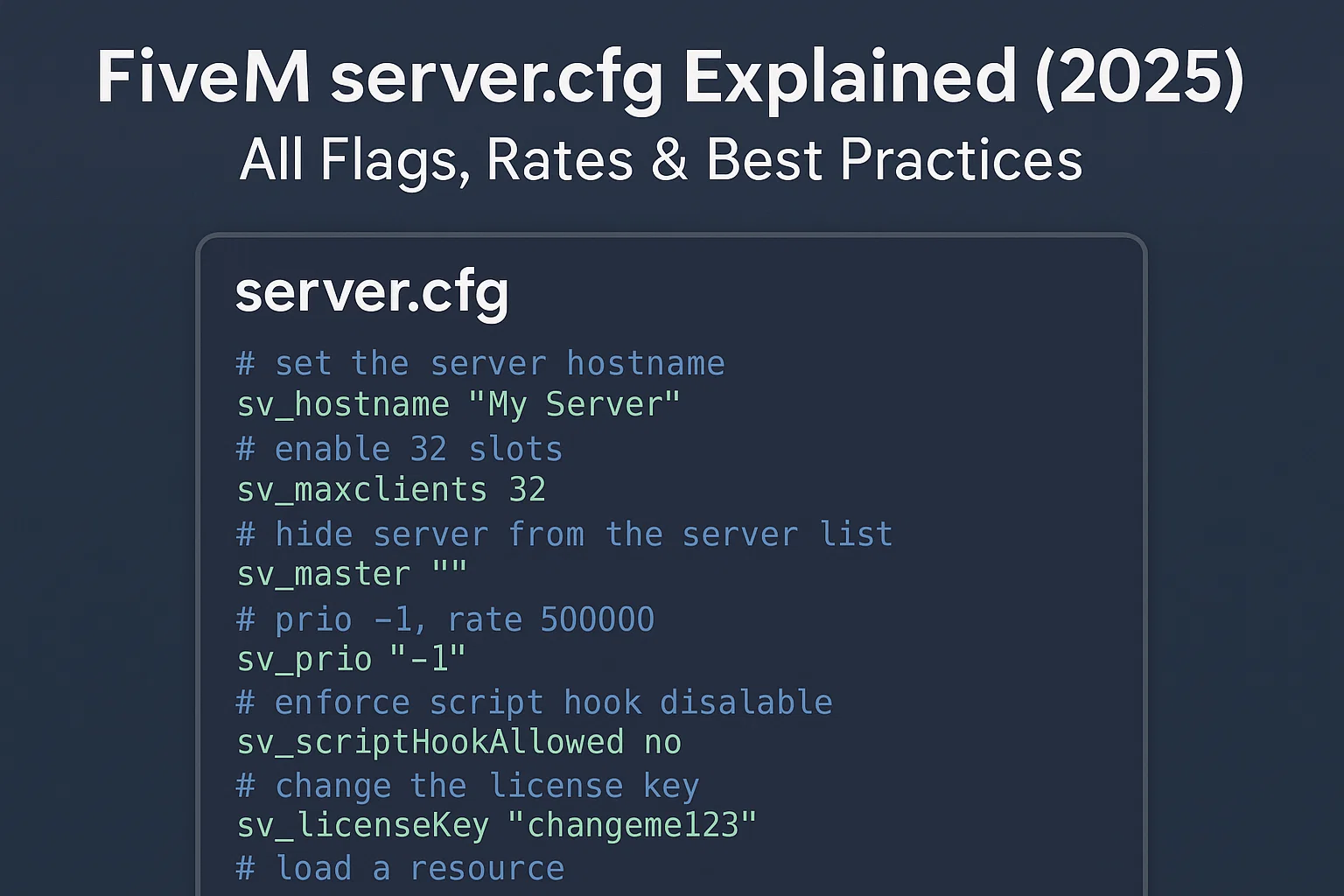
Quick answer: start with the official Cfx.re example, change only the endpoint, project fields, slot limit, server registration key, and explicit resource list, then validate in txAdmin and test a direct connection. Keep a known-good copy before every edit.
endpoint_add_tcp "0.0.0.0:30120"
endpoint_add_udp "0.0.0.0:30120"
sets sv_projectName "My Server"
sets sv_projectDesc "A clear one-sentence description"
sv_hostname "My Server"
set onesync on
sv_maxclients 48
sv_licenseKey "replace_with_portal_key"
ensure mapmanager
ensure chat
ensure spawnmanager
ensure sessionmanager
ensure hardcap
Security boundary: sv_endpointPrivacy hides player IPs from public reports; it does not provide DDoS mitigation or conceal the server origin. Leave RCon disabled unless it is explicitly required, and never publish real license, database, Steam, Tebex, or webhook secrets.
The server.cfg dosyası her FiveM sunucusunun kalbidir. Sunucunuzun nasıl çalıştığını tanımlar: slotlar, ağ oluşturma, oyun derlemesi, OneSync, günlük kaydı ve sunucu listesinde görünürlük. Bu kılavuz şunun içindir: sunucu sahipleri ve geliştiriciler güvenli varsayılanlar, üretim sertleştirmesi ve performans en iyi uygulamalarını isteyenler. Her zaman yedek alın ve sürüm kontrolü kullanın. Yeni başlıyorsanız, bizimle başlayın FiveM sunucusu nasıl oluşturulur. Daha derin optimizasyonlar için şunlara bakın: Performans merkezi.
TL;DR: Üretime hazır temel (açıklamalı)
Temiz bir server.cfg istikrarın temelidir. İşte iki örnek: minimal dev config ve bir güçlendirilmiş üretim yapılandırması.
Minimal geliştirme yapılandırması
# server.cfg (development)
# Basic config for local testing

# Network
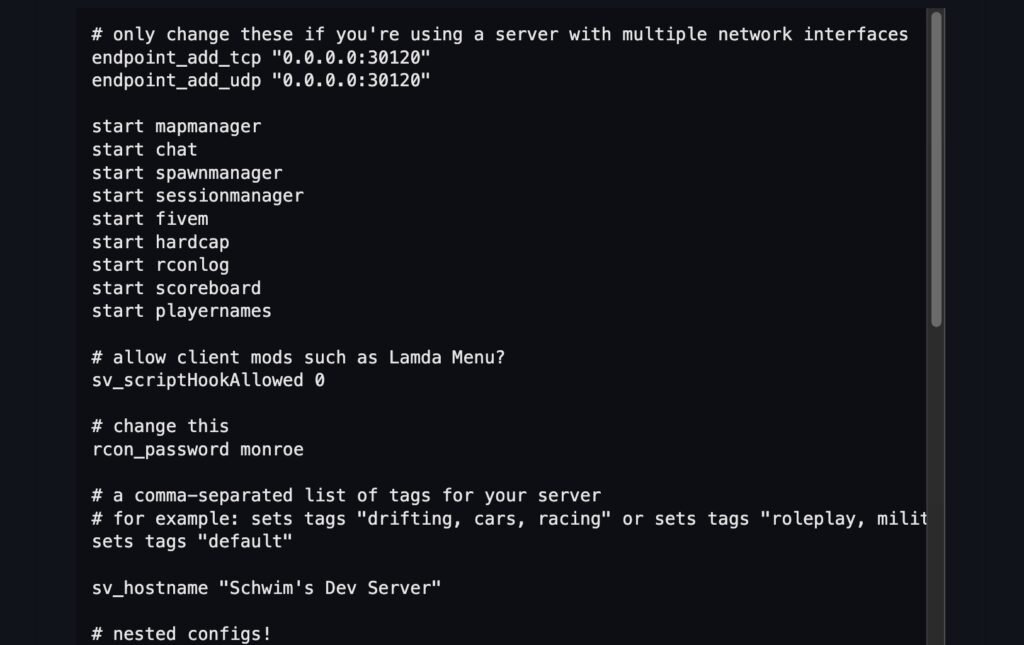
endpoint_add_tcp "0.0.0.0:30120" # TCP port binding
endpoint_add_udp "0.0.0.0:30120" # UDP port binding

# Server info
sv_hostname "My Dev Server"
sv_maxclients 8

# OneSync
set onesync on

# Resources (basic example)
ensure mapmanager
ensure chat
ensure spawnmanager
ensure sessionmanager
ensure hardcap
ensure baseevents

# Permissions (default ACL)
exec permissions.cfg
Sertleştirilmiş üretim yapılandırması
# server.cfg (production)

# Network
endpoint_add_tcp "0.0.0.0:30120"
endpoint_add_udp "0.0.0.0:30120"

# Security
sv_endpointPrivacy true # Hides player IP addresses from public server reports; it does not hide the server origin
sv_scriptHook 0 # Disable client mods
# Leave rcon_password unset unless legacy RCon is explicitly required

# Slots
sv_maxclients 64 # Adjust to host capacity

# Game build (use latest recommended)
# Optional: pin a documented game build only when your resources require it

# Project info
sv_hostname "FIVEMX Roleplay | Serious RP"
sets sv_projectName "FIVEMX RP Server"
sets sv_projectDesc "Realistic RP with QBCore & custom scripts"
sets tags "roleplay, seriousrp, qbcore"
sets locale "en-US"
load_server_icon mylogo.png
sets banner_detail "https://cdn.example.com/banner.png"
sets banner_connecting "https://cdn.example.com/loading.png"

# OneSync
set onesync on

# Resources (use resource list)
exec resources.cfg

# Logging & ACL
set sv_logLevel 2
exec permissions.cfg

# txAdmin integration
# Load framework/database configuration from a separately permissioned config; do not publish real credentials
Uç: Düzenlemelerden sonra yapılandırmanızı her zaman txAdmin sağlık kontrolleri ve konsol günlükleri ile doğrulayın. Bkz. txAdmin günlükleri.
Sunucu bilgileri ve listeleme
Aşağıdaki convars'lar sunucunuzun nasıl görüneceğini kontrol eder sunucu tarayıcısı ve API:
| Convar | Amaç | Örnek | Ne zaman değiştirilmeli | Dikkat Edilmesi Gerekenler |
|---|---|---|---|---|
sv_hostname | Sunucu listesindeki genel ad | sv_hostname "My RP Server [EN]" | Her zaman ayarla | Özel karakterlerden kaçının, net tutun |
sets sv_projectName | Dahili proje görünen adı | sets sv_projectName "MyCommunityRP" | Markalaşma, çoklu sunucu kurulumları | Yalnızca listede görünür UI |
sets sv_projectDesc | Listede gösterilen açıklama | sets sv_projectDesc "QBCore RP Server" | Kurallar, dil, özellikler ekleyin | < 100 karakter tut |
sets tags | Sunucu listesi etiketleri | sets tags "roleplay, cars, qbcore" | Bulunabilirliği artırın | Yalnızca resmi etiketleri kullanın |
sets locale | Varsayılan dil | sets locale "en-US" | Sunucu diliyle eşleştirin | Yanlış yerel ayar sunucuyu gizleyebilir |
sv_endpointPrivacy | Genel IP'yi tarayıcıda gizle | sv_endpointPrivacy true | Üretim için önerilir | Oyuncular Cfx rölesi üzerinden bağlanır |
load_server_icon | 96×96 PNG simgesi | load_server_icon mylogo.png | Markalaşma için | Kare olmalı, <96×96 piksel |
sets banner_detail | Sunucu listesinde büyük afiş | sets banner_detail "url" | İsteğe bağlı ama önerilir | HTTPS URL olmalı |
sets banner_connecting | Bağlanırken gösterilen banner | sets banner_connecting "url" | Markalaşma/yükleme için iyi | Gecikmeyi önlemek için CDN kullanın |
Bakın official Cfx.re server command and convar reference for current syntax and behavior.
Ağ ve slotlar
FiveM sunucular kullanır TCP/UDP uç noktaları. Varsayılan olarak, port 30120 kullanılır.
endpoint_add_tcp "0.0.0.0:30120"
endpoint_add_udp "0.0.0.0:30120"
sv_maxclients 64
- Tek bir makinede birden fazla sunucu çalıştırın port ofsetleri: örn.
30121,30122. - Güvenlik duvarı kurallarını TCP/UDP portlarını açacak şekilde eşleştirin.
sv_maxclientsdoğrudan CPU ve RAM kullanımını etkiler — donanımınızın kaldırabileceğinden daha yükseğe ayarlamayın. Sunucu Barındırma Sağlayıcılarına Göz Atın
Uyarı: MySQL veya RCON portlarını internete açmayın.
Oyun sürümü ve yapıtları
An FXServer artifact version and a GTA V game build are separate choices. Update artifacts through Cfx.re’s recommended build path; set sv_enforceGameBuild only when the server’s resources require a documented GTA content build, and verify the value against the current Cfx.re command reference.
# Optional startup-only setting; choose a value from the current Cfx.re reference
# sv_enforceGameBuild
- [Resmi convars belgeleri][1] geçerli derleme numaralarını listeler.
- Yerleşik olarak ayarla
server.cfgveya txAdmin içinde → Ayarlar → FXServer → Ek argümanlar:
+set sv_enforceGameBuild 2944
- En son sürümü indir yapıtlar [runtime.fivem.net][4] (Windows) veya Linux derleme sayfasından.
- İstemci ve sunucu derlemelerini asla karıştırmayın.
OneSync yapılandırması
OneSync etkinleştirir sunucu tarafı varlık senkronizasyonu: daha fazla oyuncu, doğru durumlar, daha iyi akış. Her zaman kullan OneSync açık modern frameworkler için (QBCore, ESX).
| Ayar | Etki | Tipik değer | CPU/bellek üzerindeki etki | Dokümanlar |
onesync | OneSync etkinleştirir | on | Daha yüksek CPU kullanımı | [OneSync belgeleri][3] |
onesync_population | Yerel NPC'leri/trafikyi kontrol eder | on (isteğe bağlı) | CPU yükü ekler | [OneSync belgeleri][3] |
onesync_distanceCullVehicles | Araçları verimli bir şekilde yayınlayın | true | Daha iyi performans, bant genişliği tasarrufu sağlar | [OneSync belgeleri][3] |
Uç: Ölçek
sv_maxclientsdonanımla. Kullan Resmon kılavuzu kaynak etkisini ölçmek için.
Kaynak başlatma sırası ve bağımlılıklar

Kaynaklar, şu sıraya göre yüklenir: ensure. Bağımlılıkları her zaman önce başlatın.
# resources.cfg (split file)
ensure oxmysql
ensure qb-core
ensure qb-adminmenu
ensure qb-inventory
ensure qb-policejob
ensure my-custom-scripts
İçinde server.cfg:
exec resources.cfg
- Çerçeveleri ve DB bağlayıcılarını ilk sırada tutun.
- İlgili kaynakları gruplandırın.
- Kaçınmak
ensure *üretimde; belirlenmeyen bir sıraya neden olur.
Güvenlik ve kötüye kullanım güçlendirme
Güvenli bir server.cfg sızıntıları ve kötüye kullanımı önler.
Kontrol listesi:
sv_endpointPrivacy truesv_scriptHook 0(istemci modlarını engelle)- Güçlü veya devre dışı
rcon_password - Kullanmak
add_principalVeadd_aceACL'ler için - Keep secrets out of public repositories and client/shared resource files; restrict access to the server-only configuration that contains them
- Artefaktları düzenli olarak güncelleyin
- Monitör txAdmin günlükleri
- Kullanmak Resmon kılavuzu ağır betikleri yakalamak için
ACL örneği:
add_ace group.admin command allow
add_principal identifier.steam:110000112345678 group.admin
CDN ve varlık akışı (ne zaman kullanılmalı)
Büyük MLOs'ler, özel arabalar ve dokular için, azaltmak üzere bir CDN kullanın katılım süreleri.
- Bir CDN'de barındırın, örneğin Cloudflare R2 (CORS başlıklarını ayarla [6]).
- Yüksek performans için BunnyCDN [aralık isteklerini][7] destekler (gereklidir
.rpfstreaming). - Önbellek çakışmalarını önlemek için sürümlü URL'ler ekleyin.
Bizimkine bakın Yükleme sürelerini optimize et rehber.
Mitolojiler ve kullanım dışı bırakılmış bayraklar
Çevrimiçi birçok yapılandırma hala şunu gösteriyor: Source Engine cvars beğenmek:
sv_maxrate 0
sv_minrate 30000
sv_maxupdaterate 60
Kullanmayın. Bunlar FiveM'de desteklenmez ve hiçbir etkisi yoktur. Bkz. [resmi convars][1].
Kullanımdan kaldırılmış/eski convars:
sv_master1→ artık gerekmiyor.sv_useDirectListing→ şununla değiştirildi:sv_endpointPrivacy.
Doğrulama ve sorun giderme
Düzenlemeden sonra anahtar kontrolleri server.cfg:
| Belirti | Olası neden | Düzeltmek | Zaman |
| Sunucu başlamıyor | Yapılandırmada sözdizimi hatası | Konsolu kontrol edin, geçersiz satırları kaldırın | 5m |
| Sunucu listesinde yok | Eksik sv_hostname/tags | Ana bilgisayar adı/etiketleri ekleyin, güvenlik duvarını kontrol edin, sv_master1 | 10m |
| Oyuncular bağlanamıyor | Portlar kapalı / yanlış IP | 30120 TCP+UDP'yi açın, kontrol edin endpoint_add_* | 15 dk |
| Yüksek CPU kullanımı | Çok fazla slot / kötü betikler | Daha düşük sv_maxclients, kullanmak Performans ayarı | 20m |
| Uzun yükleme süreleri | Büyük varlıklar optimize edilmemiş | Kullanmak Yükleme sürelerini optimize et + CDN | 20m |
| Güncellemeden sonra çöküyor | Derleme uyuşmazlığı | Sabitle sv_enforceGameBuild, [artefaktları][4] güncelle | 15 dk |
Başlatma ve yeniden kurulum için eksiksiz sunucu ürünlerini keşfedin.

Dahili kaynaklar ve sonraki adımlar
SSS
1. Nedir server.cfg FiveM'de?
Sunucu adını, yuvaları, kaynakları, ağı, güvenliği ve görünürlüğü tanımlayan ana yapılandırma dosyasıdır.
2. Nereye yerleştirmeliyim server.cfg?
Sunucunuzun kök klasöründe (yanında server.exe veya FXServer giriş noktası). txAdmin otomatik olarak yükler.
3. Arasındaki fark nedir set, sets, Ve setr?
set: yalnızca sunucu değişkeni.sets: sunucu listesinde görünür (genel bilgi).setr: istemcilere senkronize edilir.
4. Sunucum listede görünmüyor. Neden?
Kontrol etmek sv_hostname, sets tags, sets locale, Ve sv_endpointPrivacy. Ayrıca bağlantı noktalarınızın açık olduğundan emin olun.
5. Oyuncu slotlarını nasıl artırabilirim?
Değiştir sv_maxclients. Kademeli olarak ölçeklendirin ve şunlarla izleyin: Resmon kılavuzu. Donanımınızın ve ağınızın bunu kaldırabildiğinden emin olun.
6. Nedir sv_enforceGameBuild?
Belirli bir GTA V oyun sürümünü kullanmaya zorlayan bir convar. Uyumsuz sürümlerden kaynaklanan çökmeleri önler. [Convars belgelerine][1] bakın.
7. Derleme numaralarını mı yoksa takma adları mı kullanmalıyım?
Her ikisi de çalışır. Sayısal (2944) açıktır; takma ad (mp2024_02) izlemesi daha kolaydır. Her ikisi de desteklenir.
8. Nerede ayarlarım sv_enforceGameBuild txAdmin'de?
txAdmin → Ayarlar → FXServer → Ek argümanlar bölümünde. Örnek: +set sv_enforceGameBuild 2944.
9. OneSync nedir?
Daha fazla oyuncuya, doğru varlık akışına ve sunucu yetkisine izin veren bir sistem. Modern çerçeveler için gereklidir. [OneSync belgelerine][3] bakın.
10. Infinity vs Legacy OneSync?
Legacy = 64 adede kadar yuva. Infinity = 128+ destekler, gelişmiş varlık senkronizasyonu. Her zaman kullanın onesync on (Varsayılan olarak sonsuz).
11. Kaynakları nasıl düzenlerim?
Kullanmak exec resources.cfg. Önce DB bağlayıcılarını, ardından çerçeveleri, ardından işleri/betikleri başlatın. Kaçının ensure *.
12. Afişlerim sunucu listesinde görünmüyor.
URL'lerin HTTPS olduğundan, herkese açık olduğundan ve doğru resim boyutlarına işaret ettiğinden emin olun. Güvenilirlik için bir CDN kullanın.
13. txAdmin günlükleri ne içindir?
Hata, çökme, kaynak sorunları gösteriyorlar. Bkz. txAdmin günlükleri.
14. Performans sorunlarını nasıl kontrol ederim?
Kullanmak resmon 1 konsolda. Bizim Resmon kılavuzu ayrıntılar için.
15. Source engine hız bayrakları gerekli mi?
HAYIR. sv_maxrate, sv_minrate, sv_maxupdaterate FiveM'de hiçbir şey yapmayın. Bunun yerine [Convars belgelerine][1] bakın.
Krediler:
- [Convars – Cfx.re Belgeler][1]
- [Sunucu Komutları – Cfx.re Dokümanları][2]
- [OneSync – Cfx.re Belgeleri][3]
- [Artifacts (Windows builds) – runtime.fivem.net
İlgili FiveMX kaynakları
Kaynak eklemeden önce yapılandırma denetimleri
Yeni kaynaklar işleri, EMS iş akışlarını veya sunucu başlangıç sırasını değiştirdiğinde, gözden geçirin FiveM Jobs Creator setup notes, karşılaştırın medikal scriptler, ve tutun şişirme hatası düzeltmesi başarısız oldu kaynak yükleme sorunları için kullanılabilir.
For the listing-specific fields and current sv_master1 behavior, continue with the FiveM server list configuration guide.