
![[ESX/QB] 0BUG Pausenmenü FiveM-Ressourcenvorschau](https://cdn.fivemx.com/wp-content/uploads/2024/01/brave_vYRfux7YgO-jpg.avif "brave_vYRfux7YgO")
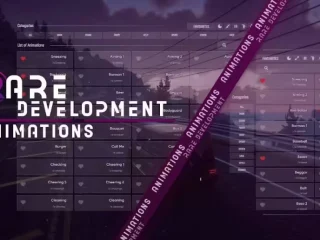
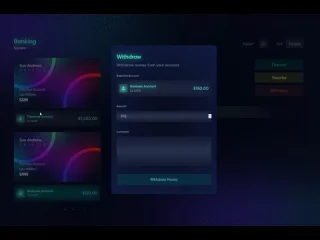
[ESX/QB] 0BUG Pausenmenü – Anpassbares In-Game-Menüsystem für FiveM
Ersetze das Standard-ESC-Menü deines Servers durch dieses verfeinerte, fehlerfreie Pausemenü, das speziell für FiveM-Rollenspielserver entwickelt wurde. Das 0BUG Pause Menü bietet eine saubere, anpassbare Oberfläche, die den Spielern schnellen Zugriff auf wichtige Serverinformationen, Charakterdetails und Navigationsoptionen bietet, ohne die Immersion zu brechen oder Leistungseinbußen zu verursachen. Entwickelt für sowohl ESX als auch Abonnieren Dieses Menüsystem wurde umfassend getestet, um die Abstürze, Einfrierungen und Störungen zu beseitigen, die viele benutzerdefinierte Pausenmenü-Implementierungen plagen.
Dieses Pausenmenü bietet mehr als nur eine optische Verbesserung: Es organisiert Serverinformationen, Spielerstatistiken und Navigation übersichtlich und rollenspieltauglich. Spieler können ihre Charakterwerte einsehen, Serverregeln überprüfen, Einstellungen aufrufen und durch Menüs navigieren – ganz ohne die umständliche Bedienung des Standard-GTA-Pausenmenüs. Für Serverbesitzer ist dies ein professionelles Statement, das vom ersten Moment an, in dem Spieler die ESC-Taste drücken, Qualität und Liebe zum Detail signalisiert.
Im Leistungsumfang enthalten
Das 0BUG Pause Menü-Paket enthält das vollständige Menü-Resource mit allen Assets, Konfigurationsdateien und Framework-Integrationen. Du erhältst das Kernmenüsystem mit anpassbaren Abschnitten für Charakterinformationen, Serverdetails, Einstellungen und Navigation. Das Paket enthält Dokumentation, die Installation, Konfigurationsoptionen und Anpassungsbeispiele abdeckt, um dir zu helfen, das Menü an die spezifischen Bedürfnisse und das Branding deines Servers anzupassen.
Alle UI-Elemente werden als bearbeitbare Komponenten bereitgestellt, sodass du Farben, Layouts, Schriftarten und angezeigte Informationen anpassen kannst, ohne den Kerncode zu berühren. Das Resource enthält sowohl ESX- als auch QBCore-Integrationsdateien, die Kompatibilität unabhängig von deiner Framework-Wahl gewährleisten. Die Leistungsoptimierung ist eingebaut, mit effizienter Rendering und Speicherverwaltung, die die Lags vermeidet, die bei schlecht codierten Menüsystemen häufig auftreten.
Hauptmerkmale
- Keine Fehler – Umfangreich getestet, um Abstürze, Einfrieren und Konflikte zu beseitigen, die bei minderwertigen Menüsystemen auftreten können.
- Dual-Framework-Unterstützung – Native Integration mit den Frameworks ESX und QBCore durch mitgelieferte Kompatibilitätsdateien
- Anpassbare Abschnitte – Konfiguriere, welche Informationen angezeigt werden, organisiere Menükategorien und füge benutzerdefinierte Seiten hinzu
- Anzeige von Charakterinformationen – Spielerstatistiken anzeigen, Arbeit Details, Bankguthaben, Inventarinformationen und Charakterdaten
- Serverinformationsfeld – Serverregeln, Discord-Links, Website, Spieleranzahl und Ankündigungen anzeigen
- Einstellungen Integration – Greife auf Sprach-Einstellungen, Tastaturbelegungs-Konfigurationen und Spieloptionen direkt vom Pausemenü aus zu
- Professionelles UI-Design – Saubere, moderne Benutzeroberfläche, die den aktuellen ästhetischen Standards von FiveM entspricht.
- Leistungsoptimiert – Minimaler Ressourcenverbrauch durch effizientes Rendering verhindert Verzögerungen im Menü.
- Farbanpassung – Passe Akzentfarben, Hintergründe und UI-Elemente an, um sie an das Branding deines Servers anzupassen
- Schnellnavigation – Logische Menüstruktur, die es Spielern ermöglicht, Informationen schnell und frustfrei zu finden.
Perfekt für
- Professionelle Rollenspielserver – Gemeinschaften, die eine ansprechende Benutzeroberfläche wünschen, die Qualitätsstandards widerspiegelt.
- Neues Spielerlebnis – Server, die eine klare Darstellung von Regeln, Befehlen und Informationen für neue Mitarbeiter benötigen
- Marken-Communities – Server, die sich individuelle Farben und Layouts wünschen, die zur Identität ihrer Community passen.
- Server mit hoher Auslastung – Gemeinschaften, in denen Leistung und Stabilität von entscheidender Bedeutung sind und in denen viele Akteure gleichzeitig aktiv sind
- Framework-Migrationen – Server, die zwischen ESX und QBCore wechseln und kompatible Benutzeroberflächen benötigen
Technische Details
- Typ: Clientseitige UI-Ressource mit Serverintegration
- Auswirkungen auf die Leistung: <0,02 ms Reaktionszeit beim Schließen des Menüs, <0,10 ms im aktiven Zustand
- Dateiformat: HTML/CSS/JavaScript-Benutzeroberfläche mit Lua-Integration
- Abhängigkeiten: ESX- oder QBCore-Framework (Kompatibilität für beide inklusive)
- Anpassung: Konfigurationsbasierte Anpassung mit HTML/CSS-Bearbeitung für erweiterte Änderungen
- Aktualisierung: Regelmäßige Updates gewährleisten die Kompatibilität mit Framework-Änderungen.
Installation
- Lade das 0BUG Pause Menü-Paket von deinem Kauf herunter
- Entpacke den Ressourcenordner in dein Server-Ressourcenverzeichnis
- Wähle die entsprechende Version (ESX oder QBCore) aus den enthaltenen Dateien aus
- Serverinformationen, Farben und angezeigte Daten können in der Datei config.lua konfiguriert werden.
- Füge das Resource zu deiner server.cfg-Datei hinzu
- Starte den Server neu und überprüfe, ob das Menü erscheint, wenn du ESC drückst
- Passe Abschnitte und Stile nach Bedarf für deine Community an
Framework-Kompatibilität
- ✅ ESX-Vermächtnis – Volle Unterstützung für ESX 1.9.x und ältere Versionen mit enthaltenen Integrationsdateien
- ✅ Abonnieren – Native Kompatibilität mit dem qb-core-Framework und Spielerdatensystemen
- ✅ ESX Extended – Funktioniert mit erweiterten ESX-Builds und kundenspezifischen Implementierungen
- ✅ QBOX – Kompatibel mit dem QBOX-Framework durch QBCore-Integration
Was es auszeichnet
Die 0BUG-Zertifizierung ist kein Marketing-Gag, sondern das Ergebnis sorgfältiger Entwicklung und Tests, die bei vielen kostenlosen Pausenmenü-Lösungen fehlen. Zu viele Server leiden unter Menüsystemen, die beim Abrufen bestimmter Statistiken abstürzen, beim Öffnen bestimmter Bereiche einfrieren oder mit anderen UI-Elementen in Konflikt geraten. Dieses Menü beseitigt diese Probleme durch korrekte Fehlerbehandlung, sauberen Code und umfangreiche Kompatibilitätstests auf verschiedenen Serverkonfigurationen.
Neben der Stabilität ermöglichen die Anpassungsoptionen, dass du nicht mit dem Branding oder den Layout-Entscheidungen anderer feststeckst. Möchtest du, dass die Farben deines Servers im Menü reflektiert werden? Einfache Konfigurationsänderung. Muss ein benutzerdefinierter Abschnitt für deine einzigartigen Systeme hinzugefügt werden? Die Struktur unterstützt es. Möchtest du Abschnitte entfernen, die nicht zu deinem Spielstil passen? Schalte sie in der Konfiguration aus. Diese Flexibilität stellt sicher, dass das Menü den spezifischen Bedürfnissen deiner Community dient, anstatt dich zu zwingen, dich an die Einschränkungen des Menüs anzupassen.
Konfigurationsbeispiele
Die config.lua-Datei bietet einfache Anpassung durch klar dokumentierte Optionen. Du kannst steuern, welche Charakterstatistiken angezeigt werden (Gesundheit, Rüstung, Hunger, Durst, Stress), welche Serverinformationen erscheinen (Discord-Link, Website, Regeln-Seite) und wie Abschnitte organisiert sind. Farbschemata passen sich durch einfache Hex-Werte an, sodass du das Discord-Branding oder das Design deiner Website anpassen kannst.
Fortgeschrittene Nutzer können HTML/CSS für umfassendere Anpassungen bearbeiten – Layouts ändern, eigene Grafiken hinzufügen oder zusätzliche Daten aus anderen Quellen integrieren. Die Code-Struktur ist übersichtlich und kommentiert, sodass Änderungen auch für Nutzer mit grundlegenden Webentwicklungskenntnissen problemlos möglich sind. Viele Serverbetreiber beginnen mit der Standardkonfiguration und passen diese schrittweise an, sobald sie feststellen, auf welche Informationen ihre Community schnell zugreifen muss.
Orientierungsprogramm für neue Spieler
Ein oft übersehener Vorteil eines guten Pausenmenüs ist die verbesserte Einarbeitung neuer Spieler. Wenn Spieler deinem Server beitreten und die ESC-Taste drücken, sehen sie sofort Informationen zu deiner Community, den Serverregeln und hilfreiche Links. Das reduziert den Verwaltungsaufwand für die Beantwortung grundlegender Fragen, da die Informationen direkt für die Spieler verfügbar sind. Du kannst Anweisungen zur Discord-Verifizierung, Befehlslisten oder Anleitungen für den Einstieg direkt in die Menüoberfläche integrieren.
Die professionelle Präsentation setzt auch Erwartungen an die Serverqualität. Neue Spieler, die entscheiden, ob sie Zeit in deine Community investieren möchten, treffen Urteile basierend auf jeder Interaktion. Ein verfeinertes Pausemenü signalisiert, dass dein Server professionelle Standards einhält und auf die Benutzererfahrung achtet – kritische Faktoren für die Spielerbindung. Es ist ein kleines Detail, das zum Gesamteindruck beiträgt, dass dein Server ihre Zeit wert ist.
Überlegungen zur Leistung
Verzögerungen im Menü sind ein überraschend häufiges Problem auf FiveM-Servern, insbesondere wenn Pausenmenüs ständig aktualisierte Daten abfragen oder ineffiziente Rendering-Methoden verwenden. Das 0BUG-Pause-Menü behebt dieses Problem durch intelligente Aktualisierungsauslöser: Informationen werden nur beim Öffnen des Menüs oder bei bestimmten Ereignissen aktualisiert, nicht in jedem Frame. Dadurch wird der Ressourcenverbrauch minimiert und gleichzeitig sichergestellt, dass die angezeigten Daten aktuell bleiben.
Die HTML/CSS-Rendering ist für die NUI-Umgebung optimiert, wobei leistungsintensive Effekte oder übermäßige DOM-Manipulation vermieden werden. Selbst auf Hardware mit geringerer Leistung öffnet sich das Menü sofort und reagiert reibungslos auf die Navigation. Diese Aufmerksamkeit für die Leistung bedeutet, dass du eine bessere Benutzererfahrung bieten kannst, ohne die Serverstabilität oder die Client-Framerates zu opfern – ein Gleichgewicht, das schlechtere Menüsysteme nicht erreichen.
Integration mit anderen Ressourcen
Intelligente Serverbetreiber integrieren das Pausenmenü in ihr bestehendes UI-Ökosystem. So lassen sich Navigationen zu anderen benutzerdefinierten Oberflächen hinzufügen, Statistiken aus Jobsystemen anzeigen oder Informationen zu Wirtschaftsressourcen darstellen. Das Menü dient als zentrale Anlaufstelle für Spielerinformationen und reduziert damit den Bedarf an separaten, befehlsbasierten Statistikabfragen oder mehreren UI-Elementen mit ähnlichen Funktionen.
Manche Communities nutzen das Pausenmenü, um Reputationsstufen, Fraktionsstatus oder Fortschritt bei Errungenschaften anzuzeigen. Andere integrieren Benachrichtigungszentren mit Informationen zu aktuellen Transaktionen oder Rollenspielereignissen. Die flexible Struktur unterstützt diese Erweiterungen, ohne dass Änderungen am Kerncode erforderlich sind – die Funktionalität lässt sich über die Framework-Integrationspunkte und benutzerdefinierte Ereignisbehandler erweitern.






Briana (Verifizierter Käufer) –
Hat einige Probleme, aber es funktioniert für mich.
Luigi (Verifizierter Käufer) –
Unsere Spieler bemerkten sofort die Verbesserung. Es bringt viel Qualität auf den Server.
WolfSven (Verifizierter Käufer) –
Die Leistung ist ausgezeichnet. Wir haben seit der Installation keinen signifikanten Anstieg der Ressourcennutzung festgestellt.
Mara (Verifizierter Käufer) –
Große Liebe zum Detail. Man merkt, dass viel Arbeit in das Design und die Funktionalität geflossen ist.
Antonietta (Verifizierter Käufer) –
Großartigen Dank