O suporte cobre acesso ao download, arquivos entregues que estejam faltando e dúvidas com base nas notas de instalação publicadas.
Instalação personalizada, conversão de framework, configuração em servidor ao vivo e trabalho em recursos personalizados não estão incluídos, salvo quando indicado na página do produto.
Pergunte antes de comprar se seu servidor usa recursos de framework, inventário ou banco de dados muito modificados.
Compre quando isso economizar tempo de configuração
Use esta checklist para decidir rapidamente se o recurso combina com seu servidor, framework e expectativas de suporte.
Ganho para o administrador
izzy HUD v5 foi posicionado para reduzir HUDs, em vez de você reconstruir o mesmo sistema do zero.
Compatibilidade
Funciona com esx, qbcore, qbox, standalone. Verifique o bloco de requisitos antes de usar em um servidor ativo.
Confiança na compra
Download instantâneo, checkout Stripe, acesso ao suporte e contexto de reembolso são exibidos antes do pagamento.
Elementos de decisão
Requisitos, detalhes de instalação, Vídeo de pré-visualização, Perguntas do Produto
Descrição
izzy HUD v5 - QBCore UI Framework with Progress Bars and Notifications
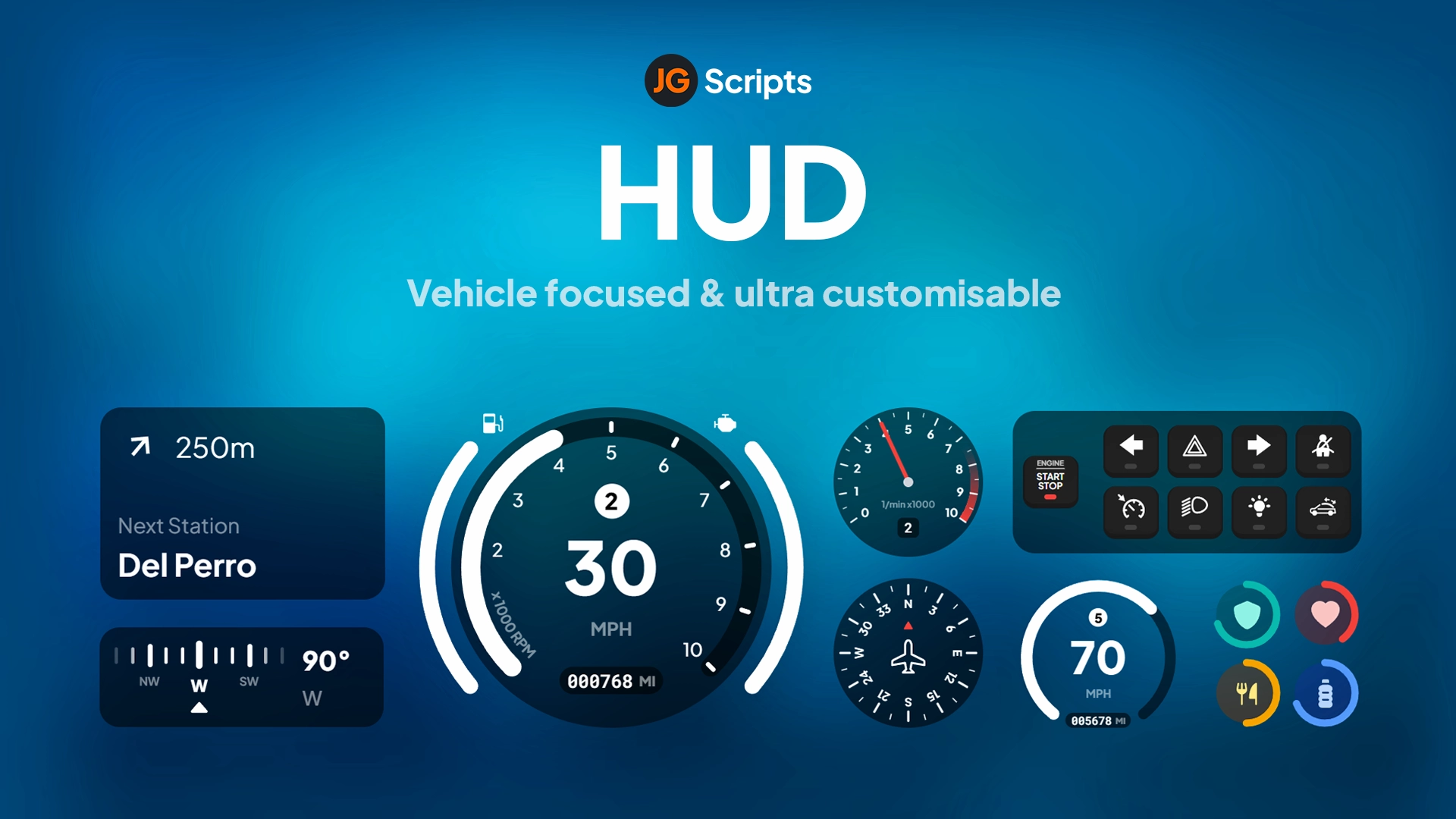
HUDs are tricky. You want something clean that doesn't dominate the screen, but you also need it to display health, armor, hunger, stress, and notifications without feeling cluttered. izzy HUD v5 handles all of that plus adds progress bars for actions. It's designed specifically for QBCore, with built-in exports that replace the default notification and progress bar systems.
What's Included
You get a complete HUD replacement with status bars (health, armor, hunger, thirst, stress), a notification system with multiple types (success, error, inform), and progress bars for timed actions. Everything integrates with QBCore's native functions, so you don't have to rewrite your existing scripts. The HUD is fully customizable—colors, positions, visibility—all configurable.
Key Features
QBCore Integration - Direct replacement for QBCore.Functions.Notify and QBCore.Functions.Progressbar. Your existing scripts work without modifications.
Multi-Type Notifications - Success, error, and inform notification styles. Supports both simple text notifications and dual-text format (caption + message).
Progress Bars for Actions - Shows progress for tasks like lockpicking, crafting, or eating. Includes support for animations, props, and cancel functionality.
Stress System Integration - Built-in stress gain and relief events. Works with QBCore's stress mechanics or can be adapted for custom systems.
Status Bar Display - Health, armor, hunger, thirst, and other status indicators. Clean visual design that doesn't block gameplay.
Control Disables - Progress bars can disable player controls during actions. Prevents exploits where players run or shoot while picking locks.
Prop and Animation Support - Progress bars can trigger animations and spawn props. Makes actions feel more immersive (character holds lockpick while picking).
Customizable Duration - Set notification duration per-call or use default timing. Gives you control over how long important messages stay on screen.
Perfect For
QBCore servers that want a cleaner default HUD
Servers needing better progress bar visuals for jobs and actions
Roleplay servers that use stress mechanics (police chases, gunfights)
Developers who want plug-and-play HUD integration (no script rewrites)
Technical Details
Framework Compatibility: QBCore only. Not compatible with ESX without modification.
Export Functions: Replaces QBCore.Functions.Notify and QBCore.Functions.Progressbar
Stress Events: Client-side events for stress gain/relief (izzy-hudv5:client:gainStress, izzy-hudv5:client:relieveStress)
Performance: Lightweight UI rendering. Minimal resmon impact even with active notifications and progress bars.
Installation
Add izzy-hudv5 to your resources folder
Replace QBCore notification function in qb-core/client/functions.lua with the provided export
Replace QBCore progress bar function with the izzy HUD export
Configure HUD settings (colors, positions, visibility) in config file
Test notifications and progress bars with your existing scripts
Adjust stress event triggers if you're using custom stress mechanics
Integration Example
Replace your existing QBCore notification function with this:
function QBCore.Functions.Notify(text, texttype, length)
    texttype = texttype == success and success or texttype == error and error or inform
    length = length or 5000
    if type(text) == 'table' then
        local ttext = text.text or 'Placeholder'
        local caption = text.caption or 'Placeholder'
        exports['izzy-hudv5']:addNotification(type, ttext, caption, length)
    else
        exports['izzy-hudv5']:addNotification(type, texttype == 'error' and 'Error' or texttype == 'success' and 'Success' or 'Notify', text, length)
    end
end
For progress bars, use:
function QBCore.Functions.Progressbar(name, label, duration, useWhileDead, canCancel, disableControls, animation, prop, propTwo, onFinish, onCancel)
    exports['izzy-hudv5']:Progress({
        name = name:lower(),
        duration = duration,
        label = label,
        useWhileDead = useWhileDead,
        canCancel = canCancel,
        controlDisables = disableControls,
        animation = animation,
        prop = prop,
        propTwo = propTwo,
    }, function(cancelled)
        if not cancelled then
            if onFinish then onFinish() end
        else
            if onCancel then onCancel() end
        end
    end)
end
What Makes It Stand Out
Most HUDs force you to rewrite your scripts. izzy HUD v5 works as a drop-in replacement—you modify two functions in QBCore and everything else just works. The progress bar system is particularly solid because it handles animations, props, and control disables all in one call. That means you can make a lockpicking minigame that freezes player movement, shows a lockpick prop, and plays the picking animation without juggling three different script calls. And since it's designed for QBCore specifically, you don't have to deal with framework compatibility issues.
Requires a FiveM server, ESX or QBCore, access to server resources, and permission to restart the resource after configuration.
Apenas os dados publicados nesta página devem ser considerados confirmados. Se você precisar de mais detalhes, revise a descrição, requisitos, histórico de alterações, avaliações e perguntas do produto antes do checkout.
Use este produto como parte de uma configuração maior. Explore categorias relacionadas, frameworks alternativos, pacotes premium e downloads gratuitos complementares.