Home
Shop
Free Mods
Tools
Bundles
Full Servers
  1. Home
  2. Blog
  3. Tutorials & Guides

How to Install FiveM - Tutorials & Guides | FiveMX

Published on April 10, 2025·by Lars Miller(Founder & Lead Editor)·Credentials·6 min read·Updated on December 24, 2025
Tutorials & Guides

Learn how to install with our step-by-step guide. Includes features. Complete tutorial for 2025.

How to Install FiveM - Tutorials & Guides | FiveMX

Ready to dive into the vast universe of custom Grand Theft Auto V experiences (like GTA RP)?

FiveM is the key that unlocks thousands of unique servers, roleplaying communities, and modified game modes.

Learning how to install FiveM is your first step into this incredible world.

This guide will walk you through the installation process step-by-step for both Steam and Epic Games users in 2025.

Content

  • Prerequisites: Before You Begin
  • Step 1: Preparing Your GTA V Installation
  • Step 2: Downloading the FiveM Client
  • Step 3: Installing FiveM
  • Step 4: First Launch and Linking Account
  • Step 5: Joining Your First Server
  • Beyond Installation: Enhancing Your Experience
  • Frequently Asked Questions (FAQ)
  • Is FiveM free?
  • Will using FiveM get me banned from GTA Online?
  • FiveM asks to update game cache, what does this mean?
  • Why won't FiveM find my game installation?

Prerequisites: Before You Begin

Before installing the FiveM client, ensure you have a few things sorted.

  • A Legitimate Copy of Grand Theft Auto V: FiveM requires a genuine, purchased copy of GTA V.
    It doesn't matter if it's from Steam or the Epic Games Store, but it must be legitimate.
    Pirated copies will not work and can lead to bans.
  • GTA V Installed and Updated: Make sure GTA V is fully installed and updated to the latest version on your PC.
    Run the base game (single-player) at least once to ensure all initial setup and updates are complete.
  • Rockstar Social Club Account: You'll need a Rockstar Social Club account linked to your GTA V copy.
  • System Requirements: Check the minimum and recommended system requirements for FiveM (which are similar to GTA V's) to ensure your PC can handle it smoothly.

Find hardware for FiveM


Step 1: Preparing Your GTA V Installation

This step ensures FiveM can correctly identify your game files.

For Steam Users:

  1. Open your Steam library.
  2. Locate Grand Theft Auto V.
  3. Right-click on it and select "Properties."
  4. Go to the "Installed Files" tab.
  5. Click "Verify integrity of game files."
  6. Let Steam check and download any missing or corrupted files.
  7. Launch GTA V single-player once after verification to confirm it runs.

For Epic Games Store Users:

  1. Open the Epic Games Launcher.
  2. Navigate to your "Library."
  3. Find Grand Theft Auto V and click the three dots (...) next to it.
  4. Select "Manage."
  5. Click "Verify."
  6. Allow the launcher to verify and repair your game files.
  7. Launch GTA V single-player once after verification to ensure it's working correctly.

Step 2: Downloading the FiveM Client

Now, let's get the actual FiveM software.

  1. Open your web browser.
  2. Navigate to the official FiveM website: FiveM.net (Note: Always download directly from the official source to avoid malware).
  3. Click the prominent DOWNLOAD CLIENT button.
  4. Agree to the Terms of Service after reading them.
  5. The FiveM.exe installer will download.

Step 3: Installing FiveM

This is where the magic happens.

  1. Locate the downloaded FiveM.exe file (usually in your Downloads folder).
  2. We strongly recommend creating a new, empty folder specifically for FiveM (e.g., C:\FiveM or on another drive). Do not install FiveM inside your GTA V game directory.
  3. Move the downloaded FiveM.exe file into this new, empty folder you created.
  4. Double-click FiveM.exe from within its new folder.
  5. FiveM will now begin downloading all necessary updates and client files.
    This might take a few minutes depending on your internet speed.
    It will likely ask for permission to download around 1-2GB of data. Allow it.
  6. The installer may ask to locate your GTA V installation folder.
    Browse and select the main directory where GTA V is installed (e.g., C:\Program Files (x86)\Steam\steamapps\common\Grand Theft Auto V or similar for Epic Games).
    FiveM needs this to access the base game assets.

Step 4: First Launch and Linking Account

Almost there!

  1. Once the updates are complete, FiveM should launch automatically.
    If not, double-click FiveM.exe again from its dedicated folder.
  2. You will likely be prompted to log in to your Rockstar Social Club account.
    This is necessary to verify your ownership of GTA V. Log in using your credentials.
  3. FiveM may perform a final check or update.

Step 5: Joining Your First Server

Congratulations! You've successfully installed FiveM.

  1. The FiveM client interface will open, typically showing a server list.
  2. You can use the "Servers" tab, filters, and search bar to find communities that interest you.
  3. You might look for servers based on game mode (Roleplay, Racing, Deathmatch), language, or specific features.
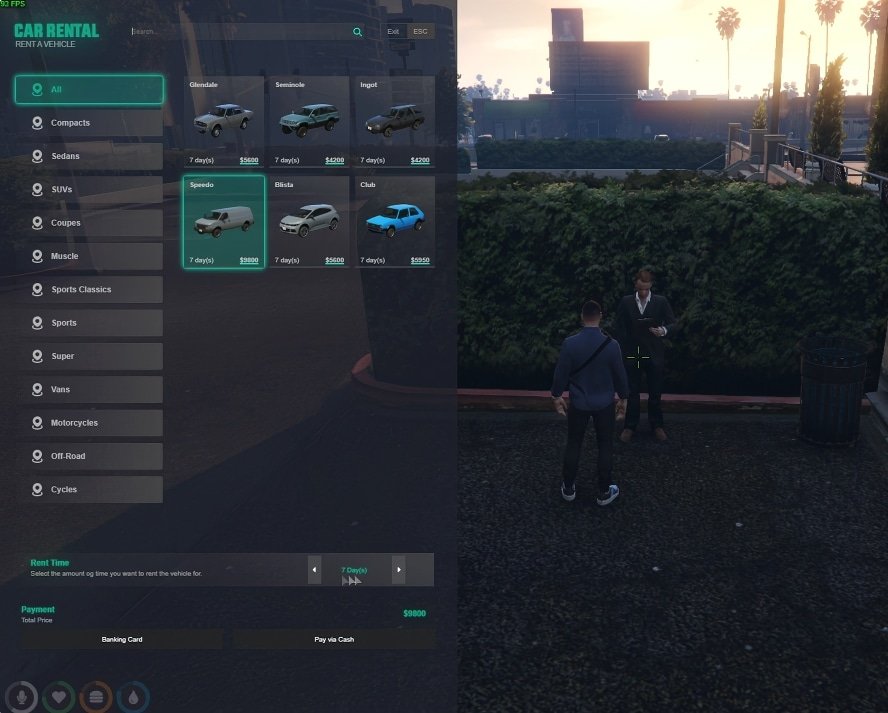
  4. Many servers utilize custom assets like unique vehicles, clothing, or incredible custom map interiors FiveM MLOs
  5. Click on a server and hit the "Connect" button.
  6. FiveM will download any required server-specific resources before joining. This can sometimes take a while on the first connection to a server.
  7. Follow any on-screen instructions or rules provided by the server you join.

fivem assets

Beyond Installation: Enhancing Your Experience

Now that you know how to install FiveM, the real fun begins.

Explore different communities and discover the incredible creativity on display.

You can find everything from basic setups to incredibly detailed full FiveM servers ready for players.

Consider enhancing your visuals with mods like NaturalVision Evolved for a stunning graphical overhaul.

For server owners or aspiring developers, explore different mod categories or grab some useful free scripts to add features.

Even advanced tools, like our AI Tools, are available to streamline development.

You can find both free and premium assets in the FiveMX Shop to build your dream server.

Welcome to the FiveM community!


Frequently Asked Questions (FAQ)

Is FiveM free?

Yes, the FiveM client itself is completely free to download and use. However, some individual servers may offer optional paid perks or subscriptions for cosmetic items or priority queue access, often managed through platforms like Tebex.

Will using FiveM get me banned from GTA Online?

No. FiveM runs completely separately from GTA Online. It doesn't modify your base game files in a way that affects the official online mode. You can switch between FiveM and GTA Online without issue, provided you installed FiveM correctly outside your GTA V directory.

FiveM asks to update game cache, what does this mean?

Sometimes, after a major GTA V update, FiveM needs to update its own cache files based on the new game version. Simply allow it to proceed; it's a normal part of the process to ensure compatibility.
How to clear cache

Why won't FiveM find my game installation?

Ensure GTA V is fully installed and you've run it at least once. Double-check you are selecting the correct main GTA V folder during the FiveM setup. Verify your game files via Steam or Epic Games as described in Step 1. Make sure your antivirus isn't mistakenly blocking FiveM.


Looking for new stuff?

Check out our mods!


Didn't help? Check out this tutorial:

/how-to-install-fivem-on-windows/

Previous Article

The Best Pre-configured FiveM Server Packs

Next Article

How To Find FiveM Communities (Best Ways)

More on This Topic

How To Install NVE (NaturalVision Evolved) for GTA 5 & FiveMHow to Install ReShade on FiveM: Ultimate 2026 Graphics GuideHow to Install FiveM Mods: Step-by-Step GuideHow To Install Custom Cars (FiveM)How To Install FiveM on Windows (10 / 11)

Turn framework research into a launch-ready script stack

Use this guide to narrow the framework decision, then move into the core commercial hubs for verified scripts, curated bundles, and a faster server launch path.

Framework hub

Browse QBCore-ready scripts

Move into the QBCore landing page to compare verified scripts, framework fit, and install-ready products built for modern FiveM servers.

Open QBCore hub

Framework hub

Review the ESX script path

Use the ESX landing page to compare framework-specific resources, launch guidance, and premium products that fit ESX-first servers.

Open ESX hub

Premium catalog

Browse premium FiveM scripts

Move from research into the main shop to compare real products, framework labels, screenshots, and production-ready quality signals.

Open premium shop

Launch faster

Compare curated bundles

Bundles shorten the path from planning to launch by grouping the highest-leverage scripts into a cleaner commercial starting point.

View bundles

Disclosure: Some links below are affiliate links to FiveMX products. We may earn a commission at no extra cost to you.

Related Articles

How To Install FiveM HUD – Tutorials & Guides

How To Install FiveM HUD – Tutorials & Guides

Learn how to install with our step-by-step guide. Includes an engaging interface that displays critical in.... Complete tutorial for 2025.

August 21, 2024
How To Create a FivePD Server - Tutorials & Guides

How To Create a FivePD Server - Tutorials & Guides

Learn how to create with our step-by-step guide. Includes a text editor. Complete tutorial for 2025.

July 19, 2024
How to Use FiveM Mods: Complete Installation and Setup Guide

How to Use FiveM Mods: Complete Installation and Setup Guide

Learn how to use with our step-by-step guide. Includes features. Complete tutorial for 2025.

June 10, 2025
Secure CheckoutInstant AccessMoney-Back GuaranteeLifetime Updates
FiveMX

Premium FiveM scripts and mods for serious server owners.

Shop

  • Shop
  • QBCore Scripts
  • ESX Scripts
  • FiveM Scripts
  • Free Mods
  • Best Scripts & Mods

Help

  • About
  • FAQ
  • Support
  • Contact
  • Account
  • Affiliate Program

Legal

  • Privacy Policy
  • Terms of Service
  • Refund Policy
  • Cookie Policy
  • GDPR Compliance
  • DMCA
  • Imprint
  • Editorial Policy
© 2026 FiveMX. All rights reserved.·support@fivemx.com

FiveMX is not affiliated with Rockstar Games, Take-Two Interactive, or CFX.re. All trademarks are property of their respective owners.

Flash Sale — Up to 19% off!Flash Sale — 19% off!Shop Now