


VMS HUD – Fortschrittliches, anpassbares Schnittstellensystem für FiveM
Revolutioniere dein Spielerlebnis mit VMS HUD, einem vollständig anpassbaren Heads-up-Display-System, das eine beispiellose Kontrolle über UI-Elemente bietet. Dieses vielseitige HUD bietet saubere, moderne Schnittstellen für Gesundheit, Fahrzeugstatistiken, Sprachstatus und Spielerinformationen, während es jedem Benutzer die vollständige Freiheit gibt, ihre Anzeige zu positionieren, zu stylen und zu konfigurieren. Kompatibel mit beiden ESX Und Abonnieren Das Framework VMS HUD beinhaltet intelligente Funktionen wie pulsierende Warnmeldungen bei niedrigem Status, automatisches Speichern im Cache und Leistungsoptimierung, die ein flüssiges Spielerlebnis auch auf leistungsschwächeren Systemen gewährleisten.
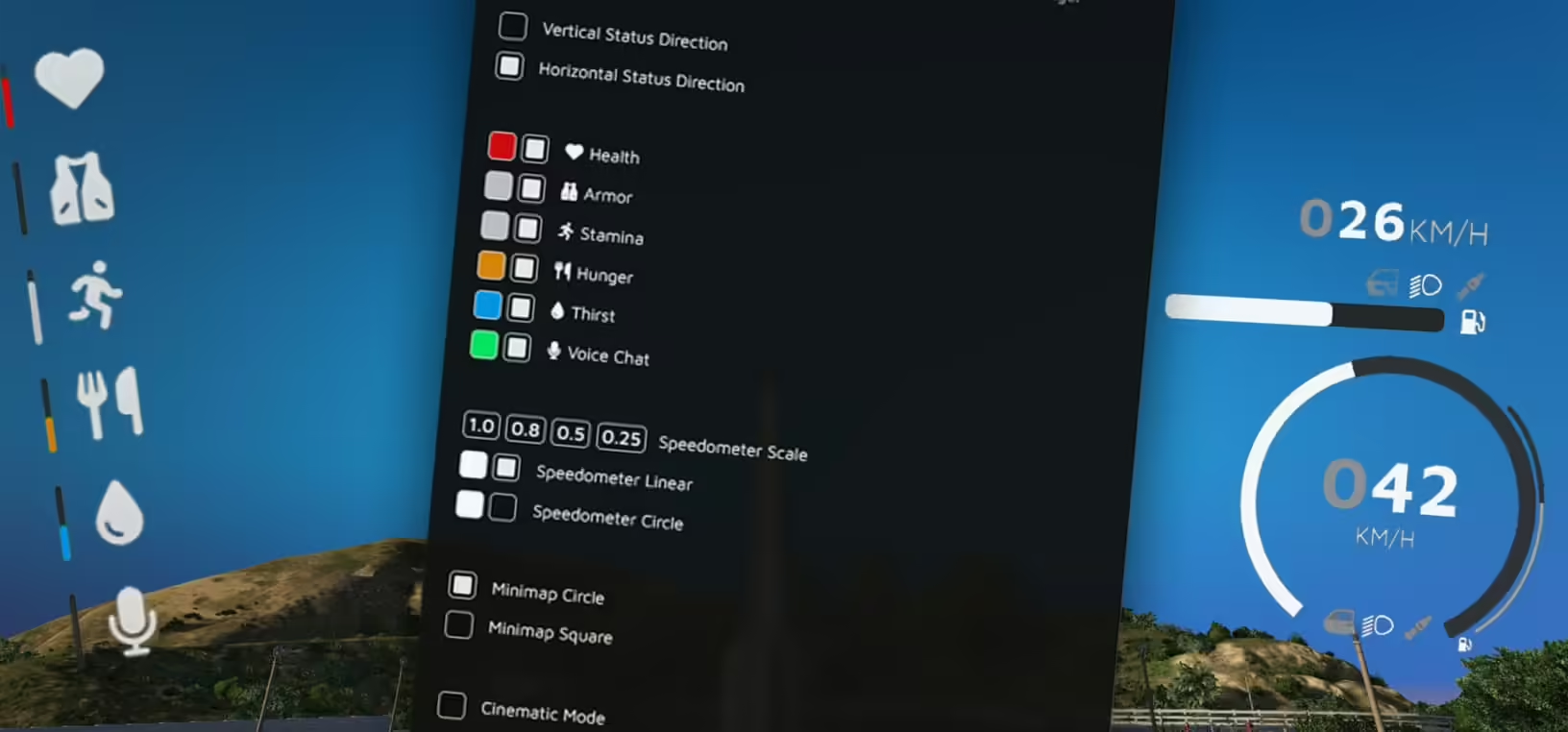
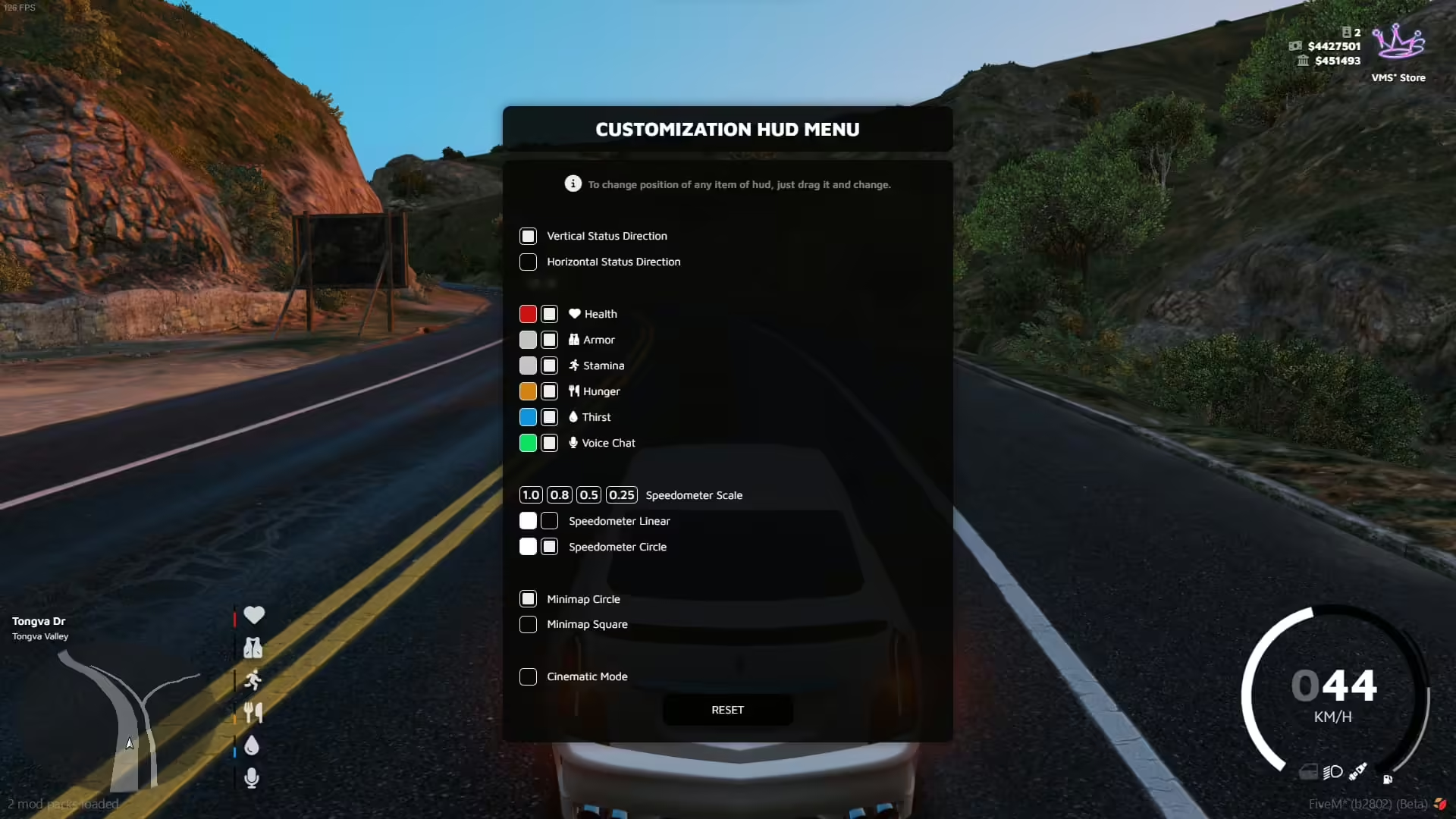
Im Gegensatz zu statischen HUD-Systemen ermöglicht VMS HUD Spielern die Erstellung personalisierter Benutzeroberflächen, die ihren Vorlieben und ihrem Spielstil entsprechen. Dank Drag-and-Drop-Positionierung mit einem präzisen Rastersystem, verschiedenen Geschwindigkeitsmessertypen, anpassbaren Minikarten und umfangreichen Farboptionen kann jeder Spieler seine ideale Benutzeroberfläche gestalten, ohne den Bildschirm zu überladen oder den Zugriff auf wichtige Informationen einzuschränken.
Im Leistungsumfang enthalten
Du erhältst ein vollständiges HUD-System mit Dual-Framework-Unterstützung (ESX & QBCore), pma-voice-Integration, einem anpassbaren Positionierungsmenü, das über Taste oder Befehl zugänglich ist, zwei Geschwindigkeitsmesser-Typen (linear und kreisförmig), zwei Minimap-Stilen (quadratisch und kreisförmig), einem Sicherheitsgurt-System mit Auswurfmechanik, Kraftstoffanzeige-Integration, Status-Icons für Gesundheit/Rüstung/Hunger/Durst/Ausdauer, Server-Info-Anzeige mit Unterstützung für benutzerdefinierte Logos und umfassende Konfigurationsoptionen. Alle Spielerpräferenzen werden automatisch im lokalen Cache gespeichert und bewahren benutzerdefinierte Layouts zwischen den Sitzungen auf.
Hauptmerkmale
- Universelle Framework-Kompatibilität – Funktioniert nahtlos mit ESX (über esx_status) und QBCore (Standard-Speisen-/Getränkesysteme). Unterstützt pma-voice für die Integration von Sprachindikatoren in beiden Frameworks.
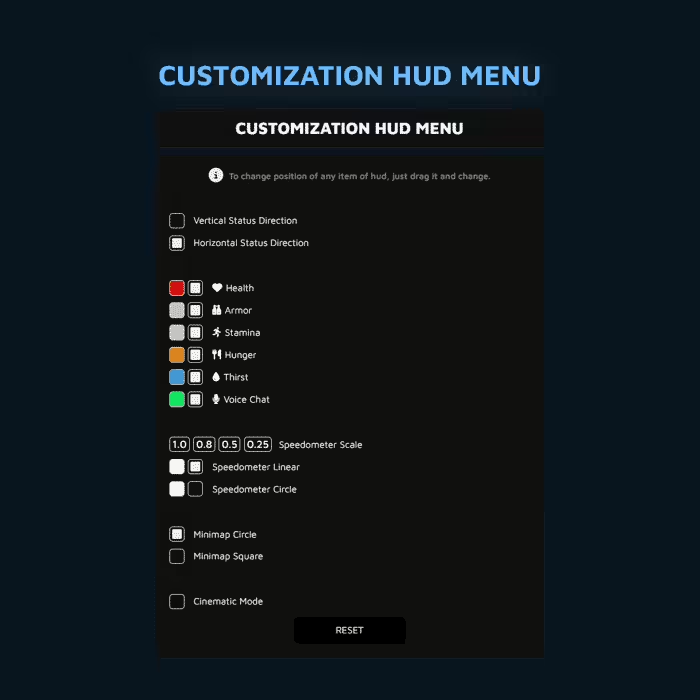
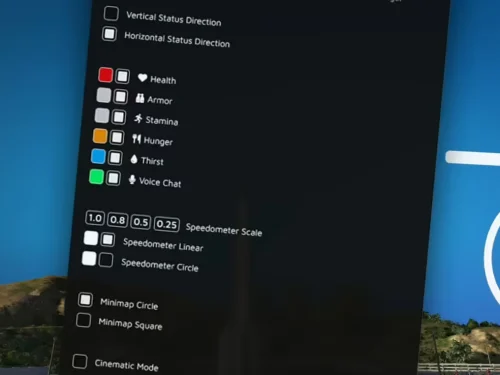
- Anpassungsmenü mit Rastersystem Spieler greifen über konfigurierbare Tasten oder Befehle auf eine umfassende Anpassungsoberfläche zu. Beim Verschieben von Elementen erscheint ein Präzisionsraster, das eine exakte Platzierung ermöglicht. Der Menüzugriff kann über die Konfiguration auf Befehle beschränkt oder vollständig deaktiviert werden.
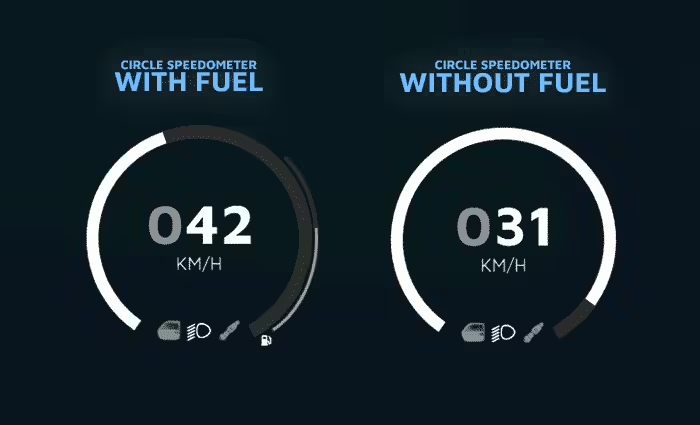
- Doppelte Geschwindigkeitsmessertypen – Wähle zwischen einem linearen Balken-Tachometer oder einem kreisförmigen Instrumenten-Design. Beide Varianten lassen sich individuell in Farbe, Skalierung und Position anpassen. Spieler wählen ihren bevorzugten Stil über das HUD-Menü.
- Flexible Minimap-Optionen – Wechsle zwischen quadratischen und kreisförmigen Minimap-Stilen, die sich beide automatisch basierend auf der Benutzerauflösung skalieren. Der Standard-Kartentyp ist konfigurierbar, wobei die Auswahl im Spieler-Cache für persistente Präferenzen gespeichert wird.
- Fortschrittliches Sicherheitsgurtsystem – Integrierte Sicherheitsgurt-Mechanik mit konfigurierbarem Mindestaufprallgeschwindigkeits-Schwellenwert und Auswurf-Todesprozentsatz. Wenn du kein separates Sicherheitsgurt-Skript verwendest, bietet dieses integrierte System realistische Unfallfolgen.
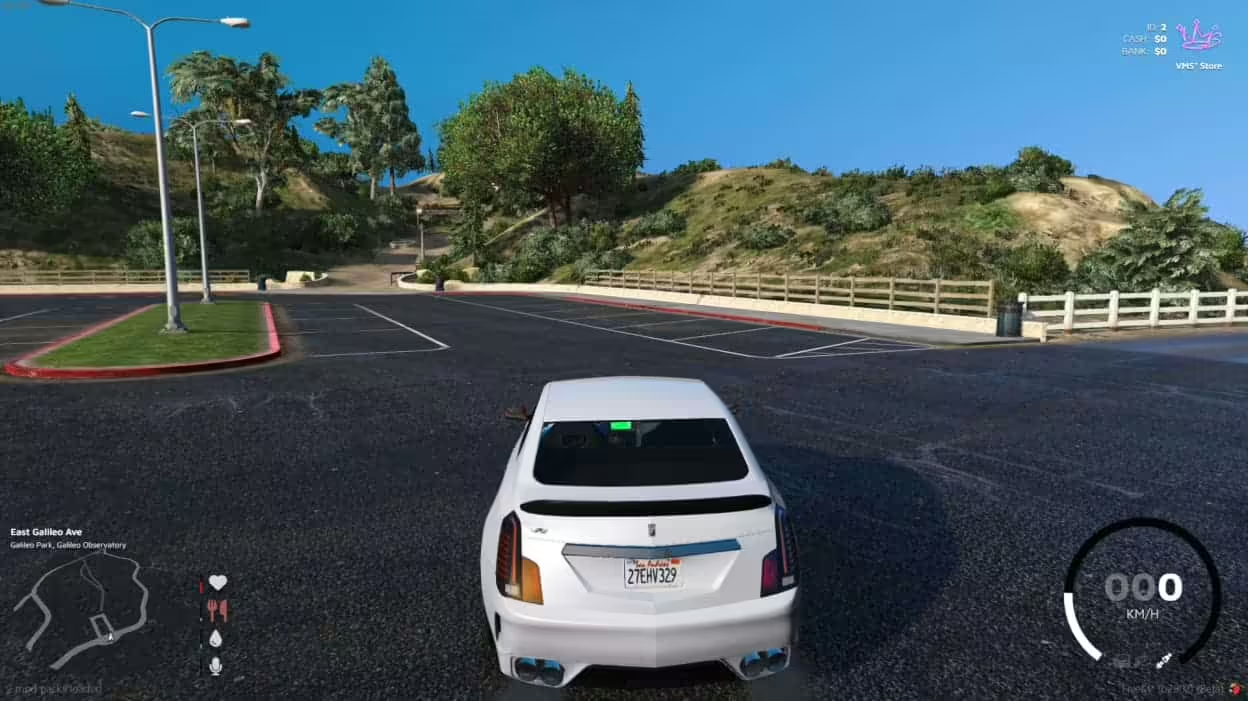
- Intelligente Statussymbole Gesundheit, Rüstung, Hunger, Durst und Ausdauer werden horizontal oder vertikal angezeigt und können individuell positioniert werden. Die Symbole pulsieren, sobald die Werte unter 20% fallen, um die Spieler zu warnen. Die Symbole können über das Menü vollständig deaktiviert werden.
- Schutz der Bildschirmmitte – Eine Konfigurationsoption verhindert, dass Spieler Statussymbole in der Bildschirmmitte positionieren, wodurch ein Ausnutzen der Situation unterbunden wird, bei der Spieler Gesundheitsindikatoren als Zielkreuz verwenden könnten.
- Serverinformationen anzeigen – Die HUD in der oberen rechten Ecke zeigt die Serveridentität mit Umschaltung zwischen Symbol/Text-Anzeige. Lade ein benutzerdefiniertes Serverlogo (PNG oder GIF unterstützt) hoch und bearbeite den Servernamen aus den Übersetzungsdateien. Bargeld- und Bankkontostände können über die Konfiguration angezeigt oder ausgeblendet werden.
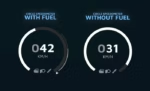
- Kraftstoffintegration – Schließt sich an Ihr vorhandenes Kraftstoffsystem an, um den Kraftstoffstand des Fahrzeugs auf dem Tachometer anzuzeigen. Wenn kein Kraftstoffsystem installiert ist, kann die Kraftstoffanzeige über die Konfiguration vollständig deaktiviert werden.
- Zwei-Gang-Einheiten – Wechsle zwischen KMH und MPH Messsystemen, um den Spielerpräferenzen oder regionalen Serveereinstellungen zu entsprechen.
- Lokales Cache-System Alle HUD-Anpassungseinstellungen (Farben, Positionen, Typen, Sichtbarkeit) werden automatisch im Browser-Cache des Spielers gespeichert. Die Einstellungen bleiben auch nach Verbindungsabbrüchen und Serverneustarts ohne Datenbankaufwand erhalten.
- Leistungsoptimiert – Geringer Ressourcenverbrauch bei effizienter Darstellung. Minimale Auswirkungen auf die Bildrate, selbst bei intensivem Gameplay oder hoher Spieleranzahl.
- Umfassende Dokumentation – Vollständige Konfigurationsdokumentation verfügbar unter docs.vames-store.com mit detaillierten Erklärungen jeder Konfigurationsoption und einem Integrationsleitfaden.
Perfekt für
- Server, die Spielern die Kontrolle über ihre Benutzeroberfläche ohne Administratoreingriff ermöglichen möchten.
- Gemeinschaften mit unterschiedlichen Spielerpräferenzen, die flexible Schnittstellenoptionen benötigen
- Rollenspielserver, die durch ein klares, unaufdringliches HUD-Design ein immersives Erlebnis schaffen.
- Rennserver, die eine klare Anzeige des Tachometers mit anpassbarer Positionierung benötigen
- Server, die auf unterschiedlicher Spielerhardware laufen, bei denen die Optimierung der Benutzeroberfläche wichtig ist
- Gemeinden, die von anderen HUD-Systemen wechseln und sich Funktionsgleichheit bei gleichzeitig besserer Anpassung wünschen.
- Entwickler, die benutzerdefinierte Server erstellen und ein zuverlässiges, dokumentiertes HUD-Framework benötigen.
Anpassungsoptionen
- Tachometer: Typ (linear/kreisförmig), Farbe, Skalierung, Position
- Minikarte: Stil (Quadrat/Kreis), Standardtyp beim ersten Verbinden
- Statussymbole: Layout (horizontal/vertikal), Position, individuelle Sichtbarkeit, Zentralverriegelung
- Serverinformationen: Logo-Upload, Namensanzeige, Sichtbarkeit von Bargeld/Bankeingängen
- Sicherheitsgurt: Mindestgeschwindigkeit bei einem Aufprall, Todesrate, Aktivieren/Deaktivieren
- Kraftstoffanzeige: Ein-/Ausblenden je nach Vorhandensein des Kraftstoffsystems
- Geschwindigkeitseinheiten: Auswahl zwischen km/h oder mph
- Menüzugriff: Tastenkombination, nur Befehle oder vollständig deaktiviert
Technische Details
- Framework-Unterstützung: ESX (esx_status) und QBCore (Standardsysteme)
- Sprachintegration: PMA-Voice-Kompatibilität für Sprachindikatoren
- Auflösungsskalierung: Automatische Minimap-Anpassung für alle Bildschirmgrößen
- Speichermethode: Clientseitiger Browser-Cache (keine Datenbankabfragen)
- Ressourcenauswirkungen: Minimaler Leistungsbedarf dank optimierter Darstellung
- Logo-Unterstützung: PNG- und GIF-Formate für animiertes Server-Branding
Installation
- Füge die vms_hud-Ressource zu deinem Server-Ressourcenordner hinzu
- Konfiguriere den Framework-Typ (ESX oder QBCore) in config.lua
- Richte die Integration des Sprachsystems ein, falls du pma-voice verwendest
- Standardeinstellungen anpassen (Geschwindigkeitseinheiten, Menüzugriff, Sicherheitsgurtparameter)
- Lade dein eigenes Serverlogo hoch, falls gewünscht, und richte die Infodarstellung ein.
- Stelle sicher, dass die Ressource in server.cfg enthalten ist und starte den Server neu
- Spieler greifen über eine konfigurierte Taste oder einen Befehl auf das Anpassungsmenü zu.
Framework-Kompatibilität
- ✅ ESX-Vermächtnis – Vollständige Integration mit esx_status zur Hunger-/Durst-Erfassung
- ✅ Abonnieren – Native Unterstützung für die standardmäßigen Essens-/Getränke-Triggerereignisse von QB-Core
- ✅ pma-Stimme – Sprachindikatorintegration für beide Frameworks
- ✅ Kraftstoffsysteme – Kompatibel mit den meisten Treibstoffskripten über eine Konfigurationseinstellung.
Was es auszeichnet
VMS HUD stellt die Autonomie der Spieler über starre Entwicklervorgaben. Anstatt ein einheitliches UI-Layout für die gesamte Community aufzuzwingen, bietet es Werkzeuge zur individuellen Anpassung bei gleichbleibender Funktionalität. Das Rasterpositionierungssystem ermöglicht pixelgenaue Platzierung und verhindert so Frustration durch leicht verschobene Elemente. Lokaler Cache-Speicher bedeutet keine Datenbankbelastung beim Speichern von Einstellungen, während der Bildschirmschutz Missbrauch verhindert, ohne legitime Anpassungen einzuschränken. Die zwei Tachometertypen – von minimalistischen linearen Balken bis hin zu klassischen Kreisanzeigen – bieten für jeden Geschmack ein unabhängiges Design.
Support und Dokumentation
VMS HUD bietet umfassenden Support, der Installation, Konfiguration und Fehlerbehebung abdeckt. Die vollständige Dokumentation findest du unter docs.vames-store.com/assets/vms_hud/ mit detaillierten Erklärungen zu Konfigurationsdateien und Integrationsleitfäden für gängige Frameworks und Skripte. Das Support-Team hilft bei individuellen Konfigurationen, Kompatibilitätsfragen und der Implementierung von Funktionen.
Warum Spieler anpassbare HUDs lieben
Jeder Spieler hat unterschiedliche Prioritäten: Rennfahrer wünschen sich gut sichtbare Geschwindigkeitsanzeigen, Kampfspieler benötigen eine klare Gesundheitsanzeige und Rollenspieler, die Wert auf Immersion legen, bevorzugen eine minimalistische Benutzeroberfläche. Statische HUD-Systeme erzwingen Kompromisse, da manche Elemente für bestimmte Spielstile ungünstig positioniert sind. VMS HUD beseitigt diese Kompromisse, indem es Spielern ermöglicht, Benutzeroberflächen zu erstellen, die ihren individuellen Bedürfnissen entsprechen. Das Cache-System speichert ihre Einstellungen, sodass sie ihr personalisiertes HUD nach einmaliger Konfiguration dauerhaft nutzen können. Die pulsierenden Statuswarnungen stellen sicher, dass wichtige Informationen auch bei minimalistischen Layouts wahrgenommen werden, während die Möglichkeit, unnötige Elemente auszublenden, für einen übersichtlicheren Bildschirm sorgt.






Johanna (Verifizierter Käufer) –
Tolles Produkt! Es bietet zu viele Dinge im Vergleich zu seinem Preis.
Alvis (Verifizierter Käufer) –
Ich denke, jeder sollte davon erfahren, es übertrifft einfach meine Erwartungen
Alan (Verifizierter Käufer) –
Ein fantastisches Produkt mit großer Flexibilität. Der Kundensupport ist hervorragend. Ich empfehle dies ohne jeden Zweifel.
Chelsie (Verifizierter Käufer) –
Unsere Spieler bemerkten sofort die Verbesserung. Es bringt viel Qualität auf den Server.
RiftRiley (Verifizierter Käufer) –
Gute Reaktion vom Support.
Arnold (Verifizierter Käufer) –
Eine der wenigen Ressourcen, die ich gekauft habe und die ohne umfangreiche Fehlerbehebung einwandfrei funktioniert hat.