$ USD
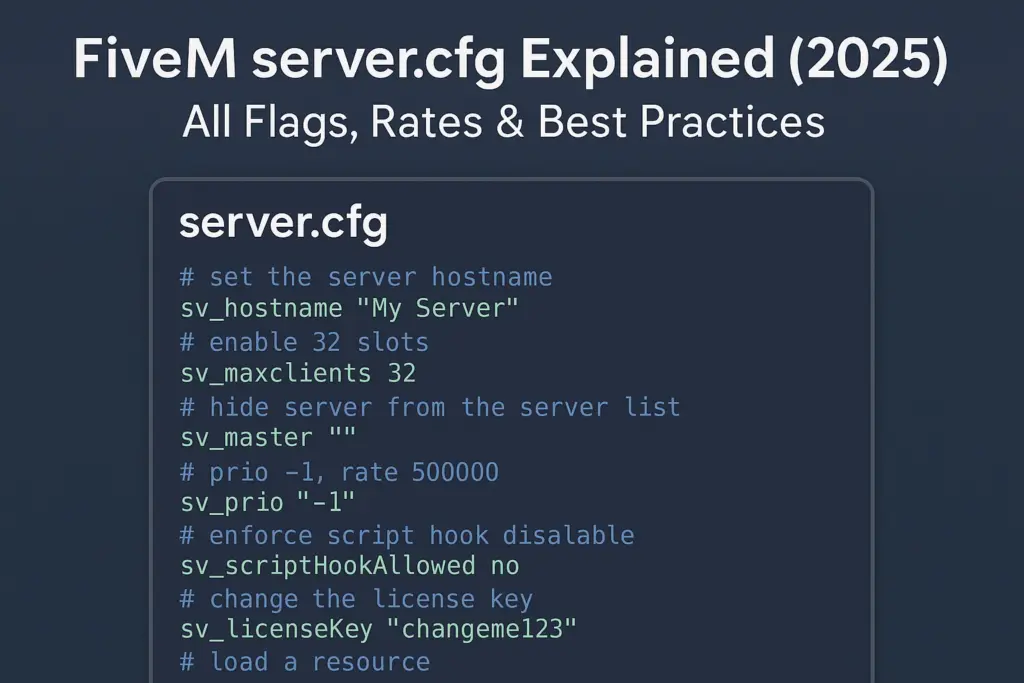
Guía del archivo server.cfg de FiveM
El servidor.cfg file is the heart of every FiveM server. It defines how your server runs: slots, networking, game build, OneSync, logging, and visibility in the server list. This guide is for server owners and developers who want safe defaults, production hardening, and performance best practices. Always keep backups and use version control. If you’re new, start with our Cómo crear un servidor FiveM. For deeper optimizations, see our Performance hub.
On this page
TL;DR: Production-ready baseline (annotated)
A clean servidor.cfg is the foundation of stability. Below are two examples: a minimal dev config y un hardened production config.
Minimal dev config
# server.cfg (development)
# Basic config for local testing

# Network
endpoint_add_tcp "0.0.0.0:30120"   # TCP port binding
endpoint_add_udp "0.0.0.0:30120"   # UDP port binding

# Server info
sv_hostname "My Dev Server"
sv_maxclients 8

# OneSync
set onesync on

# Resources (basic example)
ensure mapmanager
ensure chat
ensure spawnmanager
ensure sessionmanager
ensure hardcap
ensure baseevents

# Permissions (default ACL)
exec permissions.cfg
Hardened production config
# server.cfg (production)

# Network
endpoint_add_tcp "0.0.0.0:30120"
endpoint_add_udp "0.0.0.0:30120"

# Security
sv_endpointPrivacy true                # Hide IP in server list
sv_scriptHook 0                         # Disable client mods
rcon_password "StrongRconPassword123"   # Disable if not needed

# Slots
sv_maxclients 64                        # Adjust to host capacity

# Game build (use latest recommended)
sv_enforceGameBuild 2944                # Or alias: "mp2024_02"

# Project info
sv_hostname "FIVEMX Roleplay | Serious RP"
sets sv_projectName "FIVEMX RP Server"
sets sv_projectDesc "Realistic RP with QBCore & custom scripts"
sets tags "roleplay, seriousrp, qbcore"
sets locale "en-US"
load_server_icon mylogo.png
sets banner_detail "https://cdn.example.com/banner.png"
sets banner_connecting "https://cdn.example.com/loading.png"

# OneSync
set onesync on

# Resources (use resource list)
exec resources.cfg

# Logging & ACL
set sv_logLevel 2
exec permissions.cfg

# txAdmin integration
set mysql_connection_string "mysql://user:pass@localhost/fivemdb"
Consejo: Always validate your config after edits with txAdmin health checks and console logs. See registros de txAdmin.
Server information & listing
The following convars control how your server appears in the server browser and API:
| Convar | Objetivo | Ejemplo | When to change | Caveats |
|---|---|---|---|---|
sv_nombre de host | Public name in the server list | sv_hostname "My RP Server [EN]" | Always set | Avoid special chars, keep clear |
sets sv_projectName | Internal project display name | sets sv_projectName "MyCommunityRP" | Branding, multi-server setups | Only visible in list UI |
sets sv_projectDesc | Description shown in list | sets sv_projectDesc "QBCore RP Server" | Add rules, language, features | Keep < 100 chars |
sets tags | Server list tags | sets tags "roleplay, cars, qbcore" | Improve discoverability | Use official tags only |
sets locale | Default language | Establece la configuración regional "en-US" | Match server language | Wrong locale may hide server |
sv_endpointPrivacy | Hide public IP in browser | sv_endpointPrivacy verdadero | Recommended for production | Players connect via Cfx relay |
load_server_icon | 96×96 PNG icon | load_server_icon mylogo.png | For branding | Must be square, <96×96 pixels |
sets banner_detail | Large banner in server list | sets banner_detail "url" | Optional but recommended | Must be HTTPS URL |
sets banner_connecting | Banner shown on connecting | sets banner_connecting "url" | Good for branding/loading | Use CDN to avoid lag |
See the [official convars list][1] for full reference.
Networking & slots
FiveM servers use TCP/UDP endpoints. By default, port 30120 is used.
endpoint_add_tcp "0.0.0.0:30120"
endpoint_add_udp "0.0.0.0:30120"
sv_maxclients 64
- Run multiple servers on one machine with port offsets: p.ej
30121,30122. - Match firewall rules to open TCP/UDP ports.
sv_maxclientsdirectly affects CPU & RAM usage — don’t set higher than your hardware can handle. See Server Hosting Providers
Advertencia: Don’t expose MySQL or RCON ports to the internet.
Game build & artifacts
Each server build (artifact) corresponds to a GTA V game build. Always pin a specific build to avoid unexpected changes.
# Example forcing build 2944 (Los Santos Drug Wars update)
sv_enforceGameBuild 2944
# or use alias
enforce_game_build mp2024_02
- [Official convars doc][1] lists valid build numbers.
- Set build in
servidor.cfgo in txAdmin → Settings → FXServer → Additional arguments:
+set sv_enforceGameBuild 2944
- Download latest artifacts from [runtime.fivem.net][4] (Windows) or the Linux build page.
- Never mix client and server builds.
OneSync configuration

OneSync enables server-side entity sync: more players, accurate states, better streaming. Always use OneSync on for modern frameworks (QBCore, ESX).
| Configuración | Effect | Typical value | Impact on CPU/memory | Docs |
onesync | Enables OneSync | en | Higher CPU usage | [OneSync docs][3] |
onesync_population | Controls local NPCs/traffic | en (opcional) | Adds CPU load | [OneSync docs][3] |
onesync_distanceCullVehicles | Stream vehicles efficiently | verdadero | Better perf, saves bandwidth | [OneSync docs][3] |
Consejo: Escala
sv_maxclientswith hardware. Use Resmon guide to measure resource impact.
Resource start order & dependencies
Resources load in the order defined by asegurar. Always start dependencies first.
# resources.cfg (split file)
ensure oxmysql
ensure qb-core
ensure qb-adminmenu
ensure qb-inventory
ensure qb-policejob
ensure my-custom-scripts
En servidor.cfg:
exec resources.cfg
- Keep frameworks and DB connectors first.
- Group related resources.
- Evitar
ensure *in production; it causes non-deterministic order.
Security & abuse hardening
A secure servidor.cfg prevents leaks and abuse.
Lista de verificación:
sv_endpointPrivacy verdaderosv_scriptHook 0(block client mods)- Strong or disabled
rcon_password - Usar
agregar_principalyadd_acefor ACLs - Hide API keys in
.env, not inservidor.cfg - Update artifacts regularly
- Monitor registros de txAdmin
- Usar Resmon guide to catch heavy scripts
ACL example:
add_ace group.admin command allow
add_principal identifier.steam:110000112345678 group.admin
CDN & asset streaming (when to use)
For large MLOs, custom cars, and textures, use a CDN to reduce join times.
- Host files on a CDN like Cloudflare R2 (set [CORS headers][6]).
- For high performance, BunnyCDN supports [range requests][7] (needed for
.rpfstreaming). - Add versioned URLs to avoid cache conflicts.
Vea nuestro Optimize loading times guía.
Myths & deprecated flags
Many configs online still show Source Engine cvars como:
sv_maxrate 0
sv_minrate 30000
sv_maxupdaterate 60
Do not use. These are not supported in FiveM and have no effect. See [official convars][1].
Deprecated/legacy convars:
sv_master1→ no longer needed.sv_useDirectListing→ replaced bysv_endpointPrivacy.
Validation & troubleshooting
Key checks after editing servidor.cfg:
| Síntoma | Likely cause | Arreglar | Tiempo |
| Server not starting | Syntax error in config | Check console, remove invalid lines | 5m |
| Not in server list | Desaparecido sv_nombre de host/tags | Add hostname/tags, check firewall, sv_master1 | 10m |
| Players can’t connect | Ports closed / wrong IP | Open 30120 TCP+UDP, check endpoint_add_* | 15m |
| High CPU usage | Too many slots / bad scripts | Más bajo sv_maxclients, usar Performance tuning | 20m |
| Long loading times | Large assets unoptimized | Usar Optimize loading times + CDN | 20m |
| Crashes after update | Build mismatch | Pin sv_enforceGameBuild, update [artifacts][4] | 15m |
Internal resources & next steps
Preguntas frecuentes
1. What is servidor.cfg in FiveM?
It’s the main configuration file that defines server name, slots, resources, networking, security, and visibility.
2. Where should I place servidor.cfg?
Inside your server’s root folder (next to server.exe o Servidor FX entrypoint). txAdmin loads it automatically.
3. What’s the difference between colocar, sets, y setr?
colocar: server-only variable.sets: shows up in server list (public info).setr: synced to clients.
4. My server doesn’t show in the list. Why?
Controlar sv_nombre de host, sets tags, sets locale, y sv_endpointPrivacy. Also ensure your ports are open.
5. How do I increase player slots?
Change sv_maxclients. Scale gradually and monitor with Resmon guide. Ensure your hardware and network can handle it.
6. What is sv_enforceGameBuild?
A convar that forces clients to use a specific GTA V game build. Prevents crashes from mismatched versions. See [Convars doc][1].
7. Should I use build numbers or aliases?
Either works. Numeric (2944) is explicit; alias (mp2024_02) is easier to track. Both are supported.
8. Where do I set sv_enforceGameBuild in txAdmin?
In txAdmin → Settings → FXServer → Additional arguments. Example: +set sv_enforceGameBuild 2944.
9. What is OneSync?
A system that allows more players, accurate entity streaming, server authority. Required for modern frameworks. See [OneSync docs][3].
10. Infinity vs Legacy OneSync?
Legacy = up to 64 slots. Infinity = supports 128+, advanced entity sync. Always use onesync on (Infinity by default).
11. How do I organize resources?
Usar exec resources.cfg. Start DB connectors first, then frameworks, then jobs/scripts. Avoid ensure *.
12. My banners don’t show in the server list.
Ensure URLs are HTTPS, public, and point to correct image sizes. Use a CDN for reliability.
13. What are txAdmin logs for?
They show errors, crashes, resource issues. See registros de txAdmin.
14. How do I check performance issues?
Usar resmon 1 in console. See our Resmon guide for details.
15. Are Source engine rate flags needed?
No. sv_maxrate, sv_minrate, sv_maxupdaterate do nothing in FiveM. Use [Convars doc][1] instead.
Credits:
- [Convars – Cfx.re Docs][1]
- [Server Commands – Cfx.re Docs][2]
- [OneSync – Cfx.re Docs][3]
- [Artifacts (Windows builds) – runtime.fivem.net
Recursos relacionados con FiveMX
Use these sections to compare related FiveM categories and setup resources before changing a live server.