







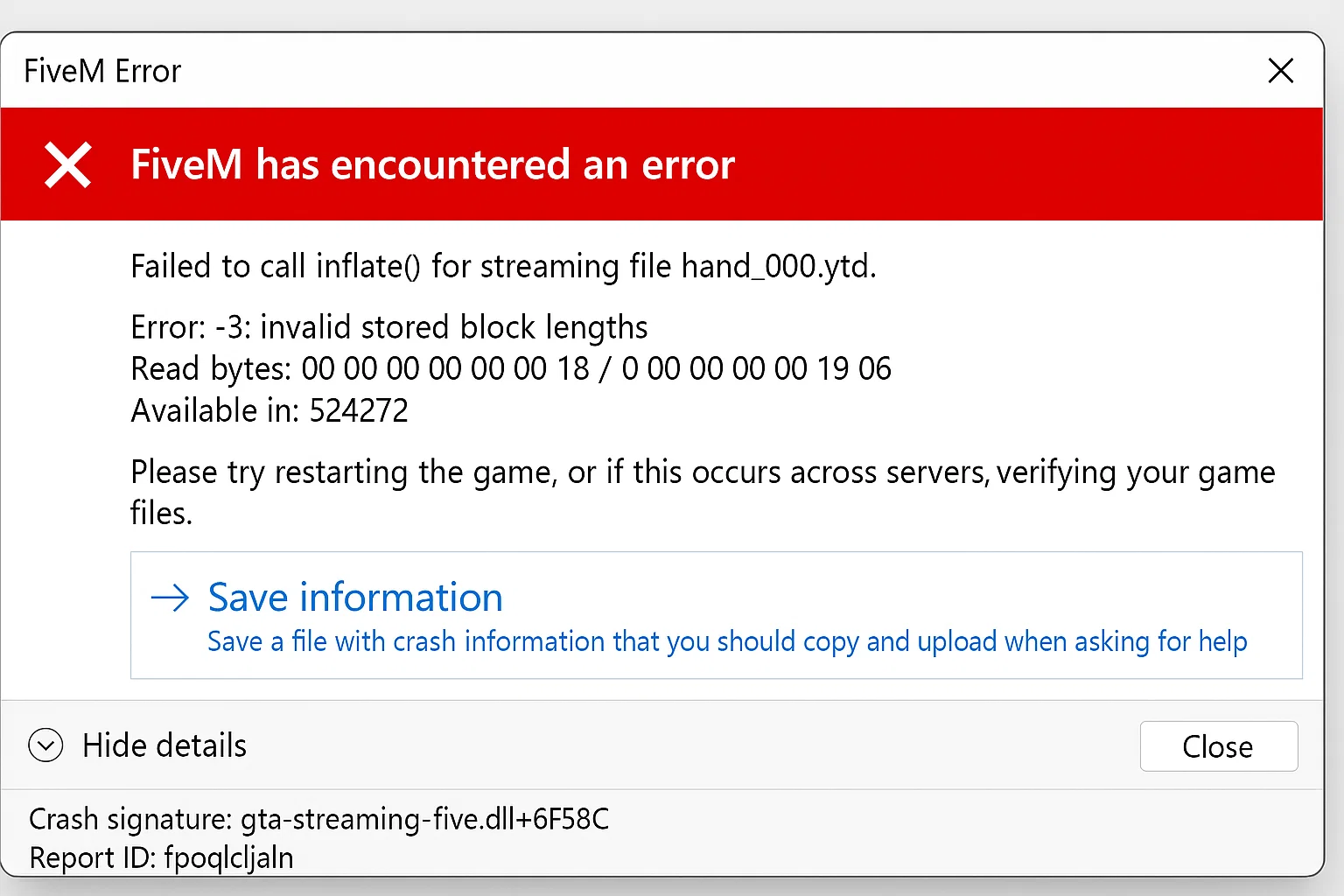
Risposta rapida: sv_disableClientReplays is the FiveM server convar used when players hit a “Failed to Inflate” decompression error tied to client replay data. Add set sv_disableClientReplays true A server.cfg, restart FXServer, and retest with a cleared FiveM cache. If the error names a specific resource instead, isolate that resource first; the replay setting alone will not fix a broken map, clothing, or vehicle pack.
Ultimo aggiornamento: 25 giugno 2026
Lista di controllo per correzioni rapide
- Ferma il server o programma una finestra di riavvio.
- Apri il tuo
server.cfg. - Se i replay sono parte dell'errore o il server utilizza asset streaming di grandi dimensioni, aggiungi questa riga:
set sv_disableClientReplays true- Salva
server.cfge riavvia FXServer. - Cancella la cache FiveM del giocatore interessato, poi riconnettiti.
- Se la stessa risorsa fallisce ancora, ferma temporaneamente quella risorsa e testa di nuovo.
Questa impostazione non è una soluzione magica per ogni errore di inflate. Usala quando l'errore, il rapporto di crash o il thread di supporto punta ai dati di replay del client, dati impacchettati corrotti o ripetuti fallimenti di decompressione dopo essersi uniti allo stesso server.
Cosa significa l'errore
“Failed to Inflate” si riferisce alla decompressione. FiveM riceve dati compressi per risorse, mappe, vestiti, veicoli o altri file in streaming. Se i dati compressi non possono essere decompressi, il client potrebbe non riuscire a connettersi, crashare durante il caricamento o stampare un errore nella console F8.
Le cause comuni sono:
- download di risorse corrotti nella cache del client
- file in streaming danneggiati o sovradimensionati in una risorsa
- dati di replay lato server che causano ripetuti fallimenti lato client
- asset caricati parzialmente dopo un deployment FTP/SFTP fallito
- un archivio di risorse o un asset escrow che non si carica correttamente
Passo 1: Controlla la riga esatta del log
Non iniziare reinstallando ogni risorsa. Chiedi al giocatore interessato il messaggio della console F8 o controlla la console del server in prossimità del tentativo di connessione. Cerca un nome di risorsa, un percorso file o una parola chiave ripetuta.
| Indizio del log | Cosa controllare prima |
|---|---|
sv_disableClientReplays o la dicitura del replay |
Aggiungere set sv_disableClientReplays true, riavvia e riprova. |
| Un nome di risorsa si ripete | Ferma quella risorsa, cancella la cache e riconnettiti. |
| Solo un giocatore interessato | Cancella prima la cache locale FiveM di quel giocatore. |
| Molti giocatori colpiti dopo un upload | Ricarica l'ultima risorsa modificata e verifica le dimensioni dei file. |
Passo 2: Pulisci correttamente la cache di FiveM
Per un test lato giocatore, chiudi completamente FiveM, cancella le cartelle della cache FiveM, poi riconnettiti. Non eliminare screenshot, impostazioni o file GTA V non correlati. Se hai bisogno della guida completa, usa il nostro Guida alla pulizia della cache di FiveM.
Se cancellare la cache risolve il problema per un utente, la risorsa del server è probabilmente valida. Se ogni nuovo giocatore incontra lo stesso errore dopo aver cancellato la cache, passa all'isolamento della risorsa.
Passo 3: Isola la risorsa danneggiata
Disabilita la risorsa modificata più di recente e riavvia. Se l'errore scompare, ispeziona quella risorsa prima di riattivare tutto.
- Controlla upload interrotti e file di zero byte.
- Verifica che i file di mappa e abbigliamento siano nella cartella corretta
streamcartella. - Controlla che la risorsa abbia un valido fxmanifest.lua.
- Rivedi gli asset in streaming molto grandi e dividi i pacchetti sovradimensionati quando necessario.
Passaggio 4: Ricostruisci l'elenco delle risorse
Dopo una correzione della risorsa, esegui un riavvio pulito piuttosto che riavviare a caldo dozzine di dipendenze. In txAdmin, riavvia il server durante una finestra di inattività. In un flusso manuale della console, ferma la risorsa, aggiorna le risorse, avviala di nuovo, quindi riconnettiti con la cache cancellata.
Quando usare sv_disableClientReplays
Utilizzo set sv_disableClientReplays true quando i dati di replay appaiono nel contesto dell'errore o quando ripetuti fallimenti di inflate lato client continuano dopo la pulizia della cache. Mettilo in server.cfg, non all'interno di un file di risorsa casuale.
# server.cfg
set sv_disableClientReplays true
setr sv_disableClientReplays in server.cfg
Alcuni esempi di server.cfg usano setr sv_disableClientReplays true invece di set sv_disableClientReplays true. Se la documentazione del tuo host o framework menziona setr, mantieni l'impostazione in server.cfg, riavvia FXServer, poi verifica di nuovo lo stesso join fallito con una cache FiveM pulita.
# server.cfg
setr sv_disableClientReplays true
Non aggiungere entrambe le forme ripetutamente tra i file di risorse. Utilizza un'unica impostazione di replay a livello di server, poi torna all'isolamento delle risorse se l'errore Failed to Inflate nomina ancora una mappa, un pacchetto di abbigliamento, un pacchetto di veicoli o un'altra risorsa in streaming.
Dopo averlo aggiunto, riavvia il server e chiedi ad almeno due giocatori interessati di riconnettersi. Se il problema persiste, torna all'isolamento della risorsa invece di accumulare convars non correlate.
Controlli correlati al server
- Guida server.cfg FiveM
- Come controllare i log di txAdmin
- Come usare Resmon in FiveM
- Configurazione di fxmanifest.lua
Domande frequenti
sv_disableClientReplays risolve ogni errore "Failed to Inflate"?
No. Aiuta quando i dati di replay fanno parte del modello di errore. Se l'errore nomina una risorsa, correggi prima quella risorsa.
I giocatori dovrebbero reinstallare FiveM?
Solo dopo la pulizia della cache e il fallimento dei controlli lato server. La reinstallazione è più lenta rispetto all'isolamento della risorsa o all'impostazione del valore corretto di server.cfg.
Un singolo MLO difettoso può causare questo?
Sì. Un asset in streaming danneggiato può causare errori di decompressione. Ferma prima la mappa, il pacchetto di abbigliamento o veicoli più recente quando l'errore inizia dopo un caricamento di contenuti.
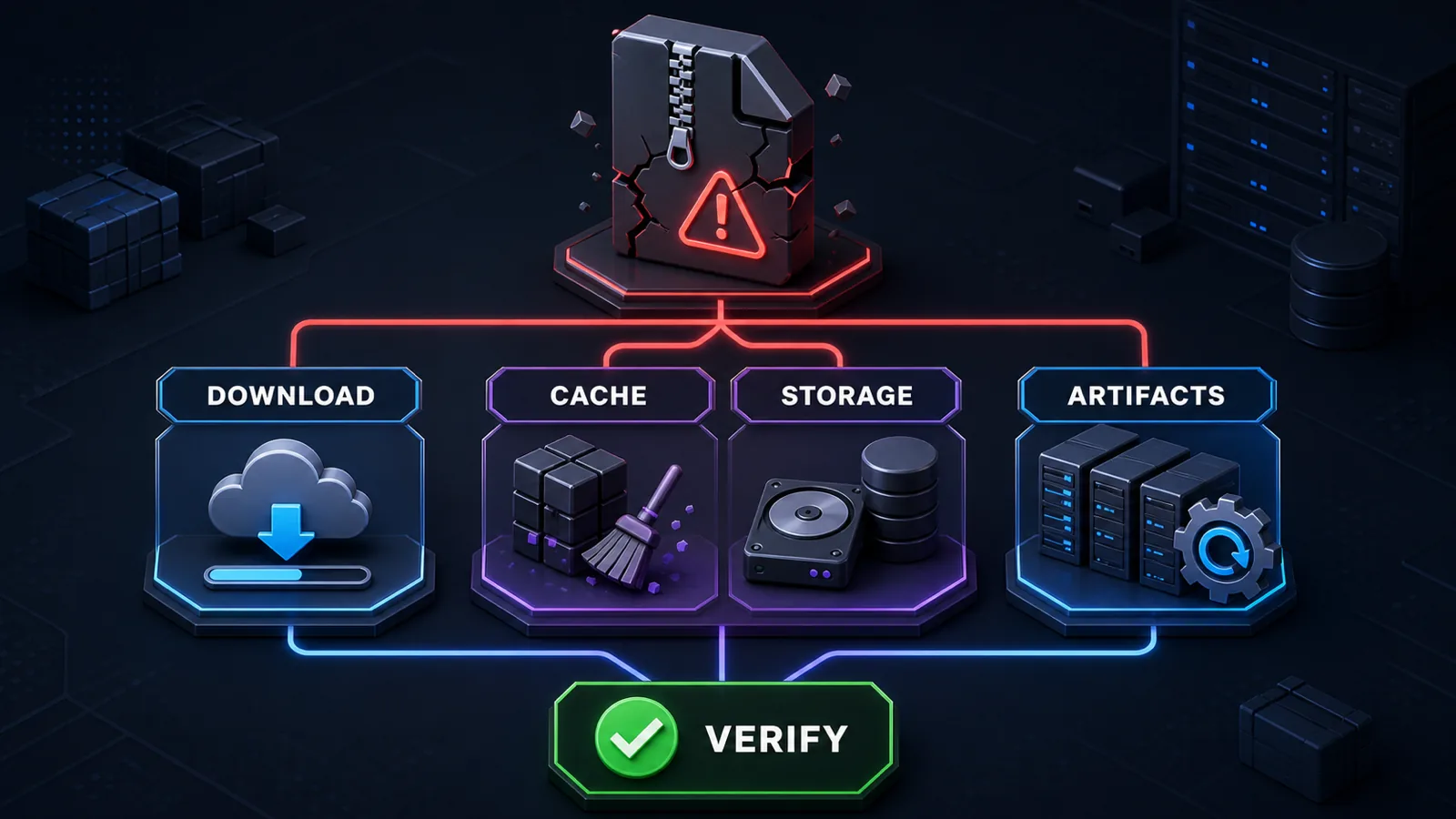
Fast decision path for server owners
- One resource fails: obtain a fresh archive from the legitimate source and compare its checksum or file size before extracting it again.
- Several downloads fail: verify free disk space, filesystem health, proxy or CDN behavior and that the downloaded file is not an HTML error response.
- Only one player fails: close FiveM, preserve useful diagnostics, clear the affected client cache and retry the same server.
- The server is outdated: back up the installation and update to a supported Cfx.re server artifact before escalating the issue.
Do not delete unrelated server data or repeatedly replace files without checking the result. A controlled retry with logs and checksums produces better evidence than a broad reinstall.
Keep the replay setting in server.cfg
If the error context mentions replay data, place set sv_disableClientReplays true In server.cfg, restart FXServer and retest with a clean client cache. Some hosts or existing configurations use setr sv_disableClientReplays true; keep the form required by that environment instead of adding both lines blindly. A named broken resource still needs to be isolated and repaired rather than hidden behind a global setting.
After the server loads again
Before adding more resources, review the Guida server.cfg FiveM, confronta server admin tools, or use a documented FiveM server pack as a separate staged foundation. Do not replace a live server until its database, downloads and configuration are backed up.