$25.00Oorspronkelijke prijs was: $25.00.$15.00Huidige prijs is: $15.00.
Punch Machine V2 is a FiveM script in ESX Scripts, QBCore Scripts. Verify framework support, dependencies, config files and conflicts on staging before using it live.
Bespaar 20% voor een beperkte tijd.
Direct downloadenVeilig afrekenenFiveM-compatibele bestanden
Punch Machine V2 is a FiveM script listed on FiveMX in ESX Scripts, QBCore Scripts, QBOX Scripts. Current title/category signals: ESX, QBCore, Qbox, Standalone. Verify the included config, SQL and dependency notes before installing.
Beste pasvorm
Punch Machine V2 fits servers comparing a focused FiveM resource in ESX Scripts, QBCore Scripts, QBOX Scripts, Standalone Scripts, FiveM Minigames and checking whether it matches the current framework and resource stack.
Voordat u begint met installeren
Controleer of het framework, de afhankelijkheden, de SQL-bestanden, de configuratiewaarden en de itemnamen in het meegeleverde pakket aanwezig zijn.
Test eerst de commando's, gebeurtenissen, de UI-flow en de server-/clientconsole-uitvoer op de stagingomgeving.
Controleer op conflicten met resources die al hetzelfde gameplaygebied bedienen.
Maak een back-up van de bewerkte resources, configuraties en databasetabellen voordat u een actief script vervangt.
Punch Machine Minigame for FiveM. Frameworks: QBCore / ESX Features Minigame: As the power of the punch increases, the mini-game intensifies, providing an exciting and challenging boxing experience. Leaderboard: Compete with other players and.







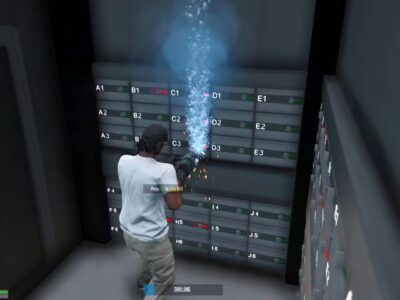
![FiveM Mod um-punchmachine Install First, import the umpunchmachine_leaderboard.sql file Paste the sounds inside the import-interact-sound folder into interact-sound > client > html > sounds Delete import-interact-sound folder Then, go to the config.lua file and configure it according to your preferences. If you’re using a custom framework, you can modify the client and server scripts in the bridge folder according to your needs. You don’t need to make any framework settings for QB and ESX frameworks, as the bridge automatically handles this. Server.cfg ensure interact-sound ensure generic_texture_renderer_gfx ensure um-prop ensure um-punchmachine or create a [um] folder and put them ensure [um] Requirements PolyZone generic_texture_renderer_gfx interact-sound](https://cdn.fivemx.com/wp-content/uploads/2024/01/brave_h8ZhhdiwZX-jpg.avif "um-punchmachine Install First, import the umpunchmachine_leaderboard.sql file Paste the sounds inside the import-interact-sound folder into interact-sound > client > html > sounds Delete import-interact-sound folder Then, go to the config.lua file and configure it according to your preferences. If you're using a custom framework, you can modify the client and server scripts in the bridge folder according to your needs. You don't need to make any framework settings for QB and ESX frameworks, as the bridge automatically handles this. Server.cfg ensure interact-sound ensure generic_texture_renderer_gfx ensure um-prop ensure um-punchmachine or create a [um] folder and put them ensure [um] Requirements PolyZone generic_texture_renderer_gfx interact-sound")







Beoordelingen
Er zijn nog geen beoordelingen.