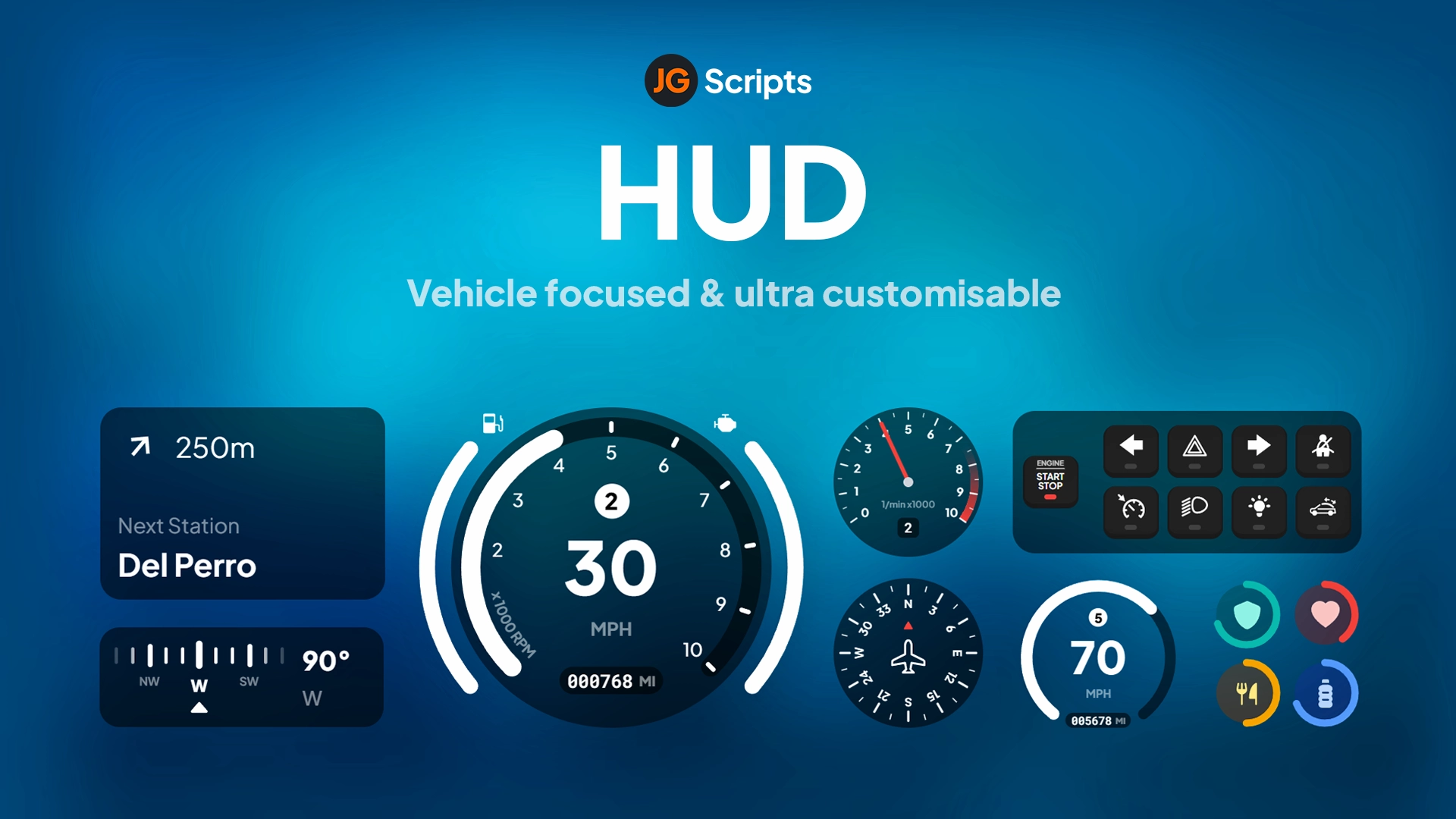
Trygon HUD v2 - Minimalist Futuristic Interface for ESX & QBCore
Transform your FiveM server's visual experience with this sleek, minimalist HUD that combines futuristic aesthetics with practical functionality. Designed for servers that value clean interfaces over cluttered information displays, Trygon HUD v2 presents essential player data through elegant visual elements that enhance immersion rather than distract from gameplay. The ultra-modern design features smooth animations, responsive elements, and a sophisticated color scheme that looks equally stunning on streamers' broadcasts and regular gameplay. Best of all, this isn't framework-locked—a single installation supports both ESX and QBCore servers with automatic detection and configuration.
https://www.youtube.com/watch?v=GPzMyhWXPC8
What's Included
This comprehensive HUD package delivers everything players need to monitor their character status through a carefully designed interface that prioritizes clarity and style. The health and armor displays use intuitive visual representations that players can interpret at a glance during intense action sequences. The hunger and thirst meters provide essential survival information without dominating screen real estate. Voice chat indicators show who's speaking with clean visual feedback that doesn't obstruct important gameplay elements.
Vehicle information appears contextually when players enter cars, motorcycles, or aircraft, displaying speed, fuel level, and engine status through coordinated visual elements that match the HUD's futuristic aesthetic. The minimap integration ensures consistent styling across all UI components, creating a cohesive visual language throughout the player experience. Optional elements like street names, compass indicators, and location displays can be toggled based on server preferences and roleplay intensity.
Key Features
- Minimalist Design Philosophy - Clean interface that shows essential information without visual clutter or overwhelming displays
- Futuristic Aesthetic - Modern styling with smooth gradients, subtle animations, and sophisticated color choices
- Health & Armor Bars - Intuitive status displays with smooth transitions and clear visual indicators for damage states
- Hunger & Thirst Meters - Essential survival information presented through elegant visual elements
- Voice Chat Indicators - Clean visual feedback showing who's speaking with proximity-based indicators
- Vehicle HUD - Speed, fuel, and engine data displayed when driving with contextual appearance/disappearance
- Minimap Integration - Styled minimap that matches the HUD aesthetic with customizable positioning
- Street Name Display - Optional location information that appears contextually during navigation
- Compass System - Directional indicators for orientation and navigation assistance
- Framework Universal - Single installation works with both ESX and QBCore through automatic detection
- Performance Optimized - Lightweight rendering keeps resource usage minimal (0.01-0.02ms typical)
- Customizable Elements - Configuration file allows adjusting colors, positions, and visibility of components
- Responsive Scaling - Automatically adjusts to different screen resolutions and aspect ratios
- Smooth Animations - Polished transitions when elements appear, update, or disappear
Perfect For
- Roleplay Servers - Clean interface that doesn't break immersion with game-y elements
- Streaming Content - Professional appearance that looks great on Twitch, YouTube, and other platforms
- Modern Servers - Futuristic aesthetic matches contemporary server themes and sci-fi settings
- Performance-Conscious Servers - Lightweight design ensures smooth FPS even on lower-end hardware
- Multi-Framework Environments - Servers testing or transitioning between ESX and QBCore
- Competitive Gameplay - Minimal visual obstruction gives players clear views during intense situations
- Cinematic Roleplay - Elegant design enhances video recordings and screenshot quality
Design Philosophy
Trygon HUD v2 embraces the less is more approach to interface design. Rather than bombarding players with every possible data point, it selectively displays information that actively matters for gameplay decisions. Health and armor require constant monitoring during combat—they're always visible and easy to read. Vehicle speed matters when driving but not when on foot—the speedometer appears contextually when needed and disappears when irrelevant.
The futuristic aesthetic moves beyond generic GTA-style interfaces toward a more sophisticated visual language. Subtle gradients create depth without appearing dated. Smooth animations provide polish without being distracting. The color scheme uses modern palettes that feel contemporary and premium rather than cartoonish or overly bright. Every design decision serves both form and function—looking good while communicating information efficiently.
Minimalism doesn't mean missing features. It means thoughtful prioritization of what information players genuinely need versus what's just visual noise. The HUD presents essential data elegantly while hiding secondary information until contextually relevant. This approach reduces cognitive load during gameplay, allowing players to focus on roleplay and action rather than deciphering complex interfaces.
Installation
- Download the Trygon HUD v2 package from your purchase confirmation
- Extract the resource folder to your FiveM server's resources directory
- Open your server.cfg and add:
ensure [trygon-hud-v2]
- The HUD automatically detects your framework (ESX or QBCore)—no manual configuration needed
- Optional: Edit config.lua to customize colors, positions, and element visibility
- Optional: Adjust hunger/thirst update intervals to match your server's needs system
- Optional: Configure voice chat indicator settings for your voice script (pma-voice, mumble-voip, etc.)
- Restart your FiveM server and verify the HUD loads correctly
- Test across different scenarios: on foot, in vehicles, during combat, while hungry/thirsty
- Fine-tune configuration based on player feedback and server aesthetic preferences
Technical Specifications
- Performance - Optimized rendering at 0.01-0.02ms typical usage, up to 0.03ms during transitions
- Framework Support - Automatic detection and compatibility with both ESX (all versions) and QBCore
- Resolution Support - Responsive design scales properly from 1920x1080 to ultrawide and 4K displays
- Voice Integration - Compatible with pma-voice, mumble-voip, saltychat, and tokovoip
- UI Technology - Built with optimized HTML/CSS/JavaScript for smooth rendering
- Resource Usage - Minimal memory footprint (typically 5-10MB RAM)
- Update Rate - Configurable refresh intervals for different components (health: 100ms, hunger: 5s, etc.)
- Browser Compatibility - Works with CEF (Chromium Embedded Framework) across all FiveM versions
Framework Compatibility
- ✅ ESX Legacy - Full compatibility with ESX Legacy (1.10.x) including all status systems
- ✅ ESX 1.9.x - Works perfectly with older ESX versions (1.9.4, 1.8.5, etc.)
- ✅ QBCore - Complete QBCore integration with automatic status detection and updates
- ✅ Framework Detection - Automatically identifies your framework on startup—no manual configuration
- ✅ Status Systems - Compatible with esx_status, esx_basicneeds, qb-hud, and custom needs systems
- ✅ Vehicle Scripts - Works with LegacyFuel, ox_fuel, qb-fuel, and other fuel management systems
- ✅ Voice Scripts - Integrates with all major voice systems for speaker indicators
Customization Options
The included configuration file provides extensive customization without requiring code modifications. Adjust the primary color scheme to match your server's branding—change accent colors, background opacity, and highlight tones. Position elements anywhere on screen by modifying X and Y coordinates, ensuring the HUD doesn't conflict with other UI components or server-specific interfaces.
Element visibility can be toggled individually. Disable street name displays for hardcore roleplay servers where players should navigate by landmarks. Hide the compass for increased navigation challenge. Remove hunger/thirst meters if your server doesn't use needs systems. Each component operates independently, allowing precise control over what information players see.
Advanced customization options include animation speeds, transition effects, and update frequencies. Faster animations create snappier feedback, while slower transitions feel more cinematic. Update frequencies balance responsiveness with performance—health updates every 100ms for combat precision, while hunger can update every 5 seconds without impacting gameplay. These granular settings let technical administrators optimize the exact balance between visual polish and server performance.
What Makes It Stand Out
Most FiveM HUDs fall into two categories: clunky GTA-style interfaces that haven't evolved since 2015, or over-designed monstrosities drowning players in unnecessary information. Trygon HUD v2 breaks this pattern by delivering genuinely modern design that respects both aesthetics and usability. The futuristic styling doesn't mean random glowing shapes—it means thoughtful visual hierarchy, professional color theory, and interface design principles borrowed from modern video games and software.
The universal framework support eliminates a major pain point for server administrators. Most HUDs lock you into ESX or QBCore, requiring different purchases or complicated conversions when testing frameworks or migrating servers. This HUD works with both out of the box, detecting your framework automatically and configuring itself appropriately. Switch frameworks? The HUD continues working without reinstallation or reconfiguration.
Performance optimization sets this apart from resource-hungry alternatives. Some HUDs tank FPS by 10-20 frames due to inefficient rendering or excessive update calls. Trygon HUD v2 uses optimized code that updates only when data changes, renders elements efficiently, and minimizes resource consumption. Your players maintain smooth performance while enjoying a polished interface—the best of both worlds.
Visual Design Elements
The health bar uses a sophisticated gradient that shifts from vibrant green at full health through amber in damaged states to critical red when near death. This color progression communicates status intuitively—players don't need to read numbers or check percentages during combat. The smooth transitions between states create visual feedback that enhances rather than distracts from action sequences.
Armor displays separately with its own visual language, preventing confusion between health and armor damage. The dual-bar system lets players make tactical decisions: I've lost all armor but health is still good, time to find cover and re-equip versus Armor is holding but health is dropping—I need immediate medical attention. This visual separation supports better decision-making during intense gameplay.
Vehicle HUD elements maintain the same design language while adding contextually relevant information. The speedometer uses a sleek semicircular display that feels automotive without being overly realistic or simulation-focused. Fuel level appears as a tank icon with fill percentage, immediately communicating how much range remains. Engine damage indicators shift colors like health bars, warning players when vehicle integrity is compromised. All vehicle elements fade in when entering a vehicle and fade out when exiting, keeping the screen clean when driving isn't relevant.
Voice Chat Integration
The voice chat indicator system displays active speakers through elegant visual elements positioned near player names or as standalone indicators. When someone speaks on normal voice, their indicator appears in the primary color. Radio communication uses a distinct color scheme, helping players differentiate between direct voice and radio traffic. Proximity is communicated through subtle visual changes—whisper mode shows dimmed indicators, while shouting creates more prominent displays.
Multi-person conversations appear clearly organized, preventing the confusion that plagues some voice systems where ten indicators overlap into an unreadable mess. The HUD intelligently positions speaker indicators or lists active speakers in a clean vertical arrangement. This visual clarity is crucial during dynamic situations like police chases, gang conflicts, or coordinated heist operations where communication quality directly impacts success.
Streamer and Content Creator Benefits
Content creators appreciate HUDs that enhance rather than diminish video quality. Trygon HUD v2's clean aesthetic looks professional in recordings and live streams, avoiding the cheap FiveM server visual association that generic HUDs create. The minimalist design doesn't compete for viewer attention against gameplay action—it complements the experience while providing necessary context about player status.
The futuristic styling feels contemporary and polished, matching the production quality that successful streamers demand. When viewers watch your content, they see a cohesive visual experience rather than mismatched UI elements fighting for attention. This professional appearance can influence viewer perception of your server's overall quality and attention to detail.
Optional elements can be toggled for specific recording scenarios. Want completely clean footage for cinematic videos? Disable all HUD elements through configuration. Need certain information visible for tutorial content? Show only the relevant components. This flexibility supports content creation workflows without requiring script modifications or complicated workarounds.
Roleplay Immersion
Hardcore roleplay servers benefit from the minimalist approach because less visible UI means fewer immersion-breaking elements. Players focus on their character's experience and the world around them rather than constantly glancing at interface elements. The subtle presence of essential information—health, hunger, thirst—provides gameplay feedback without screaming this is a video game through excessive visual design.
The optional nature of many components supports different roleplay intensities. Casual roleplay servers might enable all elements for player convenience. Serious roleplay communities might disable street names and compass indicators, forcing players to learn the map organically and navigate by landmarks. The configuration flexibility lets each server dial in the exact balance between usability and immersion that matches their community expectations.
Performance Across Hardware
Optimization ensures smooth performance even on lower-end hardware that struggles with resource-intensive servers. The lightweight rendering keeps frame rates stable, preventing the FPS drops that some feature-heavy HUDs cause. Players on budget PCs or laptops maintain playable performance, while high-end systems enjoy the visual polish without any performance compromise.
The configurable update rates enable fine-tuning for different performance profiles. Servers with performance-conscious player bases can increase update intervals slightly (health every 200ms instead of 100ms), reducing resource consumption with negligible impact on gameplay feedback. High-performance servers can decrease intervals for maximum responsiveness. This configurability ensures optimal performance across diverse server populations.
Update Policy and Support
Your purchase includes the complete HUD package with all files needed for immediate installation. While specific update schedules aren't guaranteed, the clean code structure and standard implementation practices ensure compatibility with future FiveM versions and framework updates. The universal framework support means the HUD continues working even if you switch between ESX and QBCore.
Need help customizing colors, positioning elements, or integrating with specific voice systems? Our support team can provide guidance on configuration options and troubleshooting. The one-time purchase grants lifetime access to the files—download them whenever needed for server migrations, backup restoration, or testing environments.
Related FiveM HUD