
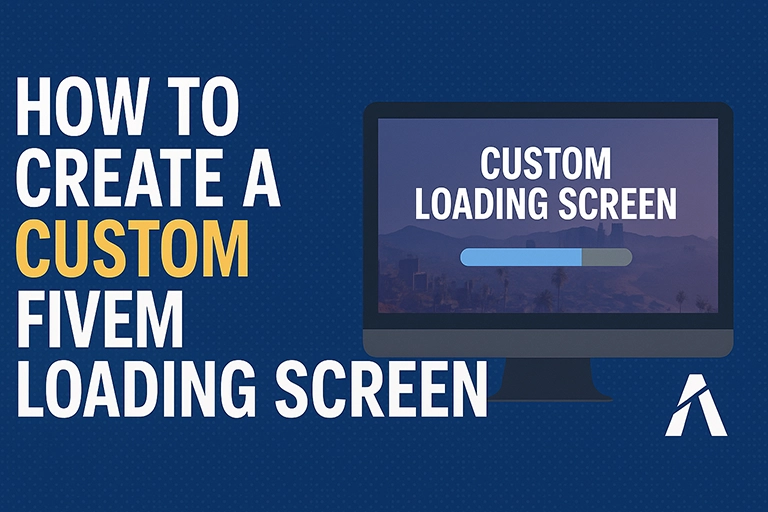
Ok, vamos revisar a criação de um ponto de entrada único e envolvente para seus jogadores.
Nós vamos construir um Tela de carregamento personalizada do FiveM do zero.
O que é um recurso de tela de carregamento?
Uma tela de carregamento personalizada geralmente é a primeira interação de um jogador com seu servidor FiveM específico.
É uma oportunidade fantástica para estabelecer a marca do seu servidor, transmitir informações importantes e criar uma atmosfera detalhada desde o início.
Esqueça os visuais genéricos do FiveM; queremos que os jogadores sintam seu identidade do servidor no momento em que eles começam a se conectar.
Aqui na FiveMX, acreditamos em capacitar os donos de servidores com as ferramentas e o conhecimento para criar configurações de roleplay verdadeiramente específicas.
Este guia completo irá guiá-lo por cada etapa, desde a estrutura básica de HTML até a estilização com CSS, adicionando interatividade com JavaScript e, finalmente, integrando-o documentadamente ao seu servidor FiveM usando Lua.
Abordaremos até como ocultar a animação padrão da ponte FiveM para uma transição mais limpa.
Vamos começar a fazer seu servidor diferenciar a configuração.
Por que se preocupar com uma tela de carregamento personalizada do FiveM?
Você deve estar se perguntando se vale a pena o esforço.
Absolutamente!
Pense nisso como o saguão ou a entrada para o seu mundo virtual.
Primeiras impressões: Ele define o tom e o profissionalismo do seu servidor imediatamente.
Marca: Reforce o nome, o logotipo e o tema geral do seu servidor.
Exibição de informações: Compartilhe informações cruciais como regras, links do Discord, URLs de sites ou atualizações de status do servidor antes Os jogadores até aparecem.
Noivado: Use música, mensagens dinâmicas ou até mesmo vídeos para manter os jogadores envolvidos durante o processo de carregamento, reduzindo os tempos de espera percebidos.
Singularidade: Diferencie seu servidor dos inúmeros outros usando telas padrão ou genéricas.
Uma tela de carregamento bem projetada mostra que você se importa com os detalhes e com a experiência do jogador.
Pré-requisitos
Antes de começar a codificar, vamos garantir que você tenha as ferramentas necessárias e o conhecimento básico:
- Editor de texto: Você precisará de um programa para escrever seu código.
- Visual Studio Code (VS Code): gratuito, poderoso e altamente recomendado, com muitas extensões úteis.
- Sublime Text: Outra opção popular e leve.
- Notepad++: Uma escolha gratuita sólida para usuários do Windows.
- Evitar usando o Bloco de Notas básico ou o TextEdit, pois não possuem recursos úteis para codificação (como destaque de sintaxe).
- Conhecimento básico de desenvolvimento web (útil, mas não essencial):
- HTML (Linguagem de Marcação de Hipertexto): Compreende a estrutura básica de uma página da web (tags como
<div>,<img>,<p>). Forneceremos o código, mas conhecer o básico ajuda. - CSS (Folhas de Estilo em Cascata): Sabe estilizar elementos HTML (cores, tamanhos, posições). Novamente, nós o guiaremos, mas familiaridade é um diferencial.
- JavaScript (JS): Compreende conceitos básicos de programação para adicionar interatividade. Manteremos o JS relativamente simples inicialmente.
- HTML (Linguagem de Marcação de Hipertexto): Compreende a estrutura básica de uma página da web (tags como
- Acesso ao servidor FiveM: Você precisa acessar os arquivos do seu servidor, especificamente o
recursospasta, para instalar a tela de carregamento. - Software de edição de imagem (opcional): Ferramentas como Photoshop, GIMP (grátis) ou até mesmo Canva podem ser úteis para criar ou editar logotipos e imagens de fundo.
- Paciência e vontade de aprender: Depuração e ajustes fazem parte do processo!
Não se preocupe se você não for um especialista em desenvolvimento web.
Explicaremos cada etapa claramente e forneceremos trechos de código que podem ser copiados e colados.
Compreendendo como funcionam as telas de carregamento do FiveM (NUI)
A FiveM utiliza um sistema chamado NUI (IU nativa) para exibir páginas da web dentro o jogo.
Basicamente, sua tela de carregamento personalizada é apenas uma página da web padrão (criada com HTML, CSS e JavaScript) que o sistema NUI do FiveM renderiza enquanto os recursos do jogo estão sendo carregados em segundo plano.
Isso significa que podemos aproveitar tecnologias web padrão para criar experiências interativas e visualmente ricas.
O essencial os componentes são:
índice.html: O arquivo principal que define a estrutura e o conteúdo da sua tela de carregamento.estilo.css: O arquivo que define a aparência visual (layout, cores, fontes, etc.).script.js: O arquivo que adiciona comportamento dinâmico (como alteração de texto, animações, reprodução de música).fxmanifest.lua(ou__recurso.lua): Um arquivo FiveM especial que informa ao servidor que este é um recurso, especifica que é uma tela de carregamento e lista todos os arquivos necessários.
Agora, vamos começar a construir.
Etapa 1: Criando a estrutura HTML básica (índice.html)
Primeiro, crie uma nova pasta para o seu recurso de tela de carregamento. Vamos chamá-la minha-tela-de-carregamento.
Dentro desta pasta, crie um arquivo chamado índice.html.
Este arquivo conterá o esqueleto da nossa tela de carregamento.
Precisamos de contêineres para diferentes elementos: o plano de fundo, um logotipo, indicação de progresso de carregamento e áreas para mensagens de texto.
<!DOCTYPE html>
<html lang="en">
<head>
 <meta charset="UTF-8">
 <meta name="viewport" content="width=device-width, initial-scale=1.0">
 <title>Nome do servidor - Carregando...</title>
 <!-- Link to your CSS file -->
 <link rel="stylesheet" href="style.css">
</head>
<body>

 <!-- Main container for the entire screen -->
 <div class="loading-container">

 <!-- Background Element (handled by CSS) -->
 <div class="background"></div>

 <!-- Content Wrapper -->
 <div class="content">

 <!-- Logo Area -->
 <div class="logo-area">
 <img src="imagens/logo.png" alt="Logotipo do servidor" id="server-logo">
 <!-- You can replace img with text if you prefer -->
 <!-- <h1>My Awesome Server</h1> -->
 </div>

 <!-- Message Area -->
 <div class="message-area">
 <p id="loading-message">Inicializando conexão...</p>
 <p id="dynamic-message">Bem-vindo! Carregando recursos do servidor...</p>
 </div>

 <!-- Progress Bar Area -->
 <div class="progress-bar-container">
 <div class="progress-bar">
 <div class="progress-bar-inner" id="progress-bar-inner"></div>
 </div>
 <p id="progress-text">0%</p>
 </div>

 <!-- Music Control (Optional) -->
 <div class="music-control">
 <button id="play-pause-button">Pausar música</button>
 <input type="range" id="volume-slider" min="0" max="1" step="0.01" value="0.5">
 </div>

 </div> <!-- End Content Wrapper -->

 </div> <!-- End Loading Container -->

 <!-- Link to your JavaScript file (place at the end of body) -->
 <script src="script.js"></script>
</body>
</html>
Explicação:
&<html>: Modelo HTML5 padrão.: Contém meta-informações e links para recursos externos.conjunto de caracteres="UTF-8": Garante a exibição correta dos caracteres.janela de visualização: Importante para design responsivo (adaptação a diferentes tamanhos de tela), embora menos crítico para telas de carregamento de jogos com resolução fixa.</code>: Define o texto que pode aparecer em uma aba do navegador (menos relevante no FiveM NUI, mas é uma boa prática).</li> <li><code></code>: Conecta nosso HTML ao nosso arquivo CSS para estilização.</li> </ul> </li> <li><strong><code><body></code>:</strong> Contém o conteúdo visível da página.</li> <li><strong><code><div class="loading-container"></code>:</strong> O wrapper principal para tudo. Usaremos isso para o layout geral.</li> <li><strong><code><div class="background"></code>:</strong> Um div vazio que estilizaremos com CSS para armazenar nossa imagem de fundo ou vídeo.</li> <li><strong><code><div class="content"></code>:</strong> Envolve o conteúdo real (logotipo, texto, barra de progresso) para ajudar na centralização e no posicionamento.</li> <li><strong><code><div class="logo-area"></code>:</strong> Um contêiner para o logotipo do seu servidor. <ul class="wp-block-list"> <li><code><img src="imagens/logo.png" ...></code>: Uma tag de imagem. <strong>Importante:</strong> Você precisará criar um <code>imagens</code> pasta dentro <code>minha-tela-de-carregamento</code> e coloque seu <code>logo.png</code> arquivo lá. Certifique-se de que o nome do arquivo corresponda!</li> </ul> </li> <li><strong><code><div class="message-area"></code>:</strong> Contém mensagens de texto. <ul class="wp-block-list"> <li>Damos IDs aos parágrafos (<code>carregando-mensagem</code>, <code>mensagem dinâmica</code>) para que possamos facilmente direcioná-los com JavaScript mais tarde.</li> </ul> </li> <li><strong><code><div class="progress-bar-container"></code>:</strong> Contém os elementos da barra de progresso. <ul class="wp-block-list"> <li><code>.barra de progresso</code>: O recipiente externo da barra.</li> <li><code>.barra-de-progresso-interna</code>: A parte interna que será preenchida. Damos a ela um ID (<code>barra de progresso interna</code>) para controle JS.</li> <li><code><p id="progress-text"></code>: Exibe o texto percentual, também com um ID.</li> </ul> </li> <li><strong><code><div class="music-control"></code>:</strong> (Opcional) Controles básicos para música de fundo. IDs permitem interação com JS.</li> <li><strong><code></code>:</strong> Vincula nosso HTML ao nosso arquivo JavaScript. Colocando-o no final do <code><body></code> garante que os elementos HTML existam antes que o script tente interagir com eles.</li> </ul> <p class="wp-block-paragraph">Salvar este arquivo como <code>índice.html</code> em seu <code>minha-tela-de-carregamento</code> pasta. Crie uma <code>imagens</code> subpasta e adicione um espaço reservado <code>logo.png</code> por agora.</p> <h2 class="wp-block-heading" id="step-2-styling-the-loading-screen-css-style-css">Etapa 2: Estilizando a tela de carregamento (CSS – <code>estilo.css</code>)</h2> <p class="wp-block-paragraph">Agora, vamos fazer com que fique bonito!</p> <p class="wp-block-paragraph">Crie um arquivo chamado <code>estilo.css</code> no mesmo <code>minha-tela-de-carregamento</code> pasta.</p> <p class="wp-block-paragraph">Este arquivo controla a apresentação visual.</p> <pre class="EnlighterJSRAW" data-enlighter-language="generic" data-enlighter-theme="" data-enlighter-highlight="" data-enlighter-linenumbers="" data-enlighter-lineoffset="" data-enlighter-title="" data-enlighter-group="">\/* Basic Reset & Body Styling *\/\n* {\n margin: 0;\n padding: 0;\n box-sizing: border-box; \/* Makes width\/height include padding and border *\/\n}\n\nbody, html {\n height: 100%;\n width: 100%;\n overflow: hidden; \/* Hide scrollbars *\/\n font-family: 'Segoe UI', Tahoma, Geneva, Verdana, sans-serif; \/* Example font *\/\n color: #ffffff; \/* Default text color (white) *\/\n}\n\n\/* Main Container *\/\n.loading-container {\n position: relative; \/* Needed for absolute positioning of children *\/\n width: 100%;\n height: 100%;\n display: flex; \/* Use flexbox for centering content *\/\n justify-content: center;\n align-items: center;\n text-align: center;\n}\n\n\/* Background Styling *\/\n.background {\n position: absolute; \/* Take up full screen behind content *\/\n top: 0;\n left: 0;\n width: 100%;\n height: 100%;\n background-image: url('images\/background.jpg'); \/* CHANGE THIS to your image *\/\n background-size: cover; \/* Scale image to cover the container *\/\n background-position: center center; \/* Center the image *\/\n background-repeat: no-repeat;\n z-index: -1; \/* Place it behind other content *\/\n filter: brightness(0.6); \/* Optional: Darken the background slightly *\/\n}\n\n\/* --- OR Use a Solid Color Background --- *\/\n\/*\n.background {\n position: absolute;\n top: 0;\n left: 0;\n width: 100%;\n height: 100%;\n background-color: #1a1a1a;\n z-index: -1;\n}\n*\/\n\n\/* Content Wrapper *\/\n.content {\n z-index: 1; \/* Ensure content is above the background *\/\n padding: 20px;\n background-color: rgba(0, 0, 0, 0.5); \/* Semi-transparent black background *\/\n border-radius: 10px;\n max-width: 600px; \/* Limit content width *\/\n box-shadow: 0 4px 15px rgba(0, 0, 0, 0.4);\n}\n\n\/* Logo Area *\/\n.logo-area {\n margin-bottom: 30px;\n}\n\n#server-logo {\n max-width: 200px; \/* Adjust max logo width *\/\n height: auto; \/* Maintain aspect ratio *\/\n display: block; \/* Allows margin auto to center *\/\n margin-left: auto;\n margin-right: auto;\n}\n\n\/* Message Area *\/\n.message-area {\n margin-bottom: 30px;\n}\n\n#loading-message {\n font-size: 1.2em;\n font-weight: bold;\n margin-bottom: 10px;\n color: #cccccc;\n}\n\n#dynamic-message {\n font-size: 1em;\n min-height: 40px; \/* Prevent layout shifts when message changes *\/\n}\n\n\/* Progress Bar Area *\/\n.progress-bar-container {\n width: 80%; \/* Width relative to the content container *\/\n margin: 0 auto; \/* Center the container *\/\n margin-bottom: 20px;\n}\n\n.progress-bar {\n width: 100%;\n background-color: #555555; \/* Dark grey background *\/\n border-radius: 5px;\n overflow: hidden; \/* Hide overflowing inner bar *\/\n height: 25px; \/* Bar height *\/\n border: 1px solid #333;\n}\n\n.progress-bar-inner {\n height: 100%;\n width: 0%; \/* Start at 0% width *\/\n background-color: #4CAF50; \/* Green progress color *\/\n border-radius: 5px 0 0 5px; \/* Keep left radius *\/\n transition: width 0.5s ease-in-out; \/* Smooth transition for width changes *\/\n text-align: center;\n line-height: 25px; \/* Vertically center text if needed inside *\/\n color: white;\n}\n\n#progress-text {\n margin-top: 5px;\n font-size: 0.9em;\n}\n\n\n\/* Music Control (Optional) *\/\n.music-control {\n margin-top: 25px;\n display: flex; \/* Arrange button and slider side-by-side *\/\n justify-content: center;\n align-items: center;\n gap: 15px; \/* Space between elements *\/\n}\n\n#play-pause-button {\n padding: 8px 15px;\n background-color: #4CAF50;\n color: white;\n border: none;\n border-radius: 5px;\n cursor: pointer;\n font-size: 0.9em;\n transition: background-color 0.3s ease;\n}\n\n#play-pause-button:hover {\n background-color: #45a049;\n}\n\n#volume-slider {\n cursor: pointer;\n width: 150px; \/* Adjust slider width *\/\n}\n\n\/* Add some basic responsiveness if needed, though less critical in NUI *\/\n@media (max-width: 600px) {\n .content {\n max-width: 90%;\n }\n .progress-bar-container {\n width: 90%;\n }\n}</pre> <p class="wp-block-paragraph"><strong>Explicação:</strong></p> <ul class="wp-block-list"> <li><strong><code>* { tamanho da caixa: caixa de borda; }</code></strong>: Uma redefinição comum para tornar os elementos de dimensionamento mais previsíveis.</li> <li><strong><code>corpo, html</code></strong>: Define a altura/largura da base e oculta possíveis barras de rolagem. Define uma fonte e cor de texto padrão.</li> <li><strong><code>.carregando-contêiner</code></strong>: Usos <code>exibição: flexível</code> para centralizar facilmente o <code>.contente</code> div horizontalmente (<code>justificar-conteúdo</code>) e verticalmente (<code>alinhar-itens</code>). <code>posição: relativa</code> é crucial para posicionar o fundo absoluto.</li> <li><strong><code>.fundo</code></strong>: <ul class="wp-block-list"> <li><code>posição: absoluta</code>: Retira o elemento do fluxo normal e o posiciona em relação ao ancestral posicionado mais próximo (<code>.carregando-contêiner</code>).</li> <li><code>superior: 0; esquerda: 0; largura: 100%; altura: 100%;</code>: Faz com que cubra todo o recipiente.</li> <li><code>imagem de fundo: url(...)</code>: <strong>Fundamentalmente, a mudança <code>'imagens/fundo.jpg'</code> para o caminho real da sua imagem de fundo.</strong> Certifique-se de que a imagem esteja no <code>imagens</code> pasta.</li> <li><code>tamanho do fundo: capa</code>: Dimensiona a imagem de forma agradável.</li> <li><code>índice z: -1</code>: Empurra-o para trás de outros elementos.</li> <li><code>filtro: brilho(0,6)</code>: Um efeito opcional para escurecer o fundo, tornando o texto mais legível. Ajuste ou remova conforme necessário.</li> <li><em>Alternativa:</em> Uma seção comentada mostra como usar uma cor de fundo sólida simples em vez de uma imagem.</li> </ul> </li> <li><strong><code>.contente</code></strong>: <ul class="wp-block-list"> <li><code>índice z: 1</code>: Garante que ele fique sobre o fundo.</li> <li><code>cor de fundo: rgba(0, 0, 0, 0.5)</code>: Um fundo preto semitransparente para a própria área de conteúdo, ajudando o texto a diferenciar a configuração contra fundos complexos. Ajuste o último valor (alfa) de 0 (totalmente transparente) para 1 (totalmente opaco).</li> <li><code>raio da borda</code>, <code>largura máxima</code>, <code>caixa-sombra</code>: Adicione um pouco de polimento visual.</li> </ul> </li> <li><strong><code>.área do logotipo</code>, <code>Logotipo do servidor #</code></strong>: Estiliza o contêiner do logotipo e a própria imagem do logotipo (definindo largura máxima e centralização).</li> <li><strong><code>.área de mensagem</code>, <code>#carregando mensagem</code>, <code># mensagem dinâmica</code></strong>: Estiliza os elementos de texto (tamanho da fonte, cor, margens). <code>altura mínima</code> evita que o layout salte quando o conteúdo da mensagem dinâmica muda de comprimento.</li> <li><strong><code>.contêiner de barra de progresso</code>, <code>.barra de progresso</code>, <code>.barra-de-progresso-interna</code></strong>: Estiliza a barra de progresso. <ul class="wp-block-list"> <li>O recipiente externo (<code>.barra de progresso</code>) define a cor e a forma do plano de fundo.</li> <li>A barra interna (<code>.barra-de-progresso-interna</code>) é o que cresce. Começa em <code>largura: 0%</code>. Alteraremos essa largura usando JavaScript. <code>transição: largura 0,5s entrada-saída;</code> torna a mudança de largura suave.</li> </ul> </li> <li><strong><code>.controle de música</code>, <code># botão de reprodução-pausa</code>, <code>#controle deslizante de volume</code></strong>: Estiliza os controles de música opcionais usando flexbox para layout e adicionando estilo básico aos botões.</li> <li><strong><code>@media (largura máxima: 600px)</code></strong>: Um exemplo simples de consulta de mídia para responsividade. Ela ajusta a largura do conteúdo em telas menores (menos crítico para FiveM, mas uma boa prática).</li> </ul> <p class="wp-block-paragraph">Salvar isto como <code>estilo.css</code>. Lembre-se de criar o <code>imagens</code> pasta e adicione seu <code>fundo.jpg</code> (ou qualquer nome que você tenha dado a ele) e <code>logo.png</code>.</p> <p class="wp-block-paragraph">Neste ponto, você poderia tecnicamente abrir o <code>índice.html</code> arquivo diretamente no seu navegador (como Chrome ou Firefox) para visualizar sua aparência estática!</p> <h2 class="wp-block-heading" id="step-3-adding-interactivity-dynamic-content-java-script-script-js">Etapa 3: Adicionar interatividade e conteúdo dinâmico (JavaScript – <code>script.js</code>)</h2> <p class="wp-block-paragraph">Agora vamos dar vida à nossa página estática usando JavaScript.</p> <p class="wp-block-paragraph">Crie um arquivo chamado <code>script.js</code> em seu <code>minha-tela-de-carregamento</code> pasta.</p> <p class="wp-block-paragraph">Adicionaremos funcionalidades para:</p> <ol class="wp-block-list"> <li>Simulando o progresso do carregamento.</li> <li>Exibindo mensagens dinâmicas/mutáveis.</li> <li>Adicionando música de fundo com controles.</li> <li>Lidando com eventos FiveM NUI (a maneira correta de obter progresso de carregamento).</li> </ol> <pre class="EnlighterJSRAW" data-enlighter-language="generic" data-enlighter-theme="" data-enlighter-highlight="" data-enlighter-linenumbers="" data-enlighter-lineoffset="" data-enlighter-title="" data-enlighter-group="">// Wait for the DOM (Document Object Model - the HTML structure) to be fully loaded document.addEventListener('DOMContentLoaded', () => { // --- Get References to HTML Elements --- const progressBarInner = document.getElementById('progress-bar-inner'); const progressText = document.getElementById('progress-text'); const dynamicMessage = document.getElementById('dynamic-message'); const loadingMessage = document.getElementById('loading-message'); // To update stages // --- Configuration --- const messages = [ "Loading core systems...", "Establishing network connection...", "Downloading latest server assets...", "Syncing player data...", "Parsing map details...", "Almost there, preparing the world...", "Tip: Visit our Discord at discord.gg/yourinvite", "Tip: Check the rules on our website yourwebsite.com", "Welcome to Our Awesome Server!" ]; let currentMessageIndex = 0; const messageChangeInterval = 5000; // Change message every 5 seconds (5000ms) // Background Music (Optional) const backgroundMusic = new Audio('audio/background_music.ogg'); // IMPORTANT: Use .ogg for FiveM compatibility backgroundMusic.volume = 0.5; // Set initial volume (0.0 to 1.0) backgroundMusic.loop = true; // Loop the music const playPauseButton = document.getElementById('play-pause-button'); const volumeSlider = document.getElementById('volume-slider'); let isPlaying = false; // Track music state // --- Functions --- // Function to update the progress bar and text function updateProgress(percentage) { percentage = Math.min(100, Math.max(0, percentage)); // Clamp between 0 and 100 progressBarInner.style.width = `${percentage}%`; progressText.textContent = `${Math.round(percentage)}%`; } // Function to change the dynamic message function changeDynamicMessage() { dynamicMessage.style.opacity = 0; // Fade out setTimeout(() => { currentMessageIndex = (currentMessageIndex + 1) % messages.length; dynamicMessage.textContent = messages[currentMessageIndex]; dynamicMessage.style.opacity = 1; // Fade in }, 500); // Wait for fade out transition (0.5s) } // Function to attempt playing music (handles browser autoplay restrictions) function playMusic() { backgroundMusic.play().then(() => { isPlaying = true; playPauseButton.textContent = 'Pause Music'; console.log("Music started playing."); }).catch(error => { // Autoplay was prevented, common in browsers until user interaction console.log("Music autoplay failed. Waiting for user interaction.", error); isPlaying = false; playPauseButton.textContent = 'Play Music'; // We might need a click listener on the body or button to initiate playback }); } // --- Initial Setup --- // Set initial loading message loadingMessage.textContent = "Initializing..."; updateProgress(0); // Start progress at 0% // Start changing dynamic messages dynamicMessage.textContent = messages[0]; // Show the first message immediately setInterval(changeDynamicMessage, messageChangeInterval); // Try to play music automatically playMusic(); // Attempt background music playback // --- Event Listeners --- // Music Controls Event Listeners playPauseButton.addEventListener('click', () => { if (isPlaying) { backgroundMusic.pause(); isPlaying = false; playPauseButton.textContent = 'Play Music'; } else { // Important: Re-trigger play function which handles potential initial failures playMusic(); } }); volumeSlider.addEventListener('input', (event) => { backgroundMusic.volume = event.target.value; }); // --- FiveM NUI Event Handling --- // This is the CORE of interacting with the FiveM loading process /* FiveM NUI messages are sent via JavaScript events. We listen for 'message' events on the window object. The event 'data' property contains the information sent from Lua. */ window.addEventListener('message', function(event) { const data = event.data; // Check for the specific NUI message type used by FiveM for loading progress // The 'loadstatus' event provides overall progress text. if (data.type === 'loadstatus') { if(data.status) { loadingMessage.textContent = data.status; } } // The 'progress' event provides detailed component progress (use this for the bar) else if (data.eventName === 'progress') { // data.loadFraction gives a value between 0.0 and 1.0 const progressPercentage = data.loadFraction * 100; updateProgress(progressPercentage); } // A custom event we might send from Lua when loading is almost done else if (data.type === 'loadingComplete') { updateProgress(100); loadingMessage.textContent = "Loading Complete! Joining server..."; // You could add fade-out effects here before the screen disappears } }); // --- Fallback/Simulated Progress (If NUI events aren't received or for testing) --- // Comment this out or remove it if you rely solely on FiveM NUI events /* let simulatedProgress = 0; const interval = setInterval(() => { simulatedProgress += Math.random() * 5; // Increment by a random small amount if (simulatedProgress >= 100) { simulatedProgress = 100; clearInterval(interval); // Stop the simulation when 100% is reached loadingMessage.textContent = "Loading Complete! Joining server..."; // Update final message } updateProgress(simulatedProgress); }, 300); // Update every 300ms */ // Add a small fade-in effect for the whole screen on load document.body.style.opacity = 0; setTimeout(() => { document.body.style.transition = 'opacity 1s ease-in-out'; document.body.style.opacity = 1; }, 100); // Start fade-in slightly after load }); // End DOMContentLoaded</pre> <p class="wp-block-paragraph"><strong>Explicação:</strong></p> <ol class="wp-block-list"> <li><strong><code>documento.addEventListener('DOMContentLoaded', () => { ... });</code></strong>: Isso garante que o código JavaScript seja executado apenas <em>depois</em> toda a estrutura da página HTML foi carregada e está pronta para ser manipulada.</li> <li><strong>Referências de elementos:</strong> Obtemos referências aos elementos HTML com os quais precisamos interagir usando <code>documento.getElementById()</code>. É por isso que ter IDs exclusivos no HTML é importante.</li> <li><strong>Configuração:</strong> <ul class="wp-block-list"> <li><code>mensagens</code>: Uma matriz contendo as diferentes sequências de texto que você deseja percorrer na área de mensagens dinâmicas. Personalize-as!</li> <li><code>Índice de Mensagem atual</code>: Mantém o controle de qual mensagem está sendo exibida no momento.</li> <li><code>IntervaloDeAlteraçãoDeMensagem</code>: Define com que frequência (em milissegundos) a mensagem muda.</li> </ul> </li> <li><strong>Configuração de música de fundo:</strong> <ul class="wp-block-list"> <li><code>novo Áudio('audio/background_music.ogg')</code>: Cria um objeto de áudio HTML. <strong>Crucialmente:</strong> <ul class="wp-block-list"> <li>Criar um <code>áudio</code> pasta dentro <code>minha-tela-de-carregamento</code>.</li> <li>Coloque seu arquivo de música de fundo lá.</li> <li><strong>Use o <code>.ogg</code> formatar!</strong> MP3 e outros formatos podem não ser confiáveis ou até mesmo não funcionar no FiveM NUI. Você pode encontrar facilmente conversores online para converter MP3 para OGG.</li> </ul> </li> <li><code>backgroundMusic.volume</code>: Define o volume inicial (0,0 = silencioso, 1,0 = máximo).</li> <li><code>backgroundMusic.loop = verdadeiro;</code>: Faz a música se repetir.</li> <li>Também temos referências ao botão de reprodução/pausa e ao controle deslizante de volume.</li> </ul> </li> <li><strong><code>updateProgress(porcentagem)</code> função:</strong> Pega um número (0-100), fixa-o para garantir que esteja dentro dos limites e atualiza o <code>largura</code> estilo do elemento da barra de progresso interna e altera o conteúdo do texto da exibição de porcentagem.</li> <li><strong><code>alterarMensagemDinâmica()</code> função:</strong> <ul class="wp-block-list"> <li>Usos <code>intervalo de configuração</code> na fase de configuração para chamar esta função repetidamente.</li> <li>Ele calcula o índice da próxima mensagem, envolvendo-a usando o operador de módulo (<code>%</code>).</li> <li>Atualiza o <code>Conteúdo de texto</code> do <code>mensagem dinâmica</code> elemento.</li> <li><em>Bônus:</em> Inclui um efeito simples de fade-out/fade-in usando opacidade CSS e <code>definir tempo limite</code> para uma transição mais suave. Adicionar <code>transição: opacidade 0,5s entrada/saída;</code> para o <code>.área de mensagem p</code> seletor no seu CSS para que isso funcione visualmente.</li> </ul> </li> <li><strong><code>tocarMúsica()</code> função:</strong> Tenta tocar a música usando <code>backgroundMusic.play()</code>. O <code>.então()</code> lida com a reprodução bem-sucedida, enquanto <code>.pegar()</code> Lida com erros, que frequentemente ocorrem devido a restrições de reprodução automática do navegador (que exigem interação do usuário primeiro). Ele atualiza o texto do botão de acordo.</li> <li><strong>Configuração inicial:</strong> Define o texto inicial, zera o progresso, exibe a primeira mensagem dinâmica e inicia o temporizador de intervalo para alterações de mensagens. Também chama <code>tocarMúsica()</code> para tentar iniciar o áudio.</li> <li><strong>Ouvintes de eventos (controles de música):</strong> <ul class="wp-block-list"> <li>Escuta cliques no <code>Botão de reprodução e pausa</code>. Se a música estiver tocando, ele a pausa; caso contrário, ele chama <code>tocarMúsica()</code> novamente (importante para lidar com casos em que a reprodução automática inicial falhou).</li> <li>Escuta por <code>entrada</code> eventos no <code>controle deslizante de volume</code> (dispara continuamente conforme o controle deslizante se move) e atualiza o <code>backgroundMusic.volume</code>.</li> </ul> </li> <li><strong>Manipulação de eventos FiveM NUI (<code>window.addEventListener('mensagem', ...)</code>):</strong> <ul class="wp-block-list"> <li><strong>Esta é a parte mais importante para <em>real</em> integração.</strong> O FiveM envia mensagens para a janela NUI (sua página HTML) usando o <code>postar mensagem</code> API.</li> <li>Nós ouvimos essas mensagens no <code>janela</code> objeto.</li> <li><code>dados do evento</code> contém a carga útil enviada de <a href="https://fivemx.com/pt/convertendo-scripts-fivem/" title="Convertendo scripts FiveM – ESX, QBCore, QBOX (Guia de Framework)" data-wpil-monitor-id="1644">Scripts Lua do FiveM</a>.</li> <li>Nós verificamos <code>evento.dados.tipo</code> ou <code>event.data.eventName</code> (diferentes versões/contextos do FiveM podem usar estruturas ligeiramente diferentes) para ver que tipo de mensagem é.</li> <li><code>'status de carga'</code>: Geralmente contém texto de status geral (por exemplo, “Carregando mapa”, “Inicializando scripts”). Atualizamos o <code>carregandoMensagem</code> parágrafo.</li> <li><code>'progresso'</code>: Isso normalmente é usado para o progresso real da barra de carregamento. <code>dados.loadFraction</code> geralmente fornece um valor de 0,0 a 1,0, que convertemos em uma porcentagem e inserimos em nosso <code>atualizaçãoProgresso</code> função.</li> <li><code>'carregamento concluído'</code>:Este não é um evento FiveM padrão, mas um exemplo de um <em>personalizado</em> mensagem para você <em>poderia</em> enviar de um script Lua (que discutiremos mais tarde) para sinalizar o fim do carregamento, permitindo que você defina o progresso para 100% e mostre uma mensagem final.</li> </ul> </li> <li><strong>Fallback/Progresso Simulado:</strong> <ul class="wp-block-list"> <li>A seção comentada fornece uma <em>simulação básica</em> de progresso. Ele usa <code>intervalo de configuração</code> para incrementar a barra de progresso em uma pequena quantidade aleatória periodicamente.</li> <li><strong>Isso é útil para testar sua tela de carregamento visualmente em um navegador <em>sem</em> executando FiveM.</strong></li> <li><strong>Você deve REMOVER ou COMENTAR este código de simulação ao usar os eventos FiveM NUI reais</strong>, caso contrário, você poderá ver atualizações de progresso conflitantes.</li> </ul> </li> <li><strong>Efeito de fade-in:</strong> Adiciona um fade-in sutil em todo o corpo quando a página é carregada para uma aparência mais suave.</li> </ol> <p class="wp-block-paragraph">Salvar este arquivo como <code>script.js</code>. Lembre-se de criar o <code>áudio</code> pasta e adicione seu <code>.ogg</code> arquivo de música.</p> <h2 class="wp-block-heading" id="step-4-integrating-with-five-m-lua-fxmanifest-lua">Etapa 4: Integração com FiveM (Lua – <code>fxmanifest.lua</code>)</h2> <p class="wp-block-paragraph">Agora precisamos informar ao servidor FiveM sobre nosso novo recurso e identificá-lo como uma tela de carregamento.</p> <p class="wp-block-paragraph">Crie um arquivo chamado <code>fxmanifest.lua</code> na raiz do seu <code>minha-tela-de-carregamento</code> pasta.</p> <pre class="EnlighterJSRAW" data-enlighter-language="generic" data-enlighter-theme="" data-enlighter-highlight="" data-enlighter-linenumbers="" data-enlighter-lineoffset="" data-enlighter-title="" data-enlighter-group="">-- Resource Manifest\nfx_version 'cerulean' -- Use 'cerulean' or a newer version like 'adamant' or 'bodacious'\ngame 'gta5'\n\nauthor 'Your Name or Server Name'\ndescription 'Custom Loading Screen for My Awesome Server'\nversion '1.0.0'\n\n-- Specify this resource as the loading screen\nloadscreen 'index.html'\n\n-- List all files needed by the UI (HTML, CSS, JS, images, audio, fonts, etc.)\nfiles {\n 'index.html',\n 'style.css',\n 'script.js',\n 'images\/logo.png',\n 'images\/background.jpg', -- Add all your images here\n 'audio\/background_music.ogg' -- Add all your audio files here\n -- 'fonts\/mycustomfont.woff2' -- Add custom fonts if you use any\n}\n\n-- Optional: Client script for advanced control (like hiding default elements)\nclient_script 'client.lua'\n\n-- Optional: If your loading screen needs to fetch data FROM the server (more advanced)\n-- server_script 'server.lua'\n\n-- Optional: Define NUI settings if needed (rarely required for basic loading screens)\n-- nui_settings {\n-- ['scriptFramePolicy'] = "frame-ancestors 'self' https:\/\/cfx.re" -- Example security policy\n-- }</pre> <p class="wp-block-paragraph"><strong>Explicação:</strong></p> <ul class="wp-block-list"> <li><strong><code>fx_version 'cerúleo'</code></strong>: Define a versão do manifesto. "cerulean" é uma linha de base comum, mas existem versões mais recentes, como "adamant" ou "bodacious". Use "cerulean", a menos que precise de recursos de versões mais recentes.</li> <li><strong><code>jogo 'gta5'</code></strong>: Especifica o jogo para o qual este recurso se destina.</li> <li><strong><code>autor</code>, <code>descrição</code>, <code>versão</code></strong>: Metadados sobre o seu recurso. Preencha-os adequadamente.</li> <li><strong><code>tela de carregamento 'index.html'</code></strong>: <strong>Esta é a linha crucial.</strong> Ele informa ao FiveM para usar o arquivo HTML especificado (<code>índice.html</code> no nosso caso) como tela de carregamento do jogo.</li> <li><strong><code>arquivos { ... }</code></strong>: <strong>Muito importante!</strong> Você deve listar <em>cada arquivo</em> que sua página HTML precisa carregar, em relação à pasta raiz do recurso. Isso inclui: <ul class="wp-block-list"> <li>O próprio arquivo HTML (<code>índice.html</code>)</li> <li>O arquivo CSS (<code>estilo.css</code>)</li> <li>O arquivo JavaScript (<code>script.js</code>)</li> <li>Todas as imagens (por exemplo, <code>imagens/logo.png</code>, <code>imagens/fundo.jpg</code>)</li> <li>Todos os arquivos de áudio (por exemplo, <code>áudio/música_de_fundo.ogg</code>)</li> <li>Quaisquer fontes personalizadas que você possa ter vinculado no seu CSS.</li> <li><em>Se você esquecer um arquivo aqui, ele não será carregado no jogo!</em></li> </ul> </li> <li><strong><code>client_script 'cliente.lua'</code></strong>: Incluímos isso porque criaremos um pequeno script de cliente na próxima etapa para lidar com a ocultação dos elementos de carregamento padrão do FiveM.</li> <li><strong><code>server_script 'servidor.lua'</code></strong>:Necessário apenas para cenários avançados onde sua tela de carregamento precisa se comunicar com o servidor (por exemplo, buscando contagens dinâmicas de jogadores <em>antes</em> o ambiente principal do jogo carrega, o que é complexo). Não usaremos isso para uma configuração básica.</li> <li><strong><code>configurações nui</code></strong>: Permite definir políticas de segurança específicas para o quadro NUI. Geralmente não é necessário para telas de carregamento padrão, a menos que você esteja incorporando conteúdo externo ou lidando com interações complexas.</li> </ul> <p class="wp-block-paragraph">Salvar este arquivo como <code>fxmanifest.lua</code>.</p> <p class="wp-block-paragraph"><em>(Nota: Servidores mais antigos podem usar <code>__recurso.lua</code> em vez de <code>fxmanifest.lua</code>. A sintaxe é muito semelhante, mas <code>versão_fx</code> geralmente é omitido ou diferente, e as diretivas podem variar ligeiramente. <code>fxmanifest.lua</code> é o padrão moderno).</em></p> <h2 class="wp-block-heading" id="step-5-disabling-the-default-five-m-bridge-animation-lua-client-lua">Etapa 5: Desativando a animação padrão da ponte FiveM (Lua – <code>cliente.lua</code>)</h2> <p class="wp-block-paragraph">Por padrão, o FiveM mostra seu próprio texto de carregamento e, às vezes, uma animação de carregamento de “ponte” <em>antes</em> Sua tela personalizada assume o controle total. Podemos ocultá-la para uma aparência mais limpa usando um script Lua do lado do cliente.</p> <div class="wp-block-buttons is-layout-flex wp-block-buttons-is-layout-flex"> <div class="wp-block-button is-style-fill"><a class="wp-block-button__link has-white-color has-black-background-color has-text-color has-background has-link-color wp-element-button" href="https://fivemx.com/pt/desabilitar-elemento-de-ponte-na-tela-de-carregamento-do-fivem/">Desativar animação da ponte</a></div> </div> <p class="wp-block-paragraph">Crie um arquivo chamado <code>cliente.lua</code> em seu <code>minha-tela-de-carregamento</code> pasta.</p> <pre class="EnlighterJSRAW" data-enlighter-language="generic" data-enlighter-theme="" data-enlighter-highlight="" data-enlighter-linenumbers="" data-enlighter-lineoffset="" data-enlighter-title="" data-enlighter-group="">-- client.lua for the loading screen resource\n\n-- This code runs as soon as the resource starts on the client\n\n-- We wait a brief moment to ensure NUI is likely ready\nCitizen.Wait(100)\n\n-- Method 1: Using ShutdownLoadingScreenNui (Recommended for simple hiding)\n-- This attempts to immediately hide the default FiveM loading GUI elements.\n-- It's often effective, but timing can sometimes be tricky depending on client load speed.\nShutdownLoadingScreenNui()\n\n-- You can also send a message to your NUI page if needed, for example,\n-- to signal that Lua is ready or pass initial data.\n-- SendNUIMessage({\n-- type = "luaReady",\n-- message = "Client script has loaded!"\n-- })\n\n\n-- Method 2: More controlled hiding using CreateThread and AddTextEntry\n-- This method continuously overrides the default loading text entries.\n-- It can be more reliable in ensuring default text doesn't flicker briefly.\n-- Uncomment this section and comment out ShutdownLoadingScreenNui() if you prefer this.\n--[[\nCitizen.CreateThread(function()\n -- Hide the default "Initializing..." text components\n AddTextEntry('FE_THDR_GTAO', ' ') -- Loading Online\n AddTextEntry('PM_NAME_APP', ' ') -- FiveM Application Name (might vary)\n AddTextEntry('PM_INFO_DET', ' ') -- Build Info \/ Connecting status\n AddTextEntry('LOADING_SPLAYER_L', ' ') -- Loading Story Mode (sometimes appears)\n AddTextEntry('DLC_ITEM_UNLOCK', ' ') -- open messages if any\n\n -- Keep overriding them periodically while the custom screen is expected to be active\n -- This loop might be excessive; often just setting them once is enough.\n -- Adjust the Wait time or remove the loop if performance is impacted.\n while true do\n Citizen.Wait(500) -- Check\/override every 500ms\n\n -- Check if the loading screen is still active (pseudo-code, needs actual logic)\n -- local isLoading = GetIsLoadingScreenActive() -- This native might not work early enough\n -- if not isLoading then break end -- Exit loop when main game loads (needs better condition)\n\n -- Re-apply overrides just in case\n AddTextEntry('FE_THDR_GTAO', ' ')\n AddTextEntry('PM_NAME_APP', ' ')\n AddTextEntry('PM_INFO_DET', ' ')\n AddTextEntry('LOADING_SPLAYER_L', ' ')\n AddTextEntry('DLC_ITEM_UNLOCK', ' ')\n\n -- Optionally, hide the rotating loading circle in the bottom right\n HideHudComponentThisFrame(14) -- HUD_LOADING_SPINNER\n end\nend)\n--]]\n\n-- You can add more logic here if needed, for example, listening for game events\n-- to send specific messages to your NUI loading screen.\n\n-- Example: Send a message when the player spawns (though loading screen is usually gone by then)\n-- AddEventHandler('playerSpawned', function()\n-- SendNUIMessage({ type = 'playerReady' })\n-- end)\n\nprint('[MyLoadingScreen] Client script loaded.')</pre> <p class="wp-block-paragraph"><strong>Explicação:</strong></p> <ul class="wp-block-list"> <li><strong><code>Cidadão.Espere(100)</code></strong>: Um pequeno atraso. Às vezes, tento interagir com a NUI ou elementos do jogo. <em>imediatamente</em> quando o script carrega, pode falhar. Isso dá tempo para as coisas inicializarem.</li> <li><strong><code>ShutdownLoadingScreenNui()</code></strong>: Esta é uma função nativa do FiveM, projetada especificamente para ocultar os elementos da interface do usuário da tela de carregamento padrão fornecidos pelo jogo/FiveM. Geralmente é a maneira mais simples e direta.</li> <li><strong><code>EnviarMensagemNUIM({ ... })</code></strong>: Um exemplo mostrando como você pode enviar dados <em>de</em> Lua <em>para</em> seu JavaScript. A tabela que você passa se torna a <code>dados do evento</code> objeto em seu <code>window.addEventListener('mensagem', ...)</code> ouvinte em <code>script.js</code>. Você pode usar isso para acionar ações específicas ou passar informações do servidor.</li> <li><strong>Método 2 (Comentado):</strong> <ul class="wp-block-list"> <li>Fornece uma abordagem alternativa usando <code>AdicionarEntradaDeTexto</code>. Esta função permite que você substitua as sequências de texto do jogo padrão identificadas por suas chaves (como <code>FE_THDR_GTAO</code>). Ao defini-los em um espaço (' '), você efetivamente os oculta.</li> <li>O <code>Cidadão.CriarTópico</code> cria um thread separado para esta tarefa.</li> <li>O <code>enquanto verdadeiro</code> laço (com <code>Cidadão.Espere</code>) reaplica continuamente essas substituições. Isso pode ser mais confiável contra o jogo tentar redefinir o texto, mas pode ser exagerado. Também inclui <code>HideHudComponentThisFrame(14)</code> para esconder o spinner.</li> <li><strong>Escolher <em>um</em> método.</strong> Usando <code>ShutdownLoadingScreenNui()</code> é geralmente preferido pela simplicidade, a menos que você encontre problemas em que elementos padrão ainda piscam brevemente.</li> </ul> </li> <li><strong><code>imprimir(...)</code></strong>: Registra uma mensagem no console F8 do cliente, útil para confirmar o script carregado.</li> </ul> <p class="wp-block-paragraph">Salvar este arquivo como <code>cliente.lua</code>.</p> <h2 class="wp-block-heading" id="step-6-installing-and-running-the-loading-screen">Etapa 6: Instalando e executando a tela de carregamento</h2> <p class="wp-block-paragraph">Agora que todas as peças foram criadas, vamos colocá-las no servidor.</p> <ol class="wp-block-list"> <li><strong>Carregar o recurso:</strong> <ul class="wp-block-list"> <li>Pegue o todo <code>minha-tela-de-carregamento</code> pasta (que agora contém <code>índice.html</code>, <code>estilo.css</code>, <code>script.js</code>, <code>fxmanifest.lua</code>, <code>cliente.lua</code>, e o <code>imagens</code> e <code>áudio</code> subpastas com seu conteúdo).</li> <li>Carregue esta pasta completa no seu servidor FiveM <code>recursos</code> diretório. Você pode usar um software FTP (como o FileZilla) ou o painel web do seu servidor. A estrutura deve ser semelhante a: <code>[dados-do-servidor]/recursos/minha-tela-de-carregamento/</code>.</li> </ul> </li> <li><strong>Garantir o Recurso em <code>servidor.cfg</code>:</strong> <ul class="wp-block-list"> <li>Abra o arquivo de configuração principal do seu servidor, geralmente chamado <code>servidor.cfg</code>.</li> <li>Encontre a seção onde os recursos são iniciados (linhas geralmente começando com <code>garantir</code> ou <code>começar</code>).</li> <li>Adicione uma linha para iniciar seu recurso de tela de carregamento:<br><code>Tela de carregamento personalizada cfg # garante minha tela de carregamento</code></li> <li><strong>O posicionamento importa um pouco:</strong> Certifique-se de que está listado <em>antes</em> recursos que podem demorar para carregar se você quiser que a tela apareça o mais cedo possível. No entanto, <code>garantir</code> geralmente é suficiente. Faça <em>não</em> coloque-o dentro de qualquer <code>[categoria]</code> colchetes se você quiser que ele seja um recurso padrão.</li> </ul> </li> <li><strong>Reinicie seu servidor:</strong> Para as mudanças em <code>servidor.cfg</code> e para que o novo recurso seja reconhecido, você deve reiniciar completamente o servidor FiveM.</li> <li><strong>Conectar e testar:</strong> Inicie o FiveM e conecte-se ao seu servidor. Agora você deverá ver sua tela de carregamento personalizada em vez da tela padrão! Teste a barra de progresso (ela deve reagir ao carregamento real do FiveM), as mensagens que mudam e os controles de música. Verifique o console F8 no jogo para ver se há algum erro do seu <code>cliente.lua</code> ou potenciais problemas de NUI. Verifique o console do navegador (geralmente acessível via F8 -> Ferramentas NUI ou abrindo o HTML diretamente) para erros de JavaScript.</li> </ol> <h2 class="wp-block-heading" id="advanced-customization-ideas">Ideias avançadas de personalização</h2> <p class="wp-block-paragraph">Depois de ter o básico funcionando, você pode explorar recursos mais avançados:</p> <ul class="wp-block-list"> <li><strong>Vídeos de fundo:</strong> Em vez de uma imagem estática, use um HTML <code><video></code> marcação. <ul class="wp-block-list"> <li>Adicionar <code><video autoplay muted loop id="bg-video"></video></code> para o seu <code>índice.html</code>.</li> <li>Estilo <code>#bg-vídeo</code> em CSS semelhante ao <code>.fundo</code> div (posição absoluta, 100% largura/altura, <code>ajuste de objeto: capa</code>, <code>índice z: -1</code>).</li> <li><strong>Importante:</strong> Os vídeos aumentam significativamente o tamanho da tela de carregamento. Otimize-os bastante (resolução, taxa de bits). Use formatos como <code>.mp4</code> (codec H.264). Lembre-se de adicionar o arquivo de vídeo a <code>fxmanifest.lua</code>. A reprodução automática pode exigir <code>silenciado</code> atributo inicialmente devido às políticas do navegador; você pode precisar de JS para ativar o som com base na interação do usuário (como clicar no controle de volume).</li> </ul> </li> <li><strong>Buscando regras/mensagens do servidor dinamicamente:</strong> Em vez de codificar mensagens em JS, use <code>buscar</code> em seu <code>script.js</code> para carregar regras ou anúncios de um <code>.json</code> arquivo dentro do seu recurso ou até mesmo de um servidor web/API externo. Isso facilita as atualizações.</li> <li><strong>Usando Web Frameworks:</strong> Empregue estruturas CSS como Tailwind CSS ou Bootstrap para um estilo mais rápido, ou estruturas JavaScript como Vue.js ou React para uma lógica de UI mais complexa (embora isso adicione complexidade e etapas de construção significativas).</li> <li><strong>Integrações de API:</strong> Obtenha dados de APIs externas (por exemplo, mostre a contagem de jogadores online do seu servidor do Discord usando um bot do Discord e um endpoint de API simples). Isso requer scripts do lado do servidor (<code>servidor.lua</code> no seu recurso ou em um serviço web separado) para manipular com segurança.</li> <li><strong>Animações mais sofisticadas:</strong> Use animações CSS (<code>@quadros-chave</code>) ou bibliotecas de animação JavaScript (como GSAP) para transições mais suaves, efeitos de desbotamento ou logotipos animados.</li> </ul> <h2 class="wp-block-heading" id="troubleshooting-common-issues">Solução de problemas comuns</h2> <ul class="wp-block-list"> <li><strong>A tela de carregamento não aparece:</strong> <ul class="wp-block-list"> <li>Verificar <code>servidor.cfg</code>: É <code>garantir minha tela de carregamento</code> presente e escrito corretamente? Há algum erro no console do servidor na inicialização relacionado ao recurso?</li> <li>Verificar <code>fxmanifest.lua</code>:É o <code>tela de carregamento 'index.html'</code> linha correta? São <em>todos</em> arquivos necessários (HTML, CSS, JS, imagens, áudio) listados no <code>arquivos</code> bloco? Verifique os nomes dos arquivos e caminhos com cuidado (no Linux, diferencia maiúsculas de minúsculas!).</li> <li>Verifique a estrutura da pasta: é a <code>minha-tela-de-carregamento</code> pasta diretamente dentro do <code>recursos</code> pasta?</li> </ul> </li> <li><strong>Estilos CSS não aplicados:</strong> <ul class="wp-block-list"> <li>Verifique o HTML <code></code> tag: É o <code>href="estilo.css"</code> correto?</li> <li>Verificar <code>fxmanifest.lua</code>: É <code>estilo.css</code> listado no <code>arquivos</code> bloquear?</li> <li>Verifique a sintaxe CSS: há erros de digitação ou erros em seu <code>estilo.css</code> arquivo? Use um validador CSS.</li> <li>Cache do navegador: Às vezes, o cache NUI do FiveM retém versões antigas. Limpe o cache do FiveM (geralmente em <code>%localappdata%FiveMFiveM.appcache</code> no Windows, exclua pastas como <code>navegador</code>, <code>banco de dados</code>, <code>armazenamento nui</code>) e reinicie o FiveM.</li> </ul> </li> <li><strong>JavaScript não funciona (sem progresso, sem mensagens mudando, sem música):</strong> <ul class="wp-block-list"> <li>Verifique o HTML <code></code> tag: É o <code>src="script.js"</code> correto e colocado no <em>fim</em> do <code><body></code>?</li> <li>Verificar <code>fxmanifest.lua</code>: É <code>script.js</code> listado no <code>arquivos</code> bloquear?</li> <li>Verifique o console do navegador: Abra o console F8 no FiveM, vá para NUI Devtools (se disponível) ou abra o <code>índice.html</code> diretamente em um navegador e verifique o console do desenvolvedor (geralmente F12) em busca de erros de JavaScript. Esses erros geralmente identificam a linha exata do problema.</li> <li>Problemas de áudio: o arquivo de música está em <code>.ogg</code> formato? O caminho está em <code>novo Áudio(...)</code> correto? É <code>áudio/sua_música.ogg</code> listado no manifesto? Lembre-se das restrições de reprodução automática do navegador – a música pode começar somente após clicar no botão de reprodução.</li> </ul> </li> <li><strong>Barra de progresso não atualiza:</strong> <ul class="wp-block-list"> <li>Você está confiando nos eventos FiveM NUI (<code>window.addEventListener('mensagem', ...)</code>? Certifique-se de que este código esteja ativo (não comentado).</li> <li>Os nomes dos eventos são (<code>status de carga</code>, <code>progresso</code>, <code>fração de carga</code>) correto? Às vezes, isso pode variar um pouco entre as atualizações do FiveM ou compilações específicas do jogo. Adicionar <code>console.log(JSON.stringify(evento.dados))</code> dentro do ouvinte da mensagem para ver exatamente quais dados o FiveM está enviando.</li> <li>O ID do elemento é (<code>barra de progresso interna</code>) correto tanto em HTML quanto em JS?</li> </ul> </li> <li><strong>Elementos de carregamento padrão do FiveM ainda visíveis:</strong> <ul class="wp-block-list"> <li>Verificar <code>cliente.lua</code>: O script está em execução (verifique se há <code>imprimir</code> mensagem em F8)? É <code>ShutdownLoadingScreenNui()</code> sendo chamado? Se estiver usando <code>AdicionarEntradaDeTexto</code>, as chaves estão corretas para a construção do seu jogo? Tente aumentar a inicial <code>Cidadão.Esperar()</code>.</li> </ul> </li> </ul> <h2 class="wp-block-heading" id="need-a-premium-solution-check-out-five-mx">Precisa de uma solução premium? Confira o FiveMX!</h2> <p class="wp-block-paragraph">Criar uma tela de carregamento do zero é gratificante, mas também pode levar tempo, principalmente se você quiser recursos avançados e um design bem elaborado.</p> <p class="wp-block-paragraph">Se você prefere uma solução profissional e pronta para uso, nós temos o que você precisa aqui na FiveMX.</p> <p class="wp-block-paragraph">Oferecemos uma seleção criteriosa de telas de carregamento premium e ricas em recursos, projetadas por desenvolvedores experientes.</p> <p class="wp-block-paragraph"><strong>Benefícios das telas de carregamento pagas do FiveMX:</strong></p> <ul class="wp-block-list"> <li><strong>Projetos profissionais:</strong> Visualmente deslumbrante e estética moderna.</li> <li><strong>Recursos avançados:</strong> Geralmente inclui vídeos de fundo, tocadores de música, diversas seções configuráveis, prévias de integração do Discord, indicadores de status do servidor e muito mais.</li> <li><strong>Configuração fácil:</strong> Geralmente vêm com arquivos de configuração simples para personalizar texto, logotipos, links e recursos sem precisar de alterações profundas no código.</li> <li><strong>Confiabilidade e suporte:</strong> Testado para compatibilidade e geralmente conta com suporte do desenvolvedor caso você encontre problemas.</li> <li><strong>Economize tempo e esforço:</strong> Obtenha um resultado detalhado instantaneamente, permitindo que você se concentre em outros aspectos do seu servidor.</li> </ul> <p class="wp-block-paragraph">Explore nossa variedade de interfaces e telas de carregamento para encontrar a opção perfeita para a identidade do seu servidor:</p> <ul class="wp-block-list"> <li>Categoria de telas de carregamento FiveMX</li> <li>Coleção de scripts FiveMX (a seção Interfaces geralmente inclui telas de carregamento)</li> </ul> <p class="wp-block-paragraph">Considere estas opções populares disponíveis no FiveMX:</p> <ol class="wp-block-list"> <li><strong>Tela de carregamento moderna V1</strong>: Uma opção elegante e limpa para você começar.</li> <li><strong>Tela de carregamento avançada V6</strong>: Repleto de recursos para máxima personalização.</li> <li><strong>Tela de carregamento exclusiva V13</strong>: diferencie a configuração com um design distinto.</li> <li><strong>Tela de carregamento V16</strong>: Outra excelente escolha com recursos modernos.</li> </ol> <p class="wp-block-paragraph">Investir em uma tela de carregamento premium pode ajustar significativamente a qualidade percebida do seu servidor e a experiência do jogador desde o primeiro clique.</p> <h2 class="wp-block-heading" id="conclusion">Conclusão</h2> <p class="wp-block-paragraph">Criando um <strong>Tela de carregamento personalizada do FiveM</strong> é uma maneira poderosa de melhorar a identidade do servidor e proporcionar uma melhor experiência do usuário.</p> <p class="wp-block-paragraph">Percorremos a configuração da estrutura HTML, estilizando-a com CSS, adicionando comportamento dinâmico com JavaScript e integrando-a ao FiveM usando o <code>fxmanifest.lua</code> e um simples <code>cliente.lua</code> script para ocultar elementos padrões.</p> <p class="wp-block-paragraph">Lembre-se de que o segredo é o gerenciamento cuidadoso de arquivos (listar tudo no manifesto), entender como os eventos NUI funcionam para atualizações de progresso reais e usar padrões da web (HTML, CSS, JS).</p> <p class="wp-block-paragraph">Não tenha medo de experimentar diferentes estilos, mensagens e mídias.</p> <p class="wp-block-paragraph">Teste cuidadosamente no seu navegador e no jogo, usando os consoles do desenvolvedor para depurar problemas.</p> <p class="wp-block-paragraph">Quer você crie sua própria obra-prima seguindo este guia ou escolha uma opção premium refinada do FiveMX.com, investir na sua tela de carregamento é investir na primeira impressão do seu servidor.</p> <p class="wp-block-paragraph">Boa codificação e esperamos que isso ajude você a criar um ponto de entrada incrível para seus jogadores!</p> <h2 class="wp-block-heading" id="frequently-asked-questions-faq">Perguntas Frequentes (FAQ)</h2> <p class="wp-block-paragraph"><strong>P1: Posso usar vídeos de fundo em vez de imagens?</strong></p> <p class="wp-block-paragraph">R: Sim! Use o HTML <code><video></code> marcação (<code><video autoplay muted loop id="bg-video"></video></code>). Estilize com CSS para cobrir a tela (<code>posição: absoluta</code>, <code>largura: 100%</code>, <code>altura: 100%</code>, <code>ajuste de objeto: capa</code>, <code>índice z: -1</code>). Lembre-se de <code>mudo</code> para que a reprodução automática funcione de forma confiável, otimize bastante o tamanho do arquivo de vídeo, use formatos compatíveis como MP4 (H.264) e liste o arquivo de vídeo em seu <code>fxmanifest.lua</code>.</p> <p class="wp-block-paragraph"><strong>Q2: Como faço para que a barra de progresso mostre o <em>real</em> Progresso do carregamento do FiveM?</strong></p> <p class="wp-block-paragraph">R: A maneira mais confiável é usar o JavaScript <code>window.addEventListener('mensagem', ...)</code> para ouvir mensagens NUI enviadas pelo FiveM. Especificamente, procure um evento como <code>progresso</code> que muitas vezes contém um <code>fração de carga</code> propriedade (um valor de 0,0 a 1,0). Multiplique isso por 100 e passe para seu <code>atualizaçãoProgresso</code> Função JavaScript. Evite depender apenas do progresso simulado (como o <code>intervalo de configuração</code> exemplo) para a versão final.</p> <p class="wp-block-paragraph"><strong>Q3: Onde exatamente coloco os arquivos da tela de carregamento no meu servidor?</strong></p> <p class="wp-block-paragraph">A: Crie uma pasta dedicada para seu recurso (por exemplo, <code>minha-tela-de-carregamento</code>) dentro do servidor principal <code>recursos</code> diretório. Todos os arquivos (<code>índice.html</code>, <code>estilo.css</code>, <code>script.js</code>, <code>fxmanifest.lua</code>, <code>cliente.lua</code>, e subpastas como <code>imagens</code>, <code>áudio</code>) deve ir dentro desta pasta de recursos.</p> <p class="wp-block-paragraph"><strong>P4: Posso ter música de fundo? Como adiciono controles?</strong></p> <p class="wp-block-paragraph">R: Sim. Use o HTML <code><audio></code> marcar ou criar uma <code>Áudio</code> objeto em JavaScript (<code>novo Áudio('audio/music.ogg')</code>). <strong>Fundamentalmente, use o <code>.ogg</code> formato de áudio</strong> para melhor compatibilidade no FiveM NUI. Adicione botões HTML padrão (<code><button></code>) e potencialmente uma entrada de intervalo (<code></code>) para volume em seu <code>índice.html</code>. Use ouvintes de eventos JavaScript (<code>addEventListener</code>) nesses elementos para controlar o objeto de áudio <code>.jogar()</code>, <code>.pausa()</code>, e <code>.volume</code> Propriedades. Lembre-se de listar o arquivo de áudio no seu manifesto.</p> <p class="wp-block-paragraph"><strong>P5: Por que minha tela de carregamento não aparece?</strong></p> <p class="wp-block-paragraph">R: Verifique novamente estes culpados comuns:<br>1. O recurso está assegurado corretamente em <code>servidor.cfg</code> (<code>garantir nome_da_pasta_de_recurso</code>)?<br>2. É o <code>fxmanifest.lua</code> presente na pasta de recursos?<br>3. O manifesto possui a <code>tela de carregamento 'seu_arquivo_html.html'</code> linha?<br>4. São <em>todos</em> arquivos necessários (HTML, CSS, JS, imagens, áudio, fontes) listados com precisão em <code>arquivos { ... }</code> no manifesto? Verifique caminhos e nomes de arquivos (diferencia maiúsculas de minúsculas!).<br>5. Há algum erro no console do servidor ou no console F8 do cliente relacionado à falha no carregamento do recurso?<br>6. Você reiniciou o servidor depois de adicionar o recurso e garantir isso?</p> <p class="wp-block-paragraph"><strong>P6: Como posso fazer com que a tela de carregamento desapareça suavemente quando o jogo começa?</strong></p> <p class="wp-block-paragraph">R: Isso requer comunicação entre o seu script Lua e a página NUI. O FiveM não possui um evento perfeitamente confiável de "carregamento totalmente concluído, prestes a gerar" que seja fácil de capturar. <em>antes</em> A NUI está destruída. No entanto, você pode:<br>1. Envie uma mensagem NUI personalizada (<code>EnviarMensagemNUIM({ type = 'carregandoQuaseConcluído' })</code>) de um script cliente Lua baseado em certos eventos do jogo ou temporizadores pouco antes do spawn.<br>2. No seu JavaScript, ouça esta mensagem (<code>se (evento.dados.tipo === 'carregamentoQuaseConcluído')</code>).<br>3. Quando recebido, acione uma animação de fade-out CSS no seu contêiner principal (<code>.loading-container.fade-out { opacidade: 0; transição: opacidade 1s ease-out; }</code> e adicione o <code>desaparecimento gradual</code> classe usando JS). Isso proporciona uma transição visual, embora o NUI ainda possa ser removido abruptamente pelo FiveM posteriormente.</p> <h2 class="wp-block-heading" id="p">Telas de carregamento pagas</h2> <div data-wp-context="{"notices":[],"hideNextPreviousButtons":false,"isDisabledPrevious":true,"isDisabledNext":false,"ariaLabelPrevious":"Produtos anteriores","ariaLabelNext":"Pr\u00f3ximos produtos"}" data-wp-init="callbacks.onRender" data-wp-interactive="woocommerce/product-collection" data-wp-router-region="wc-product-collection-0" data-__private-preview-state="{"isPreview":false,"previewMessage":"Actual products will vary depending on the page being viewed."}" data-block-name="woocommerce/product-collection" data-dimensions="{"widthType":"fill"}" data-display-layout="{"type":"flex","columns":3,"shrinkColumns":true}" data-query-context-includes="["collection"]" data-query-id="0" data-query="{"perPage":9,"pages":0,"offset":0,"postType":"product","order":"asc","orderBy":"title","search":"","exclude":[],"inherit":false,"taxQuery":{"product_cat":[537]},"isProductCollectionBlock":true,"featured":false,"woocommerceOnSale":false,"woocommerceStockStatus":["instock","onbackorder"],"woocommerceAttributes":[],"woocommerceHandPickedProducts":[],"filterable":true,"relatedBy":{"categories":true,"tags":true}}" data-tag-name="div" class="wp-block-woocommerce-product-collection is-layout-flow wp-block-woocommerce-product-collection-is-layout-flow"> <div data-wp-interactive="woocommerce/store-notices" class="wc-block-components-notices alignwide"> <template data-wp-each--notice="state.notices" data-wp-each-key="context.notice.id"> <div class="wc-block-components-notice-banner" data-wp-init="callbacks.scrollIntoView" data-wp-class--is-error="state.isError" data-wp-class--is-success="state.isSuccess" data-wp-class--is-info="state.isInfo" data-wp-class--is-dismissible="context.notice.dismissible" data-wp-bind--role="state.role" data-wp-watch="callbacks.injectIcon" > <div class="wc-block-components-notice-banner__content"> <span data-wp-init="callbacks.renderNoticeContent" aria-live="assertive" aria-atomic="true"></span> </div> <button data-wp-bind--hidden="!context.notice.dismissible" class="wc-block-components-button wp-element-button wc-block-components-notice-banner__dismiss contained" aria-label="Dispensar esta notificação" data-wp-on--click="actions.removeNotice" data-no-translation-aria-label="" > <svg xmlns="http://www.w3.org/2000/svg" viewbox="0 0 24 24"> <path d="M13 11.8l6.1-6.3-1-1-6.1 6.2-6.1-6.2-1 1 6.1 6.3-6.5 6.7 1 1 6.5-6.6 6.5 6.6 1-1z" /> </svg> </button> </div> </template> </div> <div data-block-name="woocommerce/product-collection-no-results" class="wp-block-woocommerce-product-collection-no-results"><div class="wp-block-group is-vertical is-content-justification-center is-layout-flex wp-container-core-group-is-layout-3c957fdc wp-block-group-is-layout-flex"> <p class="has-medium-font-size wp-block-paragraph"><strong>Nenhum resultado encontrado</strong></p> <p class="wp-block-paragraph">Você pode tentar <a class="wc-link-clear-any-filters" href="https://fivemx.com/pt/how-to-create-a-custom-fivem-loading-screen/">limpar quaisquer filtros</a> ou ir para nossa <a class="wc-link-stores-home" href="https://fivemx.com/pt/">página inicial da loja</a></p> </div></div></div> <hr class="wp-block-separator has-alpha-channel-opacity" /> <h3 class="wp-block-heading" id="f">Telas de carregamento gratuitas</h3> <div class="wp-block-query is-layout-flow wp-block-query-is-layout-flow"></div> <hr class="wp-block-separator has-alpha-channel-opacity" /> <p class="wp-block-paragraph">Pronto! Alguma dúvida? Deixe um comentário.</p> <!-- fivemx-loading-screen-consolidation:2026-07-19 --> <section data-fivemx-content-consolidation="loading-screen-2026-07-19"> <h2>Mantenha os ativos da tela de carregamento leves</h2> <ul> <li>Comprima as imagens de fundo e os áudios antes de empacotá-los. Evite um vídeo grande de reprodução automática a menos que seja essencial para o design, pois todo jogador conectado deve carregar o ativo.</li> <li>Use caminhos relativos ao recurso e combine o nome do arquivo com a letra maiúscula e minúscula exatamente. Verifique se cada arquivo referenciado por HTML, CSS e JavaScript está incluído no manifesto de recursos.</li> <li>Defina dimensões de imagem explícitas para evitar alterações de layout e remova fontes, scripts e mídias não utilizados. Não dependa de um ativo remoto que pode atrasar ou quebrar a tela quando seu host estiver indisponível.</li> <li>Teste com um cache de cliente limpo e uma conexão com restrição. Verifique o console do cliente em busca de arquivos ausentes, depois reconecte após um reinício de recurso antes de publicar a alteração.</li> </ul> </section> <!-- fivemx-internal-link-opportunity:2026-08-04:start --> <section class="fivemx-related-resources" data-fivemx-internal-link-opportunity="loading-screen"> <h2>Compare uma tela de carregamento pronta</h2> <p>Se você preferir comparar a construção personalizada acima com uma opção em pacote, revise a <a href="/pt/tela-de-carregamento-codem-venice/">Tela de Carregamento de Veneza</a>. A página do produto lista temas NUI sazonais e integração de seleção de personagens; verifique o suporte necessário do recurso principal e do pacote de ativos no staging.</p> </section> <!-- fivemx-internal-link-opportunity:2026-08-04:end --> </div><!-- .entry-content --> <aside class="entry-meta"> <div class="vcard author"> <div class="avatar"></div><div class="author-details"><a href="https://fivemx.com/pt/author/fivem/" class="url fn" rel="author">Lucas</a>Eu sou Luke, sou um gamer e adoro escrever sobre FiveM, GTA e roleplay. Eu administro uma comunidade de roleplay e tenho cerca de 10 anos de experiência em administração de servidores.</div> </div> <div class="post-meta"> <div class="cat-links"> <div class="label" data-no-translation="" data-trp-gettext="">Posted in:</div><a href="https://fivemx.com/pt/tutoriais/" rel="category tag">Tutoriais e Guias</a>, <a href="https://fivemx.com/pt/script-lua/" rel="category tag">Script LUA</a> </div> <div class="tags-links"> <div class="label" data-no-translation="" data-trp-gettext="">Tagged:</div><a href="https://fivemx.com/pt/marcacao/fivem-script/" rel="tag">Roteiro fivem</a>, <a href="https://fivemx.com/pt/marcacao/carregando/" rel="tag">carregando</a> </div> </div> </aside> <div class="shoptimizer-posts-prev-next"> <div class="previous-post"> <div class="title" data-no-translation="" data-trp-gettext="">Previous article</div> <a href="https://fivemx.com/pt/como-criar-uma-autoescola-fivem/" rel="prev">Como criar uma autoescola no FiveM</a> </div> <div class="next-post"> <div class="title" data-no-translation="" data-trp-gettext="">Next article</div> <a href="https://fivemx.com/pt/tutorial-de-monetizacao-fivem/" rel="next">Guia de Monetização de Servidores FiveM</a> </div> </div> <section id="comments" class="comments-area" aria-label="Post Comments" data-no-translation-aria-label=""> <div id="respond" class="comment-respond"> <span id="reply-title" class="gamma comment-reply-title">Deixe um comentário <small><a rel="nofollow" id="cancel-comment-reply-link" href="/pt/how-to-create-a-custom-fivem-loading-screen/#respond" style="display:none;" data-no-translation="" data-trp-gettext="">Cancelar resposta</a></small></span><p class="must-log-in" data-no-translation="" data-trp-gettext="">Você precisa fazer o <a href="https://fivemx.com/wp-login.php?redirect_to=https%3A%2F%2Ffivemx.com%2Fpt%2Fcomo-criar-uma-tela-de-carregamento-fivem-personalizada%2F">login</a> para publicar um comentário.</p> </div><!-- #respond --> </section><!-- #comments --> </div><!-- #post-## --> </main><!-- #main --> </div><!-- #primary --> </div><!-- .col-full --> </div><!-- #content --> </div> <footer class="site-footer"> <div class="col-full"> <div id="text-5" class="widget widget_text"><span class="gamma widget-title">FiveMX</span> <div class="textwidget"><p>Scripts FiveM, MLOs, pacotes de servidor e ferramentas com detalhes claros do produto, checkout seguro e suporte baseado em conta.</p> <p><a href="https://fivemx.com/pt/loja/">Navegar pela loja</a> · <a href="https://fivemx.com/pt/apoiar/">Obter suporte</a></p> </div> </div><div id="nav_menu-19" class="widget widget_nav_menu"><span class="gamma widget-title">Estruturas</span><div class="menu-fivemx-shop-frameworks-container"><ul id="menu-fivemx-shop-frameworks" class="menu"><li id="menu-item-208815" class="menu-item menu-item-type-custom menu-item-object-custom menu-item-208815"><a href="https://fivemx.com/pt/scripts-esx-2/">ESX</a></li> <li id="menu-item-208816" class="menu-item menu-item-type-custom menu-item-object-custom menu-item-208816"><a href="https://fivemx.com/pt/scripts-qbcore/">qbNúcleo</a></li> <li id="menu-item-208817" class="menu-item menu-item-type-custom menu-item-object-custom menu-item-208817"><a href="https://fivemx.com/pt/scripts-qbox/">QBOX</a></li> <li id="menu-item-208818" class="menu-item menu-item-type-custom menu-item-object-custom menu-item-208818"><a href="https://fivemx.com/pt/scripts-autonomos/">Standalone</a></li> </ul></div></div><div id="nav_menu-20" class="widget widget_nav_menu"><span class="gamma widget-title">Categorias</span><div class="menu-fivemx-shop-categories-container"><ul id="menu-fivemx-shop-categories" class="menu"><li id="menu-item-208293" class="menu-item menu-item-type-custom menu-item-object-custom menu-item-208293"><a href="https://fivemx.com/pt/scripts-policiais/">Polícia</a></li> <li id="menu-item-208296" class="menu-item menu-item-type-custom menu-item-object-custom menu-item-208296"><a href="https://fivemx.com/pt/scripts-de-trabalho-fivem/">Empregos</a></li> <li id="menu-item-208297" class="menu-item menu-item-type-custom menu-item-object-custom menu-item-208297"><a href="https://fivemx.com/pt/fivem-hud/">HUD</a></li> <li id="menu-item-208298" class="menu-item menu-item-type-custom menu-item-object-custom menu-item-208298"><a href="https://fivemx.com/pt/scripts-de-inventario-fivem/">Inventário</a></li> <li id="menu-item-208299" class="menu-item menu-item-type-custom menu-item-object-custom menu-item-208299"><a href="https://fivemx.com/pt/fivem-mlos/">MLOs</a></li> <li id="menu-item-208300" class="menu-item menu-item-type-custom menu-item-object-custom menu-item-208300"><a href="https://fivemx.com/pt/carros-fivem/">Veículos</a></li> <li id="menu-item-208301" class="menu-item menu-item-type-custom menu-item-object-custom menu-item-208301"><a href="https://fivemx.com/pt/servidores-fivem/">Packs de servidor</a></li> </ul></div></div><div id="nav_menu-10" class="widget widget_nav_menu"><span class="gamma widget-title">Ajuda e jurídico</span><div class="menu-footer-terms-container"><ul id="menu-footer-terms" class="menu"><li id="menu-item-808" class="menu-item menu-item-type-custom menu-item-object-custom menu-item-808"><a href="https://fivemx.com/pt/termos-condicoes/">Termos e Condições</a></li> <li id="menu-item-810" class="menu-item menu-item-type-custom menu-item-object-custom menu-item-810"><a href="https://fivemx.com/pt/garantia/">Política de Reembolso</a></li> <li id="menu-item-809" class="menu-item menu-item-type-custom menu-item-object-custom menu-item-809"><a href="https://fivemx.com/pt/politica-de-privacidade/">política de Privacidade</a></li> <li id="menu-item-214468" class="menu-item menu-item-type-post_type menu-item-object-page menu-item-214468"><a href="https://fivemx.com/pt/sobre-2/">Sobre FiveMX<div class="icon-wrapper"> </div></a></li> <li id="menu-item-208589" class="menu-item menu-item-type-custom menu-item-object-custom menu-item-208589"><a href="https://fivemx.com/pt/contato/">Contato</a></li> </ul></div></div> </div> </footer> <footer class="copyright"> <div class="col-full"> <div id="custom_html-7" class="widget_text widget widget_custom_html"><div class="textwidget custom-html-widget">© 2026 FiveMX. Todos os direitos reservados.</div></div> </div> </footer> </div><!-- #page --> <script id="fivemx-tawk-layout-stability"> (() => { const styleId = 'fivemx-tawk-emoji-layout'; const watched = new WeakSet(); let footerVisible = false; let purchaseControlsVisible = false; const extendedObserverRelease = Date.parse('2026-07-26T06:30:00Z'); const observerLifetime = Date.now() >= extendedObserverRelease ? 60000 : 15000; const mobilePurchaseViewport = window.matchMedia('(max-width: 1024px)'); const mobileStorefront = window.matchMedia('(max-width: 1024px)').matches && ( document.body.classList.contains('home') || document.body.classList.contains('single-product') || document.body.classList.contains('post-type-archive-product') || document.body.classList.contains('tax-product_cat') || document.body.classList.contains('tax-product_tag') ); const isTawkFrame = (frame) => { if (!(frame instanceof HTMLIFrameElement) || frame.parentElement?.parentElement !== document.body) { return false; } const layer = Number.parseInt(frame.style.zIndex || '0', 10); const fixed = frame.style.position === 'fixed'; const rootLayer = Number.parseInt( frame.parentElement.style.zIndex || window.getComputedStyle(frame.parentElement).zIndex || '0', 10 ); const fixedRoot = window.getComputedStyle(frame.parentElement).position === 'fixed'; if ((fixed && layer >= 1000002) || (fixedRoot && rootLayer >= 1000002)) { frame.parentElement.dataset.fivemxTawkRoot = 'true'; } return frame.parentElement.dataset.fivemxTawkRoot === 'true'; }; const syncChatVisibility = (frame) => { if (!isTawkFrame(frame)) return; const hideChat = document.body.classList.contains('drawer-open') || footerVisible || purchaseControlsVisible; const visibility = hideChat ? 'hidden' : 'visible'; const pointerEvents = hideChat ? 'none' : 'auto'; if ( frame.style.getPropertyValue('visibility') !== visibility || frame.style.getPropertyPriority('visibility') !== 'important' ) { frame.style.setProperty('visibility', visibility, 'important'); } if ( frame.style.getPropertyValue('pointer-events') !== pointerEvents || frame.style.getPropertyPriority('pointer-events') !== 'important' ) { frame.style.setProperty('pointer-events', pointerEvents, 'important'); } }; const patchFrame = (frame) => { const label = () => { if (isTawkFrame(frame) && !frame.hasAttribute('title')) { frame.setAttribute('title', 'FiveMX live chat'); } }; const suppressMobileAttentionGrabber = () => { if (!mobileStorefront || !isTawkFrame(frame)) return; const width = Number.parseFloat(frame.style.width || '0'); const height = Number.parseFloat(frame.style.height || '0'); const layer = Number.parseInt(frame.style.zIndex || '0', 10); const isAttentionImage = width === 124 && height === 95 && layer === 1000004; const isMessagePreview = width >= 300 && height >= 150 && height <= 400 && (frame.style.zIndex === '' || frame.style.zIndex === 'auto'); if ((isAttentionImage || isMessagePreview) && frame.style.display !== 'none') { frame.style.setProperty('display', 'none', 'important'); } }; label(); suppressMobileAttentionGrabber(); syncChatVisibility(frame); if (watched.has(frame)) return; watched.add(frame); const patch = () => { label(); suppressMobileAttentionGrabber(); try { const doc = frame.contentDocument; if (!doc || !doc.head) return false; if (doc.getElementById(styleId)) return true; const style = doc.createElement('style'); style.id = styleId; style.textContent = 'img.emojione{width:16px!important;height:16px!important;}'; doc.head.appendChild(style); return true; } catch (_) { return true; } }; patch(); frame.addEventListener('load', patch, { passive: true }); }; const inspect = (node) => { if (!(node instanceof Element)) return; if (node.matches('iframe')) patchFrame(node); node.querySelectorAll('iframe').forEach(patchFrame); }; document.querySelectorAll('iframe').forEach(patchFrame); const observer = new MutationObserver((records) => { records.forEach((record) => { if (record.type === 'attributes') { inspect(record.target); return; } record.addedNodes.forEach(inspect); }); }); observer.observe(document.documentElement, { attributes: true, attributeFilter: ['src', 'style'], childList: true, subtree: true, }); const drawerObserver = new MutationObserver(() => { document.querySelectorAll('iframe').forEach(syncChatVisibility); }); drawerObserver.observe(document.body, { attributes: true, attributeFilter: ['class'], }); const footer = document.querySelector('.site-footer'); if (footer && 'IntersectionObserver' in window) { const footerObserver = new IntersectionObserver((entries) => { footerVisible = entries.some((entry) => entry.isIntersecting); document.querySelectorAll('iframe').forEach(syncChatVisibility); }, { threshold: 0.01 }); footerObserver.observe(footer); } const purchaseControls = document.querySelectorAll( 'body.single-product .summary, body.woocommerce-cart .wc-proceed-to-checkout' ); if (purchaseControls.length && mobilePurchaseViewport.matches && 'IntersectionObserver' in window) { const visiblePurchaseControls = new Set(); const purchaseObserver = new IntersectionObserver((entries) => { entries.forEach((entry) => { if (entry.isIntersecting) { visiblePurchaseControls.add(entry.target); } else { visiblePurchaseControls.delete(entry.target); } }); purchaseControlsVisible = visiblePurchaseControls.size > 0; document.querySelectorAll('iframe').forEach(syncChatVisibility); }, { threshold: 0.01 }); purchaseControls.forEach((control) => purchaseObserver.observe(control)); } window.setTimeout(() => observer.disconnect(), observerLifetime); })(); </script> <template id="tp-language" data-tp-language="pt_BR"></template><script type="speculationrules"> {"prefetch":[{"source":"document","where":{"and":[{"href_matches":"/pt/*"},{"not":{"href_matches":["/wp-*.php","/wp-admin/*","/wp-content/uploads/*","/wp-content/*","/wp-content/plugins/*","/wp-content/themes/shoptimizer/*","/pt/*\\?(.+)","/pt/checkout/","/pt/cart/"]}},{"not":{"selector_matches":"a[rel~=\"nofollow\"]"}},{"not":{"selector_matches":".no-prefetch, .no-prefetch a"}}]},"eagerness":"conservative"}]} </script> <input type="hidden" id="commercekit_nonce" name="commercekit_nonce" value="ea8e646b8e" /><input type="hidden" name="_wp_http_referer" value="/pt/how-to-create-a-custom-fivem-loading-screen/" /><script type="text/javascript"> /* <![CDATA[ */ document.addEventListener( 'DOMContentLoaded', function() { var cgkit_nonce_ustate = 0; var cgkit_nonce_cvalue = Cookies.get( 'commercekit-nonce-value' ); var cgkit_nonce_cstate = Cookies.get( 'commercekit-nonce-state' ); var cgkit_user_switched = 0; var cgkit_fast_token = Cookies.get( 'commercekit-fast-token' ); cgkit_nonce_cvalue = cgkit_nonce_cvalue !== undefined ? cgkit_nonce_cvalue : ''; cgkit_fast_token = cgkit_fast_token !== undefined ? cgkit_fast_token : ''; if ( cgkit_nonce_cvalue == '' || cgkit_nonce_cstate != cgkit_nonce_ustate || cgkit_user_switched == 1 || ( cgkit_fast_token == '' && commercekit_ajs.fast_ajax_search !== undefined && commercekit_ajs.fast_ajax_search == 1 ) ) { var timestamp = new Date().getTime(); fetch( commercekit_ajs.ajax_url + '=commercekit_get_nonce&v=' + timestamp, { method: 'GET', } ).then( response => response.json() ).then( json => { if ( json.status == 1 ) { var twohrs = new Date( new Date().getTime() + 120 * 60 * 1000 ); if ( window.Cookiebot ) { /* Cookiebot compatible */ if ( window.Cookiebot.consent.preferences || window.Cookiebot.consent.statistics || window.Cookiebot.consent.marketing ) { Cookies.set( 'commercekit-nonce-value', json.nonce, { expires: twohrs } ); Cookies.set( 'commercekit-nonce-state', json.state, { expires: twohrs } ); if ( json.fast_token != '' ) { Cookies.set( 'commercekit-fast-token', json.fast_token, { expires: twohrs } ); } } else { Cookies.remove( 'commercekit-nonce-value' ); Cookies.remove( 'commercekit-nonce-state' ); Cookies.remove( 'commercekit-fast-token' ); } } else { Cookies.set( 'commercekit-nonce-value', json.nonce, { expires: twohrs } ); Cookies.set( 'commercekit-nonce-state', json.state, { expires: twohrs } ); if ( json.fast_token != '' ) { Cookies.set( 'commercekit-fast-token', json.fast_token, { expires: twohrs } ); } } cgkit_nonce_ustate = json.state; commercekit_update_nonce( json.nonce ); } } ); } else { commercekit_update_nonce( cgkit_nonce_cvalue ); } } ); function commercekit_update_nonce( nonce ) { var nonce_input = document.querySelector( '#commercekit_nonce' ); if ( nonce_input ) { nonce_input.value = nonce; } else { document.body.insertAdjacentHTML( 'beforeend', '<' + 'input type="hidden" id="commercekit_nonce" name="commercekit_nonce" value="' + nonce + '"' + '>' ); } commercekit_ajs.ajax_nonce = 1; if ( typeof cgkit_update_order_bump_views == 'function' ) { cgkit_update_order_bump_views(); } } /* ]]> */ </script> <script type="text/javascript"> /* <![CDATA[ */ var cgkit_wbmc = document.querySelector( '.wc-block-mini-cart' ); if ( cgkit_wbmc ) { var cgkitMCBCurrentRequest = null; var cgkitMCBCurrentCancel = null; function cgkitLoadMiniCartBlocks() { var cgkit_drawer = document.querySelector( '.wc-block-mini-cart__drawer' ); if ( ! cgkit_drawer ) { return; } clearTimeout( cgkitMCBCurrentRequest ); cgkitMCBCurrentRequest = setTimeout( function() { if ( cgkitMCBCurrentCancel ) { cgkitMCBCurrentCancel.abort(); } cgkitMCBCurrentCancel = new AbortController(); var timestamp = new Date().getTime(); fetch( commercekit_ajs.ajax_url + '=commercekit_mini_cart_blocks&v=' + timestamp, { signal: cgkitMCBCurrentCancel.signal, method: 'GET', } ).then( response => response.json() ).then( json => { if ( json.success ) { var cgkit_table = document.querySelector( '.wc-block-mini-cart__drawer .wc-block-mini-cart__items' ); var cgkit_before = document.querySelector( '#cgkit-before-mini-cart-blocks' ); if ( cgkit_before ) { cgkit_before.innerHTML = json.data.before_cart; } else if ( cgkit_table ) { cgkit_table.insertAdjacentHTML( 'afterbegin', '<div id="cgkit-before-mini-cart-blocks">' + json.data.before_cart + '</div>' ); } var cgkit_after = document.querySelector( '#cgkit-after-mini-cart-blocks' ); if ( cgkit_after ) { cgkit_after.innerHTML = json.data.after_cart; } else if ( cgkit_table ) { cgkit_table.insertAdjacentHTML( 'beforeend', '<div id="cgkit-after-mini-cart-blocks">' + json.data.after_cart + '</div>' ); } } } ).catch( function( e ) { } ); }, 100 ); } document.addEventListener( 'click', function( e ) { $this = e.target; $thisp = $this.closest( '.wc-block-mini-cart' ); if ( $this.classList.contains( 'wc-block-mini-cart' ) || $thisp ) { setTimeout( function() { cgkitLoadMiniCartBlocks(); }, 500 ); } } ); ( function() { const originalFetch = window.fetch; window.fetch = async function(...args) { const response = await originalFetch(...args); if ( args[0].includes( '/wc/store/v1/batch' ) || args[0].includes( '/wc/store/v1/cart' ) ) { cgkitLoadMiniCartBlocks(); } return response; }; } )(); } var cgkit_wbc = document.querySelector( '.wp-block-woocommerce-cart' ); if ( cgkit_wbc ) { var cgkit_wbc_timer = null; var cgkit_wbc_observer = new MutationObserver( function( mutations ) { clearTimeout( cgkit_wbc_timer ); cgkit_wbc_timer = setTimeout( function() { cgkit_update_wc_cart_block_fragments(); }, 100 ); } ); cgkit_wbc_observer.observe( cgkit_wbc, { childList: true, subtree: true} ); } function cgkit_update_wc_cart_block_fragments() { var ucfragment = new Event( 'wc_fragment_refresh' ); document.body.dispatchEvent( ucfragment ); } /* ]]> */ </script> <script type="text/javascript"> function commercekitOrderBumpAdd(product_id, obj, position){ var ajax_nonce = ''; var is_block_checkout = typeof window.cgkitBlockObpNonce !== 'undefined'; if ( is_block_checkout ) { ajax_nonce = window.cgkitBlockObpNonce; } else if ( commercekit_ajs.ajax_nonce != 1 ) { return true; } else { var nonce_input = document.querySelector( '#commercekit_nonce' ); if ( nonce_input ) { ajax_nonce = nonce_input.value; } } obj.setAttribute('disabled', 'disabled'); var wrap = obj.closest('.commercekit-order-bump-wrap'); if( wrap ){ var bullets = wrap.querySelector('.ckobp-bullets'); if( bullets ){ bullets.classList.add('processing'); } } var formData = new FormData(); formData.append('product_id', product_id); formData.append('commercekit_nonce', ajax_nonce); fetch( commercekit_ajs.ajax_url + '=commercekit_order_bump_add', { method: 'POST', body: formData, }).then(response => response.json()).then( json => { var ppp = document.querySelector('.paypalplus-paywall'); var wooccm = document.querySelectorAll('form.woocommerce-checkout .wooccm-field'); if ( is_block_checkout ) { if ( window.wp && window.wp.data ) { window.wp.data.dispatch('wc/store/cart').invalidateResolutionForStoreSelector('getCartData'); window.wp.data.dispatch('wc/store/cart').invalidateResolutionForStoreSelector('getCartTotals'); } if ( typeof window.cgkitRefreshBlockOrderBump === 'function' ) { window.cgkitRefreshBlockOrderBump( ajax_nonce ); } } else if ( ppp || wooccm.length > 0 ) { window.location.reload(); } else { var ucheckout = new Event('update_checkout'); document.body.dispatchEvent(ucheckout); var ufragment = new Event('wc_fragment_refresh'); document.body.dispatchEvent(ufragment); var cgkit_cart_drawer = document.querySelector( '.wc-block-mini-cart__drawer' ); if ( cgkit_cart_drawer ) { jQuery(document.body).trigger('added_to_cart'); if ( typeof cgkitLoadMiniCartBlocks == 'function' ) { cgkitLoadMiniCartBlocks(); } } } }); } var ckit_obp_clicked = false; var ckit_obp_clicked_id = 0; document.addEventListener('click', function(e){ $this = e.target; if( $this.classList.contains( 'ckobp-bullet' ) ) { e.preventDefault(); e.stopPropagation(); ckit_obp_clicked = true; ckit_obp_make_active($this, true); if( ckit_obp_clicked_id ){ clearTimeout( ckit_obp_clicked_id ); } ckit_obp_clicked_id = setTimeout(function(){ ckit_obp_clicked = false; ckit_obp_clicked_id = 0; }, 1000); } $thisp = $this.closest('.ckobp-prev'); if( $this.classList.contains( 'ckobp-prev' ) || $thisp ) { e.preventDefault(); e.stopPropagation(); var parent = $this.closest( '.commercekit-order-bump-wrap' ); var par_divs = parent.querySelector('.ckobp-bullets'); var $is_rtl = document.querySelector('body.rtl'); if( par_divs ){ var $index = parseInt(par_divs.getAttribute('data-index')); if( $index == 1 && ! $is_rtl ){ return true; } var $nindex = $is_rtl ? $index + 1 : $index - 1; var $bullet = parent.querySelector('.ckobp-bullets .ckobp-bullet[data-index="'+$nindex+'"]'); if( $bullet ){ $bullet.click(); } } } $thisp = $this.closest('.ckobp-next'); if( $this.classList.contains( 'ckobp-next' ) || $thisp ) { e.preventDefault(); e.stopPropagation(); var parent = $this.closest( '.commercekit-order-bump-wrap' ); var par_divs = parent.querySelector('.ckobp-bullets'); var $is_rtl = document.querySelector('body.rtl'); if( par_divs ){ var total = parseInt(par_divs.getAttribute('data-total')); var $index = parseInt(par_divs.getAttribute('data-index')); if( $index == total && ! $is_rtl ){ return true; } var $nindex = $is_rtl ? $index - 1 : $index + 1; var $bullet = parent.querySelector('.ckobp-bullets .ckobp-bullet[data-index="'+$nindex+'"]'); if( $bullet ){ $bullet.click(); } } } }); function ckit_obp_make_active($this, $scroll){ var parent = $this.closest( '.commercekit-order-bump-wrap' ); var $id = $this.getAttribute( 'id' ).replace( 'bullet-', '' ); var $mthis = parent.querySelector( '#' + $id ); var main_divs = parent.querySelectorAll('.commercekit-order-bumps .commercekit-order-bump'); $this.classList.add( 'active' ); $mthis.classList.add( 'active' ); main_divs.forEach(function(main_div){ if( main_div !== $mthis ){ main_div.classList.remove( 'active' ); } }); var sub_divs = parent.querySelectorAll('.ckobp-bullets .ckobp-bullet'); sub_divs.forEach(function(sub_divs){ if( sub_divs !== $this ){ sub_divs.classList.remove( 'active' ); } }); var $index = parseInt($mthis.getAttribute('data-index')); var par_divs = parent.querySelector('.ckobp-bullets'); if( par_divs ){ var total = parseInt(par_divs.getAttribute('data-total')); par_divs.setAttribute('data-index', $index); ckit_obp_update_prev_next(parent, total, $index); } if( $scroll ){ var $width = $mthis.clientWidth; var $scroll_left = ( $index - 1 ) * $width; var $is_rtl = document.querySelector('body.rtl'); if( $is_rtl ){ $scroll_left = -$scroll_left; } var ckit_obps = parent.querySelector('.commercekit-order-bumps'); if( ckit_obps ){ ckit_obps.scroll({ left: $scroll_left, top: 0, behavior: 'smooth' }); } } } document.addEventListener('scroll', function(e){ var $this = e.target; if( $this.classList && $this.classList.contains('commercekit-order-bumps') && !ckit_obp_clicked ){ var sub_div = $this.querySelector('.commercekit-order-bump:first-child'); if( sub_div ){ var parent = $this.closest( '.commercekit-order-bump-wrap' ); var $width = sub_div.clientWidth; var $scroll_left = Math.abs($this.scrollLeft); var $index = Math.round( $scroll_left / $width ) + 1; var $bullet = parent.querySelector('.ckobp-bullets .ckobp-bullet[data-index="'+$index+'"]'); if( $bullet ){ ckit_obp_make_active($bullet, false); } } } }, true); function ckit_obp_update_prev_next(parent, total, $index){ var prev = parent.querySelector('.ckobp-prev'); var next = parent.querySelector('.ckobp-next'); if( prev && next ){ next.classList.remove('ckobp-disabled'); prev.classList.remove('ckobp-disabled'); var $is_rtl = document.querySelector('body.rtl'); if( $is_rtl ){ if( $index == 1 ) { next.classList.add('ckobp-disabled'); } if( $index == total ) { prev.classList.add('ckobp-disabled'); } } else { if( $index == 1 ) { prev.classList.add('ckobp-disabled'); } if( $index == total ) { next.classList.add('ckobp-disabled'); } } } } document.addEventListener('keypress', function(e) { var active_elm = document.activeElement; if( active_elm && e.key == 'Enter' && ( active_elm.classList.contains('ckobp-prev') || active_elm.classList.contains('ckobp-next') ) ) { active_elm.click(); } }); var cgkit_updating_obp_views = false; function cgkit_update_order_bump_views() { var product_ids = []; var cgkit_obps = document.querySelectorAll( 'div.commercekit-order-bump[data-product-id]' ); if ( cgkit_obps.length > 0 ) { cgkit_obps.forEach( function( cgkit_obp ) { product_ids.push( cgkit_obp.getAttribute( 'data-product-id' ) ); } ); } if ( product_ids.length == 0 ) { return; } if ( cgkit_updating_obp_views ) { return; } var viewed = decodeURIComponent( document.cookie.match( /commercekit_obp_view_ids=([^;]+)/ ) ); viewed = viewed.replace( 'commercekit_obp_view_ids=', '' ); var viewedIds = viewed ? viewed.split(',') : []; var newIds = product_ids.filter( function( id ) { return viewedIds.indexOf( id ) === -1; } ); if ( newIds.length === 0 ) { return; } var ajax_nonce = ''; var nonce_input = document.querySelector( '#commercekit_nonce' ); if ( nonce_input ) { ajax_nonce = nonce_input.value; } var formData = new FormData(); formData.append( 'product_ids', product_ids ); formData.append( 'commercekit_nonce', ajax_nonce ); cgkit_updating_obp_views = true; fetch( commercekit_ajs.ajax_url + '=commercekit_orderbump_views', { method: 'POST', body: formData, } ).then( response => response.json() ).then( json => { cgkit_updating_obp_views = false; } ); } document.addEventListener( 'DOMContentLoaded', function() { if ( jQuery ) { jQuery( document ).on( 'wc_fragments_loaded wc_fragments_refreshed', function() { cgkit_update_order_bump_views(); } ); } } ); function cgkit_obp_toggle_selecter( obj ) { var wrap = obj.closest( '.commercekit-order-bump' ); if ( wrap ) { var obp_sel = wrap.querySelector('.cgkit-order-bump-selector'); if ( obp_sel ) { obp_sel.classList.toggle( 'active' ); } } } document.addEventListener( 'DOMContentLoaded', function() { document.addEventListener( 'click', function( event ) { if( ! event.target.classList.contains( 'cgkit-order-bump-clear' ) ) { return; } event.preventDefault(); event.stopPropagation(); var wrap = event.target.closest( '.cgkit-order-bump-selector' ); var wrap2 = event.target.closest( '.commercekit-order-bump' ); if( ! wrap || ! wrap2 ) { return; } var selects = wrap.querySelectorAll( '.cgkit-order-bump-attribute' ); selects.forEach( sel => { sel.value = ''; } ); if ( selects.length > 0 ) { var event_object = new Event( 'change', { bubbles: true } ); selects[0].dispatchEvent( event_object ); } wrap.setAttribute( 'data-gimg_id', '' ); cgkit_update_obp_selecter_image( wrap2 ); } ); document.addEventListener( 'change', function( event ) { if( ! event.target.classList.contains( 'cgkit-order-bump-attribute' ) ) { return; } var wrap = event.target.closest( '.cgkit-order-bump-selector' ); var wrap2 = event.target.closest( '.commercekit-order-bump' ); if( ! wrap || ! wrap2 ) { return; } var variations = wrap.dataset.variations ? JSON.parse( wrap.dataset.variations ) : []; var status_box = wrap.querySelector('.cgkit-order-bump-status'); var atc_btn = wrap2.querySelector('.cgkit-order-bump-atc'); var price_div = wrap2.querySelector('.ckobp-price'); if( ! status_box || ! atc_btn || ! price_div ) { return; } var original_price = price_div.getAttribute('data-price'); if( ! original_price ){ original_price = price_div.innerHTML; price_div.setAttribute('data-price', price_div.innerHTML); } var $select = event.target; var selected_option = $select.selectedOptions[0]; var gimg_id = selected_option.getAttribute( 'data-gimg_id' ); var selected = {}; var attr_count = 0; var select_count = 0; wrap.querySelectorAll( '.cgkit-order-bump-attribute' ).forEach( sel => { attr_count++; var attr_name = sel.dataset.attributeName; var value = sel.value; if ( value ) { select_count++; if ( attr_name.indexOf( 'attribute_' ) !== 0 ){ attr_name = 'attribute_' + attr_name; } selected[attr_name] = value; } } ); if ( attr_count != select_count ) { price_div.innerHTML = original_price; atc_btn.textContent = atc_btn.dataset.selectText; atc_btn.setAttribute( 'onclick', 'cgkit_obp_toggle_selecter(this);' ); status_box.textContent = ''; wrap.setAttribute( 'data-gimg_id', '' ); cgkit_update_obp_selecter_image( wrap2 ); return; } var matching = variations.find( v => { var ok = true; for ( var key in v.attributes ) { if ( ! selected[key] || selected[key] !== v.attributes[key] ) { ok = false; break; } } return ok; } ); if ( ! matching ) { price_div.innerHTML = original_price; atc_btn.textContent = atc_btn.dataset.selectText; atc_btn.setAttribute( 'onclick', 'cgkit_obp_toggle_selecter(this);' ); status_box.textContent = atc_btn.dataset.naText; wrap.setAttribute( 'data-gimg_id', '' ); cgkit_update_obp_selecter_image( wrap2 ); return; } if ( ! matching.is_in_stock ) { price_div.innerHTML = matching.price_html; atc_btn.textContent = atc_btn.dataset.selectText; atc_btn.setAttribute( 'onclick', 'cgkit_obp_toggle_selecter(this);' ); status_box.textContent = atc_btn.dataset.oosText; wrap.setAttribute( 'data-gimg_id', matching.cgkit_image_id ); cgkit_update_obp_selecter_image( wrap2 ); return; } if ( ! matching.is_purchasable ) { price_div.innerHTML = matching.price_html; atc_btn.textContent = atc_btn.dataset.selectText; atc_btn.setAttribute( 'onclick', 'cgkit_obp_toggle_selecter(this);' ); status_box.textContent = atc_btn.dataset.naText; wrap.setAttribute( 'data-gimg_id', matching.cgkit_image_id ); cgkit_update_obp_selecter_image( wrap2 ); return; } atc_btn.textContent = atc_btn.dataset.atcText; atc_btn.setAttribute( 'onclick', "commercekitOrderBumpAdd(" + matching.variation_id + ", this, '" + atc_btn.dataset.position + "');" ); status_box.textContent = ''; price_div.innerHTML = matching.price_html; wrap.setAttribute( 'data-gimg_id', matching.cgkit_image_id ); cgkit_update_obp_selecter_image( wrap2 ); } ); } ); function cgkit_update_obp_selecter_image( wrap ) { var attr_count = 0; var empty_count = 0; var select_count = 0; var gimg_id = ''; wrap.querySelectorAll( '.cgkit-order-bump-attribute' ).forEach( sel => { attr_count++; if ( sel.value == '' ) { empty_count++; } else { select_count++; } var selected_option = sel.selectedOptions[0]; var sel_img_id = selected_option.getAttribute( 'data-gimg_id' ); if ( sel_img_id != '' ) { gimg_id = sel_img_id; } } ); var clr_btn = wrap.querySelector( '.cgkit-obp-status-wrap' ); if ( clr_btn ) { if ( attr_count == empty_count ) { clr_btn.style.display = 'none'; } else { clr_btn.style.display = ''; } } var wrap2 = wrap.querySelector( '.cgkit-order-bump-selector' ); if ( ! wrap2 ) { return; } var images = JSON.parse( wrap2.getAttribute( 'data-images' ) ); if ( ! images || Object.keys( images ).length == 0 ) { return; } var img_img = wrap.querySelector( '.ckobp-image img' ); if ( ! img_img ) { return; } var vimg_id = wrap2.getAttribute( 'data-gimg_id' ); if ( select_count == attr_count && vimg_id != '' ) { gimg_id = vimg_id; } if ( gimg_id != '' && images.hasOwnProperty( 'img_' + gimg_id ) ) { var img_key = 'img_' + gimg_id; var img_src = img_img.getAttribute( 'data-obp-src' ); if ( ! img_src ) { img_img.setAttribute( 'data-obp-src', img_img.getAttribute( 'src' ) ); img_img.setAttribute( 'data-obp-srcset', '' ); img_img.setAttribute( 'data-obp-sizes', '' ); var img_srcset = img_img.getAttribute( 'srcset' ); var img_sizes = img_img.getAttribute( 'sizes' ); if ( img_srcset ) { img_img.setAttribute( 'data-obp-srcset', img_srcset ); } if ( img_sizes ) { img_img.setAttribute( 'data-obp-sizes', img_sizes ); } } if ( images[img_key].srcset ) { img_img.setAttribute( 'srcset', images[img_key].srcset ); } else { img_img.setAttribute( 'srcset', '' ); } if ( images[img_key].sizes ) { img_img.setAttribute( 'sizes', images[img_key].sizes ); } else { img_img.setAttribute( 'sizes', '' ); } img_img.setAttribute( 'src', images[img_key].src ); } else { var img_src = img_img.getAttribute( 'data-obp-src' ); var img_srcset = img_img.getAttribute( 'data-obp-srcset' ); var img_sizes = img_img.getAttribute( 'data-obp-sizes' ); if ( img_src ) { if ( img_srcset ) { img_img.setAttribute( 'srcset', img_srcset ); } else { img_img.setAttribute( 'srcset', '' ); } if ( img_sizes ) { img_img.setAttribute( 'sizes', img_sizes ); } else { img_img.setAttribute( 'sizes', '' ); } img_img.setAttribute( 'src', img_src ); } } } </script> <script id="wp-importmap" type="importmap"> {"imports":{"@wordpress/interactivity":"https://fivemx.com/wp-includes/js/dist/script-modules/interactivity/index.min.js?ver=efaa5193bbad9c60ffd1","@wordpress/interactivity-router":"https://fivemx.com/wp-includes/js/dist/script-modules/interactivity-router/index.min.js?ver=71aa17bac91628a0f874","@wordpress/a11y":"https://fivemx.com/wp-includes/js/dist/script-modules/a11y/index.min.js?ver=1c371cb517a97cdbcb9f"}} </script> <script id="woocommerce/product-collection-js-module" src="https://fivemx.com/wp-content/plugins/woocommerce/assets/client/blocks/woocommerce/product-collection.js?ver=892c2bfe326c817cd409" type="module"></script> <link rel="modulepreload" href="https://fivemx.com/wp-includes/js/dist/script-modules/interactivity/index.min.js?ver=efaa5193bbad9c60ffd1" id="@wordpress/interactivity-js-modulepreload" data-wp-fetchpriority="low"> <script id="wp-script-module-data-@wordpress/interactivity" type="application/json"> {"state":{"woocommerce/store-notices":{"notices":[]},"core/router":{"url":"https://fivemx.com/pt/how-to-create-a-custom-fivem-loading-screen/"}}} </script> <script id="wp-script-module-data-@wordpress/interactivity-router" type="application/json"> {"i18n":{"loading":"Carregando página. Aguarde.","loaded":"Página carregada."}} </script> <script> ( () => { const lazyloadRunObserver = () => { const lazyloadBackgrounds = document.querySelectorAll( `.e-con.e-parent:not(.e-lazyloaded)` ); const lazyloadBackgroundObserver = new IntersectionObserver( ( entries ) => { entries.forEach( ( entry ) => { if ( entry.isIntersecting ) { let lazyloadBackground = entry.target; if( lazyloadBackground ) { lazyloadBackground.classList.add( 'e-lazyloaded' ); } lazyloadBackgroundObserver.unobserve( entry.target ); } }); }, { rootMargin: '200px 0px 200px 0px' } ); lazyloadBackgrounds.forEach( ( lazyloadBackground ) => { lazyloadBackgroundObserver.observe( lazyloadBackground ); } ); }; const events = [ 'DOMContentLoaded', 'elementor/lazyload/observe', ]; events.forEach( ( event ) => { document.addEventListener( event, lazyloadRunObserver ); } ); } )(); </script> <!--Start of Tawk.to Script (0.9.3)--> <script id="tawk-script" type="text/javascript"> var Tawk_API = Tawk_API || {}; var Tawk_LoadStart; (function(){ if (navigator.webdriver === true || /HeadlessChrome/i.test(navigator.userAgent)) return; var loaded = false; var events = ['pointerdown', 'keydown', 'touchstart']; var load = function(){ if (loaded) return; loaded = true; events.forEach(function(eventName){ window.removeEventListener(eventName, load); }); Tawk_LoadStart = new Date(); (function(){ var s1 = document.createElement( 'script' ),s0=document.getElementsByTagName( 'script' )[0]; s1.async = true; s1.src = 'https://embed.tawk.to/6a60f4f514d8401d499dde5f/1ju5bpnpl'; s1.charset = 'UTF-8'; s0.parentNode.insertBefore( s1, s0 ); })(); }; events.forEach(function(eventName){ window.addEventListener(eventName, load, { once: true, passive: true }); }); if ('requestIdleCallback' in window) { window.requestIdleCallback(load, { timeout: 5000 }); } else { window.setTimeout(load, 3500); } })(); </script> <!--End of Tawk.to Script (0.9.3)--> <script type='text/javascript'> (function () { var c = document.body.className; c = c.replace(/woocommerce-no-js/, 'woocommerce-js'); document.body.className = c; })(); </script> <div class="wp-interactivity-router-loading-bar" data-wp-interactive="core/router/private" data-wp-class--start-animation="state.navigation.hasStarted" data-wp-class--finish-animation="state.navigation.hasFinished" ></div><div class="fivemx-exit-popup" data-fivemx-exit-popup data-fivemx-offer-campaign="welcome-2026-07" data-dismiss-until="2026-11-17" hidden><div class="fivemx-exit-popup__backdrop" data-fivemx-exit-popup-backdrop></div><div class="fivemx-exit-popup__card" role="dialog" aria-labelledby="fivemx-exit-popup-title" tabindex="-1"><button class="fivemx-exit-popup__close" type="button" data-fivemx-exit-popup-close aria-label="Fechar oferta" data-no-translation-aria-label="">×</button><strong class="fivemx-exit-popup__title" id="fivemx-exit-popup-title" data-no-translation="" data-trp-gettext="">Economize 20% com WELCOME</strong><p class="fivemx-exit-popup__body" data-no-translation="" data-trp-gettext="">Até 17 de novembro de 2026.</p><p class="fivemx-exit-popup__code"><code data-fivemx-exit-popup-code>WELCOME</code><button class="fivemx-exit-popup__copy" type="button" data-fivemx-exit-popup-copy data-copied-label="Código copiado" data-fivemx-offer-action="copy_coupon" data-fivemx-offer-surface="exit_popup" data-fivemx-offer-campaign="welcome-2026-07" data-no-translation="" data-trp-gettext="" data-no-translation-data-copied-label="">Copiar código</button></p><p class="fivemx-exit-popup__link"><a href="https://fivemx.com/pt/sales/" data-fivemx-offer-action="view_sales" data-fivemx-offer-surface="exit_popup" data-fivemx-offer-campaign="welcome-2026-07" data-no-translation="" data-trp-gettext="">Ver ofertas</a></p></div></div> <script id="fivemx-exit-popup"> (function () { var popup = document.querySelector('[data-fivemx-exit-popup]'); if (!popup) { return; } // Exit intent is a pointer gesture. Touch has no equivalent, and a // popup on a small screen is an interstitial Google penalises. var isPointerDevice = window.matchMedia && window.matchMedia('(hover: hover) and (pointer: fine)').matches; if (!isPointerDevice || window.innerWidth < 1024) { return; } var cookieName = 'fivemx_exit_popup_dismissed_until'; var cookieExpires = 'Tue, 17 Nov 2026 23:00:00 GMT'; var sessionKey = 'fivemxExitPopupShown'; var storageKey = 'fivemxExitPopupDismissedUntil'; var dismissUntil = popup.getAttribute('data-dismiss-until') || ''; if (document.cookie.indexOf(cookieName + '=' + encodeURIComponent(dismissUntil)) !== -1) { return; } try { if (window.localStorage.getItem(storageKey) === dismissUntil) { return; } if (window.sessionStorage.getItem(sessionKey) === '1') { return; } } catch (error) {} var card = popup.querySelector('.fivemx-exit-popup__card'); var closeButton = popup.querySelector('[data-fivemx-exit-popup-close]'); var backdrop = popup.querySelector('[data-fivemx-exit-popup-backdrop]'); var copyButton = popup.querySelector('[data-fivemx-exit-popup-copy]'); var lastFocused = null; var isOpen = false; var readyAt = Date.now() + 5000; function focusable() { return Array.prototype.filter.call( card.querySelectorAll('a[href], button:not([disabled]), input, [tabindex]:not([tabindex="-1"])'), function (node) { return node.offsetParent !== null; } ); } function close() { if (!isOpen) { return; } isOpen = false; popup.hidden = true; card.removeAttribute('aria-modal'); document.documentElement.classList.remove('fivemx-exit-popup-open'); try { window.localStorage.setItem(storageKey, dismissUntil); } catch (error) {} document.cookie = cookieName + '=' + encodeURIComponent(dismissUntil) + '; expires=' + cookieExpires + '; path=/; SameSite=Lax'; if (lastFocused && typeof lastFocused.focus === 'function') { lastFocused.focus(); } } function open() { if (isOpen || Date.now() < readyAt) { return; } // The bar carries the same offer. Do not say it twice at once. var bar = document.querySelector('[data-fivemx-promo-bar]'); if (bar && !bar.hidden && bar.style.display !== 'none') { return; } isOpen = true; lastFocused = document.activeElement; popup.hidden = false; card.setAttribute('aria-modal', 'true'); document.documentElement.classList.add('fivemx-exit-popup-open'); card.focus(); try { window.sessionStorage.setItem(sessionKey, '1'); } catch (error) {} } document.addEventListener('mouseout', function (event) { if (event.clientY <= 0 && !event.relatedTarget) { open(); } }); document.addEventListener('keydown', function (event) { if (!isOpen) { return; } if (event.key === 'Escape') { close(); return; } if (event.key !== 'Tab') { return; } var nodes = focusable(); if (!nodes.length) { return; } var first = nodes[0]; var last = nodes[nodes.length - 1]; if (event.shiftKey && document.activeElement === first) { event.preventDefault(); last.focus(); } else if (!event.shiftKey && document.activeElement === last) { event.preventDefault(); first.focus(); } }); if (closeButton) { closeButton.addEventListener('click', close); } if (backdrop) { backdrop.addEventListener('click', close); } if (copyButton) { copyButton.addEventListener('click', function () { var code = popup.querySelector('[data-fivemx-exit-popup-code]'); if (!code || !navigator.clipboard) { return; } navigator.clipboard.writeText(code.textContent.trim()).then(function () { copyButton.textContent = copyButton.getAttribute('data-copied-label') || copyButton.textContent; }).catch(function () {}); }); } }()); </script> <script id="fivemx-elementor-frontend-config-fallback">window.elementorFrontendConfig=window.elementorFrontendConfig||{"environmentMode":{"edit":false,"wpPreview":false,"isScriptDebug":false},"i18n":{"shareOnFacebook":"Compartilhar no Facebook","shareOnX":"Share on X","pinIt":"Fixar","download":"Baixar","downloadImage":"Baixar imagem","fullscreen":"Tela cheia","zoom":"Zoom","share":"Compartilhar","playVideo":"Reproduzir vídeo","previous":"Anterior","next":"Próximo","close":"Fechar","a11yCarouselPrevSlideMessage":"Slide anterior","a11yCarouselNextSlideMessage":"Próximo slide","a11yCarouselFirstSlideMessage":"Este é o primeiro slide","a11yCarouselLastSlideMessage":"Este é o último slide","a11yCarouselPaginationBulletMessage":"Ir para o slide"},"is_rtl":false,"breakpoints":{"xs":0,"sm":480,"md":768,"lg":1025,"xl":1440,"xxl":1600},"responsive":{"breakpoints":{"mobile":{"label":"Dispositivos móveis no modo retrato","value":767,"default_value":767,"direction":"max","is_enabled":true},"mobile_extra":{"label":"Dispositivos móveis no modo paisagem","value":880,"default_value":880,"direction":"max","is_enabled":false},"tablet":{"label":"Tablet no modo retrato","value":1024,"default_value":1024,"direction":"max","is_enabled":true},"tablet_extra":{"label":"Tablet no modo paisagem","value":1200,"default_value":1200,"direction":"max","is_enabled":false},"laptop":{"label":"Notebook","value":1366,"default_value":1366,"direction":"max","is_enabled":false},"widescreen":{"label":"Tela ampla (widescreen)","value":2400,"default_value":2400,"direction":"min","is_enabled":false}},"hasCustomBreakpoints":false},"version":"4.2.1","is_static":false,"experimentalFeatures":{"e_font_icon_svg":true,"additional_custom_breakpoints":true,"container":true,"e_optimized_markup":true,"e_panel_promotions":true,"e_pro_free_trial_popup":true,"nested-elements":true,"e_atomic_elements":true,"atomic_widgets_should_enforce_capabilities":true,"editor_mcp":true,"e_bc_migrations":true,"e_classes":true,"global_classes_should_enforce_capabilities":true,"e_variables":true,"e_variables_manager":true,"e_opt_in_v4_page":true,"e_opt_in_v4":true,"e_components":true,"e_interactions":true,"e_widget_creation":true,"import-export-customization":true},"urls":{"assets":"https://fivemx.com/wp-content/plugins/elementor/assets/","ajaxurl":"https://fivemx.com/wp-admin/admin-ajax.php","uploadUrl":"https://fivemx.com/wp-content/uploads"},"nonces":{"floatingButtonsClickTracking":"b62784dc79","atomicFormsSendForm":"f316b68f81"},"swiperClass":"swiper","settings":{"page":[],"editorPreferences":[]},"kit":{"active_breakpoints":["viewport_mobile","viewport_tablet"],"global_image_lightbox":"yes","lightbox_enable_counter":"yes","lightbox_enable_fullscreen":"yes","lightbox_enable_zoom":"yes","lightbox_enable_share":"yes","lightbox_title_src":"title","lightbox_description_src":"description"},"post":{"id":184927,"title":"How%20To%20Create%20a%20Custom%20FiveM%20Loading%20Screen","excerpt":"","featuredImage":"https://cdn.fivemx.com/wp-content/uploads/2025/04/fivem-loading-screen.webp"}};</script> <style id="woocommerce-product-collection-style-inline-css"> @keyframes wc-skeleton-shimmer{to{transform:translateX(100%)}}.wp-block-woocommerce-product-collection{margin-bottom:30px}.wp-block-woocommerce-product-collection .wc-block-components-product-stock-indicator{text-align:center}.wp-block-woocommerce-product-collection h2.wp-block-heading{font-size:var(--wp--preset--font-size--small,14px);line-height:1.4}.wp-block-woocommerce-product-collection .wc-block-components-notices:not(:has(*))+.wc-block-product-template{margin-block-start:0}@media(max-width:600px)and (hover:none)and (pointer:coarse){.wp-block-woocommerce-product-collection:has(.is-product-collection-layout-carousel) :where(.wc-block-next-previous-buttons.wc-block-next-previous-buttons){display:none}}.wc-block-components-notice-banner .wc-block-components-button.wc-block-components-notice-banner__dismiss[hidden]{display:none} /*# sourceURL=https://fivemx.com/wp-content/plugins/woocommerce/assets/client/blocks/woocommerce/product-collection-style.css */ </style> <style id="wp-interactivity-router-animations-inline-css"> .wp-interactivity-router-loading-bar { position: fixed; top: 0; left: 0; margin: 0; padding: 0; width: 100vw; max-width: 100vw !important; height: 4px; background-color: #000; opacity: 0 } .wp-interactivity-router-loading-bar.start-animation { animation: wp-interactivity-router-loading-bar-start-animation 30s cubic-bezier(0.03, 0.5, 0, 1) forwards } .wp-interactivity-router-loading-bar.finish-animation { animation: wp-interactivity-router-loading-bar-finish-animation 300ms ease-in } @keyframes wp-interactivity-router-loading-bar-start-animation { 0% { transform: scaleX(0); transform-origin: 0 0; opacity: 1 } 100% { transform: scaleX(1); transform-origin: 0 0; opacity: 1 } } @keyframes wp-interactivity-router-loading-bar-finish-animation { 0% { opacity: 1 } 50% { opacity: 1 } 100% { opacity: 0 } } /*# sourceURL=wp-interactivity-router-animations-inline-css */ </style> <style id="core-block-supports-inline-css"> .wp-container-core-group-is-layout-3c957fdc{flex-direction:column;align-items:center;} /*# sourceURL=core-block-supports-inline-css */ </style> <script id="trp-dynamic-translator-js-extra"> var trp_data = {"trp_custom_ajax_url":"https://fivemx.com/wp-content/plugins/translatepress-multilingual/includes/trp-ajax.php","trp_wp_ajax_url":"https://fivemx.com/wp-admin/admin-ajax.php","trp_language_to_query":"pt_BR","trp_original_language":"en_US","trp_current_language":"pt_BR","trp_skip_selectors":["[data-no-translation]","[data-no-dynamic-translation]","[data-trp-translate-id-innertext]","script","style","head","trp-span","translate-press","#billing_country","#shipping_country","#billing_state","#shipping_state","#select2-billing_country-results","#select2-billing_state-results","#select2-shipping_country-results","#select2-shipping_state-results",".woocommerce-loop-product__title","[data-trp-translate-id]","[data-trpgettextoriginal]","[data-trp-post-slug]"],"trp_base_selectors":["data-trp-translate-id","data-trpgettextoriginal","data-trp-post-slug"],"trp_attributes_selectors":{"text":{"accessor":"outertext","attribute":false},"block":{"accessor":"innertext","attribute":false},"image_src":{"selector":"img[src]","accessor":"src","attribute":true},"submit":{"selector":"input[type='submit'],input[type='button'], input[type='reset']","accessor":"value","attribute":true},"placeholder":{"selector":"input[placeholder],textarea[placeholder]","accessor":"placeholder","attribute":true},"title":{"selector":"[title]","accessor":"title","attribute":true},"a_href":{"selector":"a[href]","accessor":"href","attribute":true},"button":{"accessor":"outertext","attribute":false},"option":{"accessor":"innertext","attribute":false},"aria_label":{"selector":"[aria-label]","accessor":"aria-label","attribute":true},"video_src":{"selector":"video[src]","accessor":"src","attribute":true},"video_poster":{"selector":"video[poster]","accessor":"poster","attribute":true},"video_source_src":{"selector":"video source[src]","accessor":"src","attribute":true},"audio_src":{"selector":"audio[src]","accessor":"src","attribute":true},"audio_source_src":{"selector":"audio source[src]","accessor":"src","attribute":true},"picture_image_src":{"selector":"picture image[src]","accessor":"src","attribute":true},"picture_source_srcset":{"selector":"picture source[srcset]","accessor":"srcset","attribute":true},"image_alt":{"selector":"img[alt]","accessor":"alt","attribute":true},"meta_desc":{"selector":"meta[name=\"description\"],meta[property=\"og:title\"],meta[property=\"og:description\"],meta[property=\"og:site_name\"],meta[property=\"og:image:alt\"],meta[name=\"twitter:title\"],meta[name=\"twitter:description\"],meta[name=\"twitter:image:alt\"],meta[name=\"DC.Title\"],meta[name=\"DC.Description\"],meta[property=\"article:section\"],meta[property=\"article:tag\"]","accessor":"content","attribute":true},"page_title":{"selector":"title","accessor":"innertext","attribute":false},"meta_desc_img":{"selector":"meta[property=\"og:image\"],meta[property=\"og:image:secure_url\"],meta[name=\"twitter:image\"]","accessor":"content","attribute":true}},"trp_attributes_accessors":["outertext","innertext","src","value","placeholder","title","href","aria-label","poster","srcset","alt","content"],"gettranslationsnonceregular":"aa26fb909f","showdynamiccontentbeforetranslation":"","skip_strings_from_dynamic_translation":[],"skip_strings_from_dynamic_translation_for_substrings":{"href":["amazon-adsystem","googleads","g.doubleclick"]},"duplicate_detections_allowed":"100","trp_translate_numerals_opt":"no","trp_no_auto_translation_selectors":["[data-no-auto-translation]"]}; //# sourceURL=trp-dynamic-translator-js-extra </script> <script id="trp-dynamic-translator-js-before"> (function () { 'use strict'; var userAgent = String((window.navigator && window.navigator.userAgent) || ''); var isCrawler = new RegExp("ahrefs|bingbot|bot|crawler|dataforseo|dotbot|facebookexternalhit|gptbot|meta-externalagent|oai-searchbot|semrush|slurp|spider|yandex", 'i').test(userAgent); window.__fivemxCrawlerRuntime = isCrawler; if (isCrawler && typeof window.trp_data === 'object') { window.trp_data.trp_language_to_query = ''; } }()); //# sourceURL=trp-dynamic-translator-js-before </script> <script id="trp-dynamic-translator-js" defer src="https://fivemx.com/wp-content/plugins/translatepress-multilingual/assets/js/trp-translate-dom-changes.js?ver=3.3.1"></script> <script id="cgkit-js-cookie-js" defer src="https://fivemx.com/wp-content/plugins/commercegurus-commercekit/assets/js/js.cookie.min.js?ver=3.0.5"></script> <script id="commercekit-wishlist-js" defer src="https://fivemx.com/wp-content/plugins/commercegurus-commercekit/assets/js/wishlist.js?ver=2.5.2"></script> <script id="commercekit-ajax-search-js" defer src="https://fivemx.com/wp-content/plugins/commercegurus-commercekit/assets/js/ajax-search.js?ver=2.5.2"></script> <script id="shoptimizer-main-js" src="https://fivemx.com/wp-content/themes/shoptimizer/assets/js/main.min.js?ver=2.9.5"></script> <script id="shoptimizer-main-js-after"> document.querySelectorAll('.woocommerce-image__wrapper').forEach(carousel => { const carouselInner = carousel.querySelector('.shoptimizer-plp-image-wrapper'); const dots = carousel.querySelectorAll('.shoptimizer-plp-carousel--dot'); const carouselContainer = carousel.querySelector('.shoptimizer-plp-carousel-container'); // Check if the carousel container exists if (carouselContainer) { function updateDots() { const scrollLeft = carouselContainer.scrollLeft; const viewportWidth = carouselContainer.clientWidth; const index = Math.round(scrollLeft / viewportWidth); dots.forEach((dot, i) => { dot.classList.toggle('active', i === index); }); } let isScrolling; carouselContainer.addEventListener('scroll', () => { clearTimeout(isScrolling); isScrolling = setTimeout(() => { updateDots(); }, 50); }); // Initialize the dots updateDots(); } else { console.warn('Carousel container not found:', carousel); } }); jQuery( document ).ready( function( $ ) { $( 'body' ).on( 'added_to_cart', function( event, fragments, cart_hash ) { if ( ! $( 'body' ).hasClass( 'elementor-editor-active' ) ) { $( 'body' ).addClass( 'drawer-open' ); $( '#shoptimizerCartDrawer').focus(); } } ); } ); document.addEventListener( 'DOMContentLoaded', function() { document.addEventListener( 'click', function( event ) { var is_inner = event.target.closest( '.shoptimizer-mini-cart-wrap' ); if ( ! event.target.classList.contains( 'shoptimizer-mini-cart-wrap' ) && ! is_inner ) { document.querySelector( 'body' ).classList.remove( 'drawer-open' ); } var is_inner2 = event.target.closest( '.shoptimizer-cart' ); if ( event.target.classList.contains( 'shoptimizer-cart' ) || is_inner2 ) { var is_header = event.target.closest( '.site-header-cart' ); var is_shortcode = event.target.closest( '.shoptimizer-cart-shortcode' ); if ( is_header || is_shortcode ) { event.preventDefault(); document.querySelector( 'body' ).classList.toggle( 'drawer-open' ); document.getElementById('shoptimizerCartDrawer').focus(); } } if ( event.target.classList.contains( 'close-drawer' ) ) { document.querySelector( 'body' ).classList.remove( 'drawer-open' ); } } ); } ); // Mini Cart Ajax state. document.addEventListener( 'DOMContentLoaded', function() { document.querySelector( '#ajax-loading' ).style.display = 'none'; } ); ; ( function( $ ) { 'use strict'; var events_to_monitor = [ 'wc-ajax=get_refreshed_fragments', 'wc-ajax=remove_from_cart', ]; function handle_mini_cart_ajax_events( settings, show_loading ) { if ( events_to_monitor.some( function( event ) { return settings.url.indexOf( event ) !== -1; })) { if ( show_loading ) { $( '#ajax-loading' ).css( 'display', 'block' ); } else { $( '#ajax-loading' ).css( 'display', 'none' ); } } } events_to_monitor.forEach( function( event ) { $( document ).ajaxSend( function( event, jqXHR, settings ) { handle_mini_cart_ajax_events( settings, true ); }); $( document ).ajaxComplete( function( event, jqXHR, settings ) { handle_mini_cart_ajax_events( settings, false ); }); }); // Close anon function. }( jQuery ) ); var observer = new IntersectionObserver(function(entries) { if(entries[0].intersectionRatio === 0) document.querySelector('.col-full-nav').classList.add('is_stuck'); else if(entries[0].intersectionRatio === 1) document.querySelector('.col-full-nav').classList.remove('is_stuck'); }, { threshold: [0,1] }); var s_observer_elm = document.querySelector('.s-observer'); if ( s_observer_elm ) { observer.observe(s_observer_elm); } //# sourceURL=shoptimizer-main-js-after </script> <script async data-wp-strategy="async" fetchpriority="low" id="comment-reply-js" src="https://fivemx.com/wp-includes/js/comment-reply.min.js?ver=7.0.2"></script> <script id="sourcebuster-js-js" defer src="https://fivemx.com/wp-content/plugins/woocommerce/assets/js/sourcebuster/sourcebuster.min.js?ver=11.0.0"></script> <script id="wc-order-attribution-js-extra"> var wc_order_attribution = {"params":{"lifetime":0.9856262833675564,"session":30,"base64":false,"ajaxurl":"https://fivemx.com/wp-admin/admin-ajax.php","prefix":"wc_order_attribution_","allowTracking":true},"fields":{"source_type":"current.typ","referrer":"current_add.rf","utm_campaign":"current.cmp","utm_source":"current.src","utm_medium":"current.mdm","utm_content":"current.cnt","utm_id":"current.id","utm_term":"current.trm","utm_source_platform":"current.plt","utm_creative_format":"current.fmt","utm_marketing_tactic":"current.tct","session_entry":"current_add.ep","session_start_time":"current_add.fd","session_pages":"session.pgs","session_count":"udata.vst","user_agent":"udata.uag"}}; //# sourceURL=wc-order-attribution-js-extra </script> <script id="wc-order-attribution-js" defer src="https://fivemx.com/wp-content/plugins/woocommerce/assets/js/frontend/order-attribution.min.js?ver=11.0.0"></script> <script id="yay-currency-callback-general-js-extra"> var yay_callback_data = {"admin_url":"https://fivemx.com/wp-admin/admin.php?page=wc-settings","ajaxurl":"https://fivemx.com/wp-admin/admin-ajax.php","nonce":"abe58d2adb","isShowOnMenu":"0","isPolylangCompatible":"0","isDisplayFlagInSwitcher":"1","yayCurrencyPluginURL":"https://fivemx.com/wp-content/plugins/yaycurrency-pro/","converted_currency":[{"ID":174768,"currency":"USD","currencyPosition":"left","currencyCodePosition":"not_display","thousandSeparator":",","decimalSeparator":".","numberDecimal":"2","roundingType":"disabled","roundingValue":"1","subtractAmount":"0","rate":"1","fee":{"type":"fixed","value":"0"},"status":"1","paymentMethods":["all"],"countries":["default"],"symbol":"$"},{"ID":174769,"currency":"EUR","currencyPosition":"left","currencyCodePosition":"not_display","thousandSeparator":",","decimalSeparator":".","numberDecimal":"2","roundingType":"disabled","roundingValue":"1","subtractAmount":"0","rate":"0.8678","fee":{"type":"fixed","value":"0"},"status":"1","paymentMethods":["all"],"countries":["default"],"symbol":"€"},{"ID":174770,"currency":"GBP","currencyPosition":"left","currencyCodePosition":"not_display","thousandSeparator":",","decimalSeparator":".","numberDecimal":"2","roundingType":"disabled","roundingValue":"1","subtractAmount":"0","rate":"0.7438","fee":{"type":"fixed","value":"0"},"status":"1","paymentMethods":["all"],"countries":["default"],"symbol":"£"}],"checkout_diff_currency":"1","fallback_currency_code":"USD","default_currency_code":"USD","currency_symbol_position":"left","formatted_price_woo_blocks":"yes","fixed_product_price_enable":"0","show_approximate_price":"yes","cart_page":"","cookie_lifetime_days":"30","hide_dropdown_switcher":"","cookie_name":"yay_currency_widget","cookie_switcher_name":"yay_currency_do_change_switcher","cache_compatible":"1","current_theme":"shoptimizer","flag_fallbacks":{"default":"https://fivemx.com/wp-content/plugins/yaycurrency-pro/assets/flags/default.svg"},"apply_currency_before_cache":{"ID":174768,"rateFee":1},"minicart_contents_class":"a.cart-contents"}; //# sourceURL=yay-currency-callback-general-js-extra </script> <script id="yay-currency-callback-general-js" src="https://fivemx.com/wp-content/plugins/yaycurrency-pro/src/helpers/general.helper.min.js?ver=3.3.4"></script> <script id="yay-currency-callback-general-js-after"> (function () { function patchYayCurrencyHelper() { if (!window.YayCurrency_Callback || !window.YayCurrency_Callback.Helper) { return false; } var helper = window.YayCurrency_Callback.Helper; if (typeof helper.getRateFeeByCurrency === 'function' && !helper.getRateFeeByCurrency.__fivemxGuarded) { var getRateFeeByCurrency = helper.getRateFeeByCurrency; helper.getRateFeeByCurrency = function (currentCurrency) { try { return getRateFeeByCurrency.apply(this, arguments); } catch (error) { var fallbackCurrency = currentCurrency || (typeof helper.getCurrentCurrency === 'function' ? helper.getCurrentCurrency() : null); var fallbackRate = fallbackCurrency && Number.parseFloat(fallbackCurrency.rate); return Number.isFinite(fallbackRate) ? fallbackRate : 1; } }; helper.getRateFeeByCurrency.__fivemxGuarded = true; } if (typeof helper.handleFilterByPriceClassicEditor === 'function' && !helper.handleFilterByPriceClassicEditor.__fivemxGuarded) { var handleFilterByPriceClassicEditor = helper.handleFilterByPriceClassicEditor; helper.handleFilterByPriceClassicEditor = function (currencyID) { var applyCurrency = typeof helper.getCurrentCurrency === 'function' ? helper.getCurrentCurrency(currencyID) : null; if (!applyCurrency || !applyCurrency.currency || !applyCurrency.fee) { return; } return handleFilterByPriceClassicEditor.apply(this, arguments); }; helper.handleFilterByPriceClassicEditor.__fivemxGuarded = true; } return true; } if (!patchYayCurrencyHelper()) { document.addEventListener('DOMContentLoaded', patchYayCurrencyHelper, { once: true }); } }()); //# sourceURL=yay-currency-callback-general-js-after </script> <script id="yay-currency-callback-blocks-js-extra"> var yay_callback_data = {"admin_url":"https://fivemx.com/wp-admin/admin.php?page=wc-settings","ajaxurl":"https://fivemx.com/wp-admin/admin-ajax.php","nonce":"abe58d2adb","isShowOnMenu":"0","isPolylangCompatible":"0","isDisplayFlagInSwitcher":"1","yayCurrencyPluginURL":"https://fivemx.com/wp-content/plugins/yaycurrency-pro/","converted_currency":[{"ID":174768,"currency":"USD","currencyPosition":"left","currencyCodePosition":"not_display","thousandSeparator":",","decimalSeparator":".","numberDecimal":"2","roundingType":"disabled","roundingValue":"1","subtractAmount":"0","rate":"1","fee":{"type":"fixed","value":"0"},"status":"1","paymentMethods":["all"],"countries":["default"],"symbol":"$"},{"ID":174769,"currency":"EUR","currencyPosition":"left","currencyCodePosition":"not_display","thousandSeparator":",","decimalSeparator":".","numberDecimal":"2","roundingType":"disabled","roundingValue":"1","subtractAmount":"0","rate":"0.8678","fee":{"type":"fixed","value":"0"},"status":"1","paymentMethods":["all"],"countries":["default"],"symbol":"€"},{"ID":174770,"currency":"GBP","currencyPosition":"left","currencyCodePosition":"not_display","thousandSeparator":",","decimalSeparator":".","numberDecimal":"2","roundingType":"disabled","roundingValue":"1","subtractAmount":"0","rate":"0.7438","fee":{"type":"fixed","value":"0"},"status":"1","paymentMethods":["all"],"countries":["default"],"symbol":"£"}],"checkout_diff_currency":"1","fallback_currency_code":"USD","default_currency_code":"USD","currency_symbol_position":"left","formatted_price_woo_blocks":"yes","fixed_product_price_enable":"0","show_approximate_price":"yes","cart_page":"","cookie_lifetime_days":"30","hide_dropdown_switcher":"","cookie_name":"yay_currency_widget","cookie_switcher_name":"yay_currency_do_change_switcher","cache_compatible":"1","current_theme":"shoptimizer","flag_fallbacks":{"default":"https://fivemx.com/wp-content/plugins/yaycurrency-pro/assets/flags/default.svg"},"apply_currency_before_cache":{"ID":174768,"rateFee":1},"minicart_contents_class":"a.cart-contents"}; //# sourceURL=yay-currency-callback-blocks-js-extra </script> <script id="yay-currency-callback-blocks-js" defer src="https://fivemx.com/wp-content/plugins/yaycurrency-pro/src/helpers/blocks.helper.min.js?ver=3.3.4"></script> <script id="yay-currency-frontend-script-js-extra"> var yayCurrency = {"admin_url":"https://fivemx.com/wp-admin/admin.php?page=wc-settings","ajaxurl":"https://fivemx.com/wp-admin/admin-ajax.php","nonce":"abe58d2adb","isShowOnMenu":"0","isPolylangCompatible":"0","isDisplayFlagInSwitcher":"1","yayCurrencyPluginURL":"https://fivemx.com/wp-content/plugins/yaycurrency-pro/","converted_currency":[{"ID":174768,"currency":"USD","currencyPosition":"left","currencyCodePosition":"not_display","thousandSeparator":",","decimalSeparator":".","numberDecimal":"2","roundingType":"disabled","roundingValue":"1","subtractAmount":"0","rate":"1","fee":{"type":"fixed","value":"0"},"status":"1","paymentMethods":["all"],"countries":["default"],"symbol":"$"},{"ID":174769,"currency":"EUR","currencyPosition":"left","currencyCodePosition":"not_display","thousandSeparator":",","decimalSeparator":".","numberDecimal":"2","roundingType":"disabled","roundingValue":"1","subtractAmount":"0","rate":"0.8678","fee":{"type":"fixed","value":"0"},"status":"1","paymentMethods":["all"],"countries":["default"],"symbol":"€"},{"ID":174770,"currency":"GBP","currencyPosition":"left","currencyCodePosition":"not_display","thousandSeparator":",","decimalSeparator":".","numberDecimal":"2","roundingType":"disabled","roundingValue":"1","subtractAmount":"0","rate":"0.7438","fee":{"type":"fixed","value":"0"},"status":"1","paymentMethods":["all"],"countries":["default"],"symbol":"£"}],"checkout_diff_currency":"1","fallback_currency_code":"USD","default_currency_code":"USD","currency_symbol_position":"left","formatted_price_woo_blocks":"yes","fixed_product_price_enable":"0","show_approximate_price":"yes","cart_page":"","cookie_lifetime_days":"30","hide_dropdown_switcher":"","cookie_name":"yay_currency_widget","cookie_switcher_name":"yay_currency_do_change_switcher","cache_compatible":"1","current_theme":"shoptimizer","flag_fallbacks":{"default":"https://fivemx.com/wp-content/plugins/yaycurrency-pro/assets/flags/default.svg"},"apply_currency_before_cache":{"ID":174768,"rateFee":1}}; //# sourceURL=yay-currency-frontend-script-js-extra </script> <script id="yay-currency-frontend-script-js" defer src="https://fivemx.com/wp-content/plugins/yaycurrency-pro/src/script.min.js?ver=3.3.4"></script> <script id="yay-currency-third-party-js" defer src="https://fivemx.com/wp-content/plugins/yaycurrency-pro/src/compatibles/third-party.min.js?ver=3.3.4"></script> <script id="yay-currency-caching-script-js-extra"> var yay_currency_caching_data = {"ajax_url":"https://fivemx.com/wp-admin/admin-ajax.php","nonce":"b0007bbc44","rest_url":"https://fivemx.com/pt/wp-json/yaycurrency/v1/caching","rest_nonce":"595b6dc136","should_refresh_fragment":"yes","yay_currency_current_url":"https://fivemx.com/pt/how-to-create-a-custom-fivem-loading-screen"}; //# sourceURL=yay-currency-caching-script-js-extra </script> <script id="yay-currency-caching-script-js-before"> (function () { 'use strict'; var userAgent = String((window.navigator && window.navigator.userAgent) || ''); var isCrawler = new RegExp("ahrefs|bingbot|bot|crawler|dataforseo|dotbot|facebookexternalhit|gptbot|meta-externalagent|oai-searchbot|semrush|slurp|spider|yandex", 'i').test(userAgent); window.__fivemxCrawlerRuntime = isCrawler; if (isCrawler && typeof window.trp_data === 'object') { window.trp_data.trp_language_to_query = ''; } }()); (function ($, refreshUrl) { 'use strict'; if ( window.__fivemxCrawlerRuntime === true || !$ || typeof $.ajax !== 'function' || typeof window.yay_currency_caching_data !== 'object' || !refreshUrl ) { return; } var data = window.yay_currency_caching_data; var restUrl = String(data.rest_url || '').replace(/\/$/, ''); if (!restUrl || window.__fivemxYayCurrencyNonceGuard) { return; } window.__fivemxYayCurrencyNonceGuard = true; var originalAjax = $.ajax; var refreshRequest = null; var targetUrls = [ restUrl + '/get_price_html', restUrl + '/currency_switcher_html' ]; function restoreAjax() { if ($.ajax === guardedAjax) { $.ajax = originalAjax; } } function refreshNonce() { if (refreshRequest) { return refreshRequest; } refreshRequest = originalAjax.call($, { url: refreshUrl, method: 'GET', dataType: 'json', cache: false, headers: { 'X-Yay-Nonce-Request': '1', 'Cache-Control': 'no-cache' }, xhrFields: { withCredentials: true } }); return refreshRequest; } function guardedAjax(url, settings) { var options = typeof url === 'object' && url !== null ? url : settings; var targetUrl = options && typeof options.url === 'string' ? options.url : ''; var method = String((options && (options.type || options.method)) || 'GET').toUpperCase(); if (!options || method !== 'POST' || !targetUrls.includes(targetUrl) || options.__fivemxNonceReady) { return originalAjax.apply(this, arguments); } var context = this; var deferred = $.Deferred(); var activeRequest = null; var promise = deferred.promise(); refreshNonce() .done(function (response) { if (!response || !response.nonce) { deferred.rejectWith(this, arguments); restoreAjax(); return; } data.rest_nonce = response.nonce; var requestOptions = $.extend({}, options, { headers: $.extend({}, options.headers || {}, { 'X-WP-Nonce': response.nonce }), __fivemxNonceReady: true }); activeRequest = originalAjax.call(context, requestOptions); activeRequest .done(function () { deferred.resolveWith(this, arguments); }) .fail(function () { deferred.rejectWith(this, arguments); }); restoreAjax(); }) .fail(function () { deferred.rejectWith(this, arguments); restoreAjax(); }); promise.abort = function (statusText) { if (activeRequest && typeof activeRequest.abort === 'function') { activeRequest.abort(statusText); } else { deferred.rejectWith(context, [null, statusText || 'abort']); } return promise; }; return promise; } $.ajax = guardedAjax; }(window.jQuery, "https:\/\/fivemx.com\/wp-admin\/admin-ajax.php?action=fivemx_yaycurrency_rest_nonce")); //# sourceURL=yay-currency-caching-script-js-before </script> <script id="yay-currency-caching-script-js" src="https://fivemx.com/wp-content/plugins/yaycurrency-pro/src/compatibles/cache/yay-caching.min.js?ver=3.3.4"></script> <script id="enlighterjs-js" src="https://fivemx.com/wp-content/plugins/enlighter/cache/enlighterjs.min.js?ver=eQazT5C2%2FIg515i"></script> <script id="enlighterjs-js-after"> !function(e,n){if("undefined"!=typeof EnlighterJS){var o={"selectors":{"block":"pre.EnlighterJSRAW","inline":"code.EnlighterJSRAW"},"options":{"indent":4,"ampersandCleanup":true,"linehover":true,"rawcodeDbclick":false,"textOverflow":"break","linenumbers":true,"theme":"atomic","language":"generic","retainCssClasses":false,"collapse":false,"toolbarOuter":"","toolbarTop":"{BTN_RAW}{BTN_COPY}{BTN_WINDOW}{BTN_WEBSITE}","toolbarBottom":""}};(e.EnlighterJSINIT=function(){EnlighterJS.init(o.selectors.block,o.selectors.inline,o.options)})()}else{(n&&(n.error||n.log)||function(){})("Error: EnlighterJS resources not loaded yet!")}}(window,console); //# sourceURL=enlighterjs-js-after </script> <div class="fivemx-language-switcher" role="navigation" aria-label="Idioma" data-no-translation-aria-label=""><div class="trp-shortcode-switcher__wrapper" style="--bg:#ffffff;--bg-hover:#0000000d;--text:#143852;--text-hover:#1d2327;--border:1px solid #1438521a;--border-width:1px;--border-color:#1438521a;--border-radius:5px;--flag-radius:2px;--flag-size:18px;--aspect-ratio:4/3;--font-size:14px;--transition-duration:0.2s" role="group" data-open-mode="click"> <!-- ANCHOR (in-flow only; sizing/borders; inert) --> <div class="trp-language-switcher trp-ls-dropdown trp-shortcode-switcher trp-shortcode-anchor trp-open-on-click" aria-hidden="true" inert data-no-translation> <div class="trp-current-language-item__wrapper"> <a class="trp-language-item trp-language-item__default trp-language-item__current" data-no-translation href="https://fivemx.com/pt/como-criar-uma-tela-de-carregamento-fivem-personalizada/" title="Português do Brasil"><img src="https://fivemx.com/wp-content/plugins/translatepress-multilingual/assets/flags/4x3/pt_BR.svg" class="trp-flag-image" alt="Portuguese" role="presentation" loading="lazy" aria-hidden="true" /><span class="trp-language-item-name">Português do Brasil</span></a> <svg class="trp-shortcode-arrow" width="20" height="20" viewbox="0 0 20 21" fill="none" aria-hidden="true" focusable="false" xmlns="http://www.w3.org/2000/svg"> <path d="M5 8L10 13L15 8" stroke="var(--text)" stroke-width="2" stroke-linecap="round" stroke-linejoin="round"/> </svg> </div> </div> <!-- OVERLAY (positioned; interactive surface) --> <div class="trp-language-switcher trp-ls-dropdown trp-shortcode-switcher trp-shortcode-overlay trp-open-on-click" role="navigation" aria-label="Seletor de idiomas do site" data-no-translation > <div class="trp-current-language-item__wrapper"> <div class="trp-language-item trp-language-item__default trp-language-item__current" data-no-translation role="button" aria-expanded="false" tabindex="0" aria-label="Alterar idioma: Português do Brasil" aria-controls="trp-shortcode-dropdown-6a759a1a5f9bb" data-no-translation-aria-label=""><img src="https://fivemx.com/wp-content/plugins/translatepress-multilingual/assets/flags/4x3/pt_BR.svg" class="trp-flag-image" alt="Portuguese" role="presentation" loading="lazy" aria-hidden="true" /><span class="trp-language-item-name">Português do Brasil</span></div> <svg class="trp-shortcode-arrow" width="20" height="20" viewbox="0 0 20 21" fill="none" aria-hidden="true" focusable="false" xmlns="http://www.w3.org/2000/svg"> <path d="M5 8L10 13L15 8" stroke="var(--text)" stroke-width="2" stroke-linecap="round" stroke-linejoin="round"/> </svg> </div> <div class="trp-switcher-dropdown-list" id="trp-shortcode-dropdown-6a759a1a5f9bb" role="group" aria-label="Idiomas disponíveis" hidden inert > <a class="trp-language-item" href="https://fivemx.com/how-to-create-a-custom-fivem-loading-screen/" title="Inglês"> <img src="https://fivemx.com/wp-content/plugins/translatepress-multilingual/assets/flags/4x3/en_US.svg" class="trp-flag-image" alt="Inglês" role="presentation" loading="lazy" aria-hidden="true" /> <span class="trp-language-item-name" data-no-translation>English</span> </a> <a class="trp-language-item" href="https://fivemx.com/de/so-erstellen-sie-einen-benutzerdefinierten-fivem-ladebildschirm/" title="Alemão"> <img src="https://fivemx.com/wp-content/plugins/translatepress-multilingual/assets/flags/4x3/de_DE.svg" class="trp-flag-image" alt="Alemão" role="presentation" loading="lazy" aria-hidden="true" /> <span class="trp-language-item-name" data-no-translation>Deutsch</span> </a> <a class="trp-language-item" href="https://fivemx.com/fr/comment-creer-un-ecran-de-chargement-fivem-personnalise/" title="francês"> <img src="https://fivemx.com/wp-content/plugins/translatepress-multilingual/assets/flags/4x3/fr_FR.svg" class="trp-flag-image" alt="Francês" role="presentation" loading="lazy" aria-hidden="true" /> <span class="trp-language-item-name" data-no-translation>Français</span> </a> <a class="trp-language-item" href="https://fivemx.com/es/como-crear-una-pantalla-de-carga-fivem-personalizada/" title="Espanhol"> <img src="https://fivemx.com/wp-content/plugins/translatepress-multilingual/assets/flags/4x3/es_ES.svg" class="trp-flag-image" alt="Espanhol" role="presentation" loading="lazy" aria-hidden="true" /> <span class="trp-language-item-name" data-no-translation>Español</span> </a> </div> </div> </div> </div><div style="position:absolute;margin:-1px;padding:0;height:1px;width:1px;overflow:hidden;clip-path:inset(50%);border:0;word-wrap:normal !important;"><p id="a11y-speak-intro-text" class="a11y-speak-intro-text" hidden data-no-translation="" data-trp-gettext="">Notificações</p><div id="a11y-speak-assertive" class="a11y-speak-region" aria-live="assertive" aria-relevant="additions text" aria-atomic="true"></div><div id="a11y-speak-polite" class="a11y-speak-region" aria-live="polite" aria-relevant="additions text" aria-atomic="true"></div></div> <script id="fivemx-plausible-woocommerce-events"> (function(config) { if (!window.plausible || window.fivemxPlausibleWooLoaded) return; window.fivemxPlausibleWooLoaded = true; function track(eventName, props, revenue) { var name = config.analytics_events && config.analytics_events[eventName]; if (!name) return; var options = {}; if (props) options.props = props; if (revenue) { options.revenue = revenue; } try { window.plausible(name, options); } catch (error) { // Storefront behavior must not depend on analytics transport availability. } try { window.dispatchEvent(new CustomEvent('fivemx:analytics', { detail: { event: eventName, props: props || {} } })); } catch (error) { // Qualitative replay filtering is optional and must never block Plausible. } } // Storefront modules can request canonical events only after this consent-gated runtime exists. window.fivemxAnalytics = Object.freeze({ track: function(eventName, props) { track(eventName, props); } }); function rememberOnce(key) { try { if (sessionStorage.getItem(key)) return false; sessionStorage.setItem(key, '1'); } catch (error) { // Continue without storage-based deduping when the browser blocks it. } try { if (localStorage.getItem(key)) return false; localStorage.setItem(key, '1'); } catch (error) { return true; } return true; } function rememberSessionOnce(key) { try { if (sessionStorage.getItem(key)) return false; sessionStorage.setItem(key, '1'); } catch (error) { return rememberRecently(key, 3000); } return true; } var recentEvents = {}; function rememberRecently(key, ttl) { var now = Date.now(); if (recentEvents[key] && now - recentEvents[key] < ttl) return false; recentEvents[key] = now; return true; } function cleanProperty(value, fallback) { value = String(value || fallback || '').trim().replace(/\s+/g, ' '); return value.slice(0, 120); } function canonicalPath(value) { value = cleanProperty(value, '/'); if (value.charAt(0) !== '/') value = '/' + value; if (value.length > 1 && value.indexOf('?') === -1 && value.charAt(value.length - 1) !== '/') value += '/'; return value; } function rememberJourneyContext(value) { value = cleanProperty(value, ''); if (!value) return; try { sessionStorage.setItem('fivemx_buyer_context', value); } catch (error) { // Tracking still works without session context persistence. } document.cookie = 'fivemx_buyer_context=' + encodeURIComponent(value) + '; Path=/; Max-Age=604800; SameSite=Lax' + (location.protocol === 'https:' ? '; Secure' : ''); } function journeyContext() { var context = cleanProperty(config.buyer_context || '', ''); if (context) return context; try { return cleanProperty(sessionStorage.getItem('fivemx_buyer_context') || '', ''); } catch (error) { return ''; } } // Attribution used to have exactly one input: a click on a link that // carried both `data-fivemx-shop-bridge` and an explicit // `data-fivemx-recommendation-context`. The modules that rendered // those links on the homepage, product pages, category archives and // the cart are switched off since the theme change, so on the // high-traffic paths there is nothing left to click. // // A campaign-decorated landing is an input that does not depend on // any module rendering a link: whoever arrives on a first-party // decorated URL is attributable, including in a new tab or from a // shared link, where no click handler on this page ever ran. // // It has to be read here rather than in PHP: Cloudflare APO strips // `utm_*` from the cache key, so the origin is not guaranteed to see // them, while the browser always does. function campaignContext() { var params; try { params = new URLSearchParams(location.search); } catch (error) { return ''; } if (params.get('utm_source') !== 'fivemx') return ''; return cleanProperty(params.get('utm_content') || params.get('utm_campaign') || '', ''); } var landingContext = campaignContext(); if (landingContext) rememberJourneyContext(landingContext); function homeServerTilesVariant() { var now = Date.now(); if ( !config.home_server_tiles_experiment_start_ms || !config.home_server_tiles_experiment_end_ms || now < Number(config.home_server_tiles_experiment_start_ms) || now >= Number(config.home_server_tiles_experiment_end_ms) ) return ''; if (window.fivemxHomeServerTilesVariant === 'control' || window.fivemxHomeServerTilesVariant === 'premium') { return window.fivemxHomeServerTilesVariant; } var match = document.cookie.match(/(?:^|; )fivemx_home_server_tiles_variant=([^;]*)/); var variant = match ? decodeURIComponent(match[1]) : ''; return variant === 'control' || variant === 'premium' ? variant : ''; } function qbcoreMidTicketVariant() { var now = Date.now(); if ( !config.qbcore_mid_ticket_experiment_start_ms || !config.qbcore_mid_ticket_experiment_end_ms || now < Number(config.qbcore_mid_ticket_experiment_start_ms) || now >= Number(config.qbcore_mid_ticket_experiment_end_ms) ) return ''; if (window.fivemxQbcoreMidTicketVariant === 'control' || window.fivemxQbcoreMidTicketVariant === 'treatment') { return window.fivemxQbcoreMidTicketVariant; } var match = document.cookie.match(/(?:^|; )fivemx_qbcore_mid_ticket_variant=([^;]*)/); var variant = match ? decodeURIComponent(match[1]) : ''; return variant === 'control' || variant === 'treatment' ? variant : ''; } function experimentProps(props) { var variant = qbcoreMidTicketVariant(); if (variant) { props.experiment_id = cleanProperty(config.qbcore_mid_ticket_experiment, ''); props.experiment_variant = variant; } return props; } function productProps(product) { product = product || {}; var props = { product_id: String(product.product_id || ''), product_name: String(product.product_name || '') }; if (product.category) props.category = String(product.category); if (typeof product.price !== 'undefined') props.price = Number(product.price || 0); if (product.currency) props.currency = String(product.currency); if (product.product_segment) props.product_segment = cleanProperty(product.product_segment, ''); if (product.framework) props.framework = cleanProperty(product.framework, ''); if (product.price_band) props.price_band = cleanProperty(product.price_band, ''); if (window.fivemxServerOfferVariant) { props.experiment_variant = cleanProperty(window.fivemxServerOfferVariant, ''); } var homeVariant = homeServerTilesVariant(); if (homeVariant) props.home_experiment_variant = homeVariant; experimentProps(props); var context = journeyContext(); if (context) props.buyer_context = context; props.source_surface = context || cleanProperty(config.page_surface || '', 'unknown'); return props; } document.addEventListener('click', function(event) { var link = event.target && event.target.closest ? event.target.closest('[data-fivemx-shop-bridge]') : null; if (!link) return; // A bridge link without an explicit recommendation context used // to record nothing at all. Several surfaces render exactly that // shape, so fall back to the page's own buyer context before // giving up. var recommendationContext = config.page_surface === 'server-pack-buying-guide' ? config.page_surface : (link.getAttribute('data-fivemx-recommendation-context') || link.getAttribute('data-fivemx-buyer-context') || cleanProperty(config.buyer_context || '', '')); if (recommendationContext) { rememberJourneyContext(recommendationContext); } if (config.page_surface === 'server-pack-buying-guide' && !link.hasAttribute('data-fivemx-product-click')) { var routeTarget = link.getAttribute('href') || '/fivem-servers/'; var routePath = '/fivem-servers/'; try { routePath = canonicalPath(new URL(routeTarget, location.origin).pathname); } catch (error) { routePath = '/fivem-servers/'; } var routeFramework = routePath.indexOf('qbcore-server-packs') !== -1 ? 'qbcore' : (routePath.indexOf('esx-server-packs') !== -1 ? 'esx' : 'all'); var routeKey = 'server_pack_route_' + routePath; if (rememberRecently(routeKey, 1500)) { track('promotion_select', { promotion_id: 'server-pack-route', action: routeFramework, product_segment: 'server_pack', framework: routeFramework, source_surface: 'server-pack-buying-guide', source_path: canonicalPath(location.pathname), target_path: routePath }); } } }, true); document.addEventListener('click', function(event) { var link = event.target && event.target.closest ? event.target.closest('[data-fivemx-content-link]') : null; if (!link) return; track('content_link_click', { source_content_id: cleanProperty(link.getAttribute('data-source-content-id'), ''), target_content_id: cleanProperty(link.getAttribute('data-target-content-id'), ''), cluster: cleanProperty(link.getAttribute('data-cluster'), ''), placement: cleanProperty(link.getAttribute('data-placement'), '') }); }, true); document.addEventListener('click', function(event) { var link = event.target && event.target.closest ? event.target.closest('[data-fivemx-presale-contact]') : null; if (!link) return; var productId = cleanProperty(link.getAttribute('data-fivemx-product-id'), ''); var sourcePath = canonicalPath(location.pathname); track('presale_contact', { product_id: productId, product_name: cleanProperty(link.getAttribute('data-fivemx-product-name'), ''), product_price: Number(link.getAttribute('data-fivemx-product-price') || 0), source_path: sourcePath }); }, true); document.addEventListener('click', function(event) { var link = event.target && event.target.closest ? event.target.closest('[data-fivemx-home-action]') : null; if (!link) return; var action = cleanProperty(link.getAttribute('data-fivemx-home-action'), 'unknown'); var target = link.getAttribute('data-fivemx-home-target') || link.getAttribute('href') || '/'; var targetPath = target; try { targetPath = new URL(target, location.origin).pathname; } catch (error) { targetPath = '/'; } var promotionProps = { promotion_id: 'homepage-marketplace', action: action, surface: 'homepage', target_path: canonicalPath(targetPath), source_path: canonicalPath(location.pathname) }; var homeVariant = homeServerTilesVariant(); if (homeVariant) promotionProps.home_experiment_variant = homeVariant; track('promotion_select', promotionProps); }, true); document.addEventListener('click', function(event) { var action = event.target && event.target.closest ? event.target.closest('[data-fivemx-offer-action]') : null; if (!action) return; track('promotion_select', { promotion_id: cleanProperty(action.getAttribute('data-fivemx-offer-campaign'), 'unknown'), action: cleanProperty(action.getAttribute('data-fivemx-offer-action'), 'unknown'), surface: cleanProperty(action.getAttribute('data-fivemx-offer-surface'), 'unknown'), source_path: canonicalPath(location.pathname) }); }, true); document.addEventListener('click', function(event) { var link = event.target && event.target.closest ? event.target.closest('[data-fivemx-product-click]') : null; if (!link) return; var productId = link.getAttribute('data-fivemx-product-id') || ''; var productName = link.getAttribute('data-fivemx-product-name') || link.textContent || ''; var productPrice = link.getAttribute('data-fivemx-product-price') || ''; var role = link.getAttribute('data-fivemx-product-role') || ''; var recommendationContext = config.page_surface === 'server-pack-buying-guide' ? config.page_surface : (link.getAttribute('data-fivemx-recommendation-context') || link.getAttribute('data-fivemx-buyer-context') || config.buyer_context || ''); var target = link.getAttribute('data-fivemx-bridge-target') || link.getAttribute('href') || ''; var sourcePath = canonicalPath(location.pathname); var key = 'buyer_product_click_' + sourcePath + '_' + target + '_' + productId; if (!rememberRecently(key, 1500)) return; if (recommendationContext) rememberJourneyContext(recommendationContext); var props = { product_id: cleanProperty(productId, ''), product_name: cleanProperty(productName, 'unknown'), product_role: cleanProperty(role, ''), bridge_target: cleanProperty(target, ''), source_path: sourcePath, source_surface: cleanProperty(link.getAttribute('data-fivemx-source-surface') || config.page_surface || recommendationContext, 'unknown') }; if (productPrice !== '') props.price = Number(productPrice || 0); var productSegment = link.getAttribute('data-fivemx-product-segment') || ''; var framework = link.getAttribute('data-fivemx-framework') || ''; var priceBand = link.getAttribute('data-fivemx-price-band') || ''; if (productSegment) props.product_segment = cleanProperty(productSegment, ''); if (framework) props.framework = cleanProperty(framework, ''); if (priceBand) props.price_band = cleanProperty(priceBand, ''); if (recommendationContext) props.buyer_context = cleanProperty(recommendationContext, ''); var homeVariant = homeServerTilesVariant(); if (homeVariant) props.home_experiment_variant = homeVariant; experimentProps(props); track('select_product', props); }, true); if (config.is_buyer_page && config.buyer_context) { var buyerViewKey = 'buyer_page_view_' + location.pathname; if (rememberOnce(buyerViewKey)) { rememberJourneyContext(config.buyer_context); } } if (config.is_product && config.product && config.product.product_id) { var p = config.product; track('product_view', productProps(p)); } function checkoutBaseProps(extra) { var context = journeyContext(); var props = { item_count: Number(config.cart_count || 0), cart_total: Number(config.cart_total || 0), currency: cleanProperty(config.currency || 'USD', 'USD'), buyer_context: context, source_surface: context || cleanProperty(config.page_surface || '', 'checkout') }; var cartSegment = config.cart_segment || {}; ['product_segment', 'server_pack_count', 'server_pack_product_ids', 'framework', 'price_band'].forEach(function(key) { if (cartSegment[key]) props[key] = cleanProperty(cartSegment[key], ''); }); Object.keys(extra || {}).forEach(function(key) { props[key] = extra[key]; }); var homeVariant = homeServerTilesVariant(); if (homeVariant) props.home_experiment_variant = homeVariant; return experimentProps(props); } function selectedPaymentMethod() { var selected = document.querySelector('input[name="payment_method"]:checked'); var method = selected ? String(selected.value || '') : ''; method = method.toLowerCase().replace(/[^a-z0-9_-]/g, '').slice(0, 64); return method || 'unknown'; } function checkoutFieldGroup(target) { if (!target) return 'unknown'; var field = String(target.name || target.id || '').toLowerCase(); if (target.tagName === 'IFRAME') { var frameContext = String(target.title || target.getAttribute('aria-label') || '').toLowerCase(); if (/payment|card|stripe|secure/.test(frameContext) || target.closest('.payment_box, .payment_method_stripe_cc')) return 'payment'; } if (field.indexOf('email') !== -1) return 'email'; if (field.indexOf('first_name') !== -1 || field.indexOf('last_name') !== -1) return 'name'; if (field.indexOf('terms') !== -1) return 'terms'; if (field.indexOf('payment_method') !== -1 || field.indexOf('stripe') !== -1 || field.indexOf('card') !== -1) return 'payment'; if (field.indexOf('coupon') !== -1) return 'coupon'; if (/country|state|address|city|postcode|phone|company/.test(field)) return 'address'; return 'other'; } function checkoutErrorSummary(form) { var groups = {}; var fields = {}; if (form && form.querySelectorAll) { var invalid = form.querySelectorAll( '.woocommerce-invalid input, .woocommerce-invalid select, .woocommerce-invalid textarea, ' + 'input[aria-invalid="true"], select[aria-invalid="true"], textarea[aria-invalid="true"]' ); Array.prototype.forEach.call(invalid, function(field) { var identifier = cleanProperty(field.name || field.id || 'unknown', 'unknown'); fields[identifier] = true; groups[checkoutFieldGroup(field)] = true; }); var terms = form.querySelector('input[name="terms"]'); if (terms && !terms.checked) { fields.terms = true; groups.terms = true; } } var orderedGroups = ['email', 'name', 'address', 'terms', 'payment', 'coupon', 'other']; var firstGroup = 'payment_or_server'; for (var index = 0; index < orderedGroups.length; index += 1) { if (groups[orderedGroups[index]]) { firstGroup = orderedGroups[index]; break; } } var invalidFieldCount = Object.keys(fields).length; return { error_stage: invalidFieldCount > 0 ? 'validation' : 'payment_or_server', error_group: firstGroup, invalid_field_count: invalidFieldCount }; } if (config.is_checkout && !config.is_order_received && config.cart_count > 0) { var checkoutKey = 'fivemx_plausible_checkout_start_' + location.pathname + '_' + String(config.cart_count) + '_' + String(config.cart_total); if (rememberSessionOnce(checkoutKey)) { track('checkout_start', checkoutBaseProps()); } var checkoutForm = document.querySelector('form.checkout, form.woocommerce-checkout'); var checkoutFormStarted = false; var checkoutAttempt = 0; var checkoutAttemptResolved = 0; var checkoutOutcomeTimer = 0; document.addEventListener('focusin', function(event) { if (checkoutFormStarted || !event.isTrusted || !checkoutForm || !checkoutForm.contains(event.target)) return; if (!event.target.matches || !event.target.matches('input, select, textarea')) return; checkoutFormStarted = true; track('checkout_form_start', checkoutBaseProps({ first_field_group: checkoutFieldGroup(event.target) })); }, true); document.addEventListener('change', function(event) { if (!event.isTrusted || !event.target.matches || !event.target.matches('input[name="payment_method"]')) return; track('checkout_payment_method_selected', checkoutBaseProps({ payment_method: selectedPaymentMethod() })); }, true); function trackPlaceOrder() { if (!rememberRecently('fivemx_checkout_place_order', 1500)) return; checkoutAttempt += 1; track('checkout_place_order', checkoutBaseProps({ payment_method: selectedPaymentMethod(), attempt_index: checkoutAttempt })); window.clearTimeout(checkoutOutcomeTimer); checkoutOutcomeTimer = window.setTimeout(function() { if (checkoutAttemptResolved >= checkoutAttempt || document.visibilityState === 'hidden') return; if (checkoutForm && checkoutForm.classList.contains('processing')) return; checkoutAttemptResolved = checkoutAttempt; track('checkout_error', checkoutBaseProps({ error_stage: 'client_validation_or_blocked', error_group: checkoutFieldGroup(document.activeElement), invalid_field_count: 0, payment_method: selectedPaymentMethod(), attempt_index: checkoutAttempt })); }, 2500); } if (checkoutForm) { checkoutForm.addEventListener('submit', trackPlaceOrder, true); } if (window.jQuery) { window.jQuery(checkoutForm || 'form.checkout') .off('.fivemxCheckout') .on('checkout_place_order.fivemxCheckout', trackPlaceOrder); window.jQuery(document.body) .off('.fivemxCheckout') .on('checkout_error.fivemxCheckout', function() { window.setTimeout(function() { if (checkoutAttemptResolved >= Math.max(1, checkoutAttempt)) return; window.clearTimeout(checkoutOutcomeTimer); checkoutAttemptResolved = Math.max(1, checkoutAttempt); var summary = checkoutErrorSummary(checkoutForm); summary.payment_method = selectedPaymentMethod(); summary.attempt_index = Math.max(1, checkoutAttempt); track('checkout_error', checkoutBaseProps(summary)); }, 0); }) .on('checkout_place_order_success.fivemxCheckout', function() { window.clearTimeout(checkoutOutcomeTimer); checkoutAttemptResolved = Math.max(1, checkoutAttempt); track('checkout_submit_success', checkoutBaseProps({ payment_method: selectedPaymentMethod(), attempt_index: Math.max(1, checkoutAttempt) })); }); } } var lastCtaSource = ''; function trackProductCtaClick(source) { if (!config.is_product) return; var props = productProps(config.product || {}); if (!props.product_id && !props.product_name) return; lastCtaSource = cleanProperty(source, 'single_product_form'); props.currency = config.currency || 'USD'; props.source_path = canonicalPath(location.pathname); props.cta_source = lastCtaSource; var key = 'product_cta_' + (props.product_id || props.product_name || 'unknown') + '_' + props.source_path; if (!rememberRecently(key, 1500)) return; track('select_product', props); } document.addEventListener('click', function(event) { var target = event.target && event.target.closest ? event.target.closest('[data-fivemx-buy-now="1"], [data-fivemx-mobile-buy-button="1"], [data-fivemx-cylex-desktop-buy-button="1"], form.cart button.single_add_to_cart_button, form.cart input.single_add_to_cart_button') : null; if (!target) return; var source = 'single_product_form'; if (target.getAttribute('data-fivemx-buy-now') === '1') source = 'product_buy_now'; if (target.getAttribute('data-fivemx-mobile-buy-button') === '1') source = 'mobile_buy_bar'; if (target.getAttribute('data-fivemx-cylex-desktop-buy-button') === '1') source = 'cylex_desktop_sticky'; trackProductCtaClick(source); }, true); function trackAddToCart(product, source) { product = product || config.product || {}; var props = productProps(product); if (!props.product_id && !props.product_name) return; props.currency = product.currency || config.currency || 'USD'; props.source_path = canonicalPath(location.pathname); props.cta_source = cleanProperty(source, 'cart_form_submit'); var key = 'add_to_cart_' + (props.product_id || props.product_name || 'unknown') + '_' + props.source_path; if (!rememberRecently(key, 3000)) return; track('add_to_cart', props); } document.addEventListener('click', function(event) { var link = event.target && event.target.closest ? event.target.closest('[data-fivemx-direct-cart="1"]') : null; if (!link) return; var product = { product_id: link.getAttribute('data-fivemx-product-id') || '', product_name: link.getAttribute('data-fivemx-product-name') || '', price: Number(link.getAttribute('data-fivemx-product-price') || 0), currency: config.currency || 'USD' }; var recommendationContext = link.getAttribute('data-fivemx-recommendation-context') || ''; if (recommendationContext) rememberJourneyContext(recommendationContext); var directCartSource = link.getAttribute('data-fivemx-cart-source') || 'recommendation_direct_cart'; trackAddToCart(product, directCartSource); }, true); document.addEventListener('submit', function(event) { var form = event.target; if (!form || !form.matches || !form.matches('form.cart')) return; if (!lastCtaSource) trackProductCtaClick('cart_form_submit'); trackAddToCart(config.product, lastCtaSource || 'cart_form_submit'); }, true); if (window.jQuery) { window.jQuery(document.body).on('added_to_cart', function(event, fragments, cartHash, button) { var product = Object.assign({}, config.product || {}); var $button = window.jQuery(button || []); var id = $button.data('product_id'); if (id) product.product_id = String(id); trackAddToCart(product, 'ajax_add_to_cart'); }); } })({"is_product":false,"is_checkout":false,"is_order_received":false,"is_buyer_page":false,"buyer_context":"","page_surface":"","currency":"USD","cart_total":0,"cart_count":0,"cart_segment":[],"product":[],"analytics_events":{"experiment_exposure":"experiment_exposure","product_view":"product_view","search":"search","search_zero_results":"search_zero_results","select_product":"select_product","promotion_select":"promotion_select","add_to_cart":"add_to_cart","cart_confirmed":"cart_confirmed","checkout_start":"checkout_start","checkout_confirmed":"checkout_confirmed","checkout_form_start":"checkout_form_start","checkout_payment_method_selected":"checkout_payment_method_selected","checkout_place_order":"checkout_place_order","checkout_error":"checkout_error","checkout_submit_success":"checkout_submit_success","purchase":"purchase","download":"download","content_link_click":"content_link_click","presale_contact":"presale_contact"},"home_server_tiles_experiment_start_ms":1789250400000,"home_server_tiles_experiment_end_ms":1791669600000,"home_server_tiles_experiment":"homepage_server_tiles_2026_09","qbcore_mid_ticket_experiment_start_ms":1785694908000,"qbcore_mid_ticket_experiment_end_ms":1788114108000,"qbcore_mid_ticket_experiment":"qbcore_mid_ticket_merchandising_2026_08"}); </script> </body> </html> <!-- Performance optimized by Redis Object Cache. Learn more: https://wprediscache.com -->