








rcore Relatórios Avançados – Sistema de Suporte a Tickets e Administrativo Profissional para FiveM
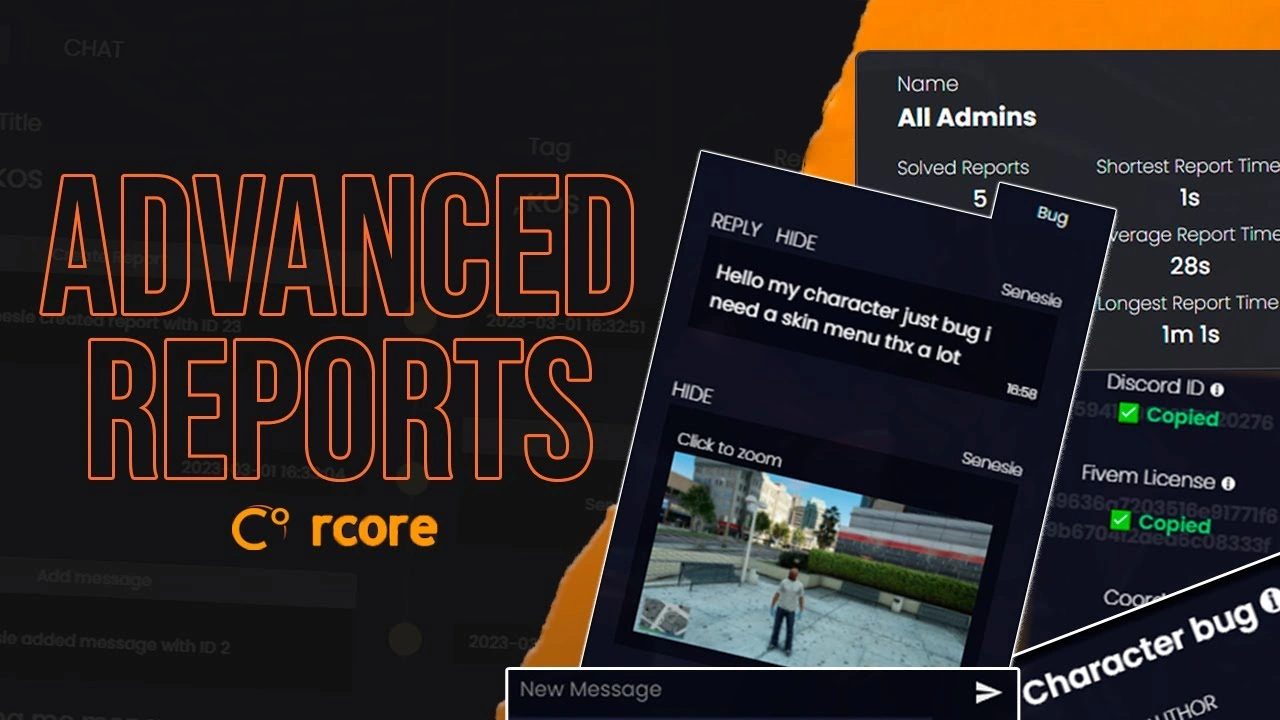
Transforme o suporte administrativo do seu servidor em uma operação profissional com o rcore Advanced Reports — o sistema de gerenciamento de tickets mais avançado disponível para FiveM. Este poderoso recurso transforma relatórios de jogadores caóticos em fluxos de trabalho organizados e eficientes, com transcrições em HTML, linhas do tempo interativas, capturas de tela automáticas e rastreamento abrangente de estatísticas. Desenvolvido para servidores sérios que exigem ferramentas de suporte profissionais.
Por que seu servidor precisa disso
Gerenciar denúncias de jogadores com comandos básicos de chat ou tickets do Discord gera caos, atrasa as respostas e frustra tanto jogadores quanto a equipe. O rcore Advanced Reports resolve isso completamente, oferecendo um sistema de suporte integrado ao jogo que captura o contexto, organiza as comunicações e fornece aos administradores todas as ferramentas necessárias para resolver problemas de forma rápida e profissional.
Principais recursos
- Relatórios simples de jogadores – Os jogadores criam chamados com um único comando: /report. Uma interface limpa e intuitiva os guia na descrição do problema, sem formulários complicados ou sites externos.
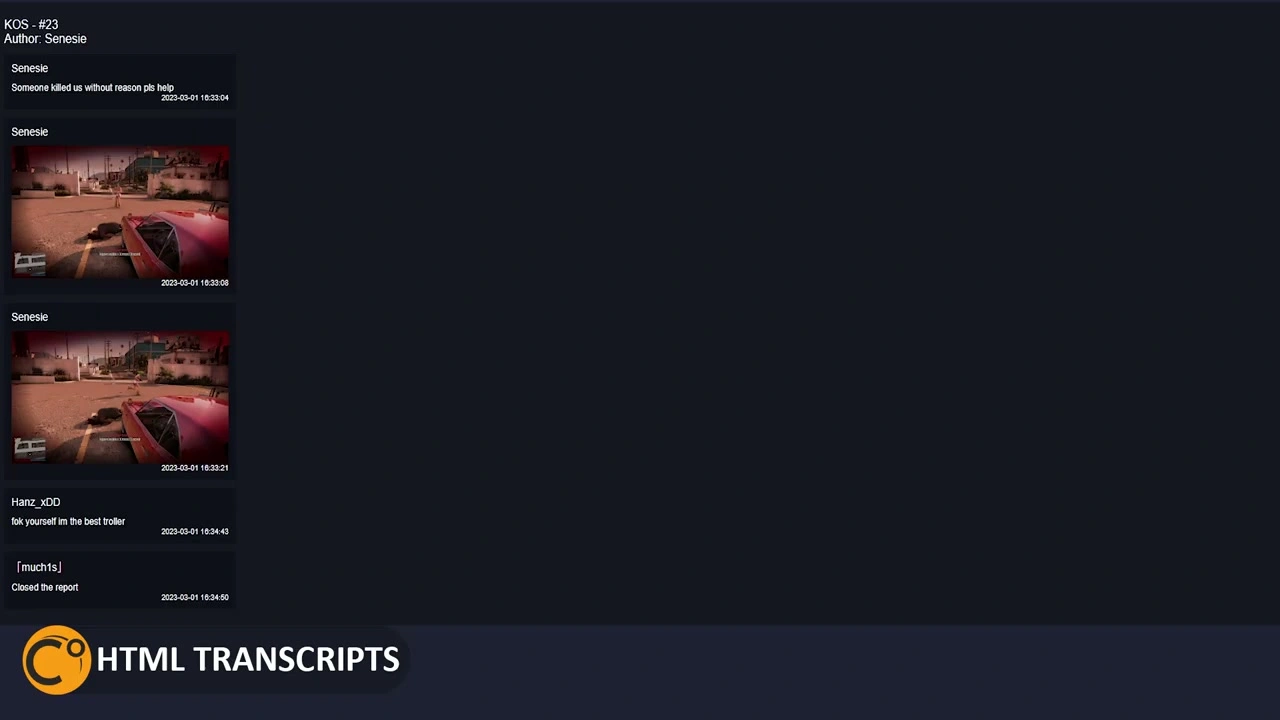
- Geração de transcrição HTML – Cada ticket gera automaticamente uma transcrição HTML completa de toda a conversa. Ideal para documentar os motivos de banimentos, revisar as ações da equipe ou manter registros de conformidade.
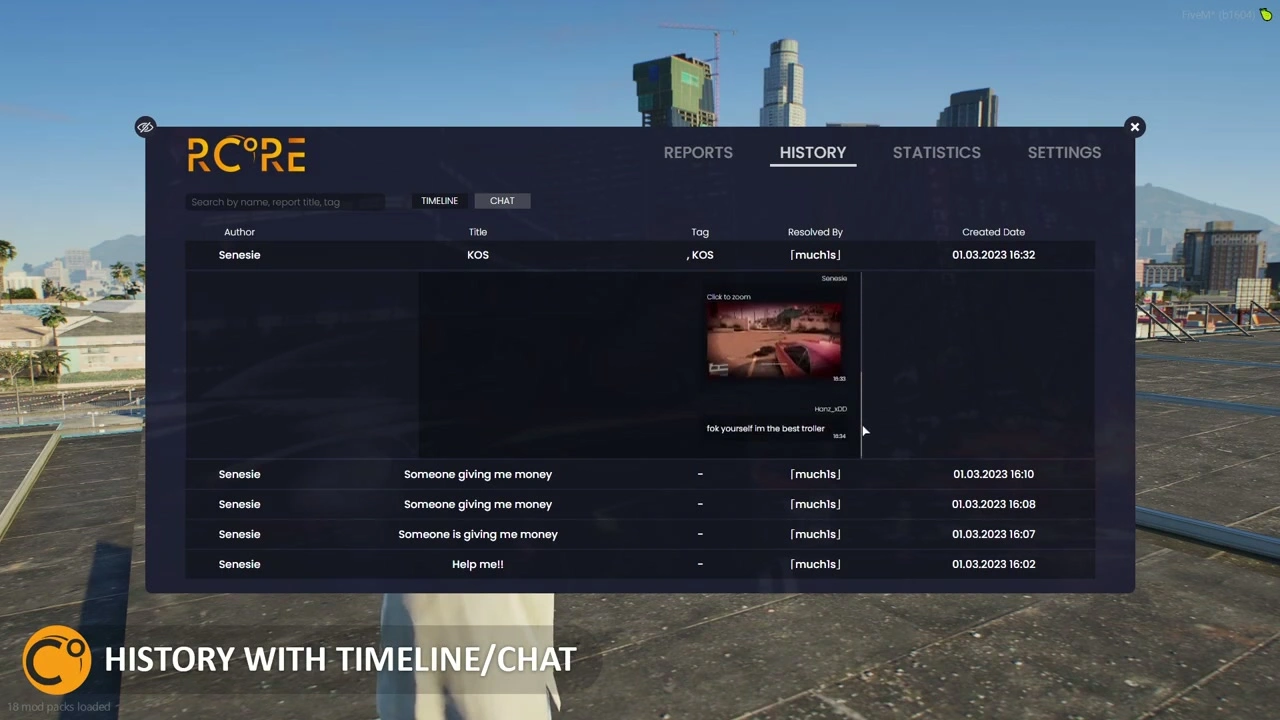
- Linha do tempo interativa – A linha do tempo visual exibe todas as ações realizadas em um ticket: quem respondeu, quando o administrador o assumiu, o tempo de resolução e o histórico de mensagens. Isso torna a revisão do ticket instantânea, em vez de exigir a rolagem por registros.
- Captura automática de tela – Quando um jogador cria um relatório, o sistema captura automaticamente uma captura de tela de seus arredores com IDs de jogadores sobrepostos em personagens próximos. Elimina situações de “ele disse, ela disse” com evidências visuais.
- Elementos clicáveis de captura de tela – O administrador pode clicar nos jogadores na captura de tela para interagir com eles, copiar IDs do Discord instantaneamente, teletransportar-se para o local ou tomar medidas de moderação. Ferramentas contextuais aparecem com base no que você clica.
- Alternar entre funcionários online e offline – Os funcionários podem se marcar como ativos ou ocupados. Somente os administradores online recebem notificações de novos chamados, evitando spam quando você estiver fora de serviço ou realizando outras tarefas.
- Cores de bate-papo por administrador – Cada membro da equipe recebe uma cor de chat exclusiva nos tickets. Os jogadores reconhecem instantaneamente com quem estão falando, e os administradores podem distinguir rapidamente as respostas nos tickets ativos.
- Sistema de Notificação Visual – Os ícones de tickets na barra lateral ficam verdes quando novas mensagens chegam. Os administradores nunca perdem as respostas dos jogadores, reduzindo a frustração e melhorando os tempos de resolução.
- Mensagens administrativas ocultas – Os funcionários podem enviar mensagens visíveis apenas para outros administradores. Ideal para coordenar respostas, discutir ações ou anotar detalhes sem que o denunciante veja.
- Integração Discord – Copie IDs do Discord de capturas de tela com um clique. Útil para comparar recursos de banimento, verificar o histórico do jogador ou entrar em contato com usuários fora do jogo.
Perfeito para
- Servidores de roleplay com alta população, lidando com mais de 50 denúncias diariamente.
- Comunidades que necessitam de documentação profissional para recursos de proibição
- Servidores com grandes equipes de funcionários que exigem ferramentas de coordenação
- Administradores que desejam evidências visuais em vez de relatórios apenas em texto.
- Organizações que precisam de métricas de desempenho e acompanhamento de responsabilidades
Estatísticas Avançadas & Gerenciamento
- Histórico completo de ingressos Acesse todos os chamados já criados com recursos de busca e filtragem. Revise decisões anteriores, verifique se há infratores reincidentes ou audite as ações da equipe.
- Acompanhamento de desempenho – Veja qual administrador resolveu cada chamado, quanto tempo levou a resolução e quais membros da equipe estão mais ativos. Identifique os melhores desempenhos e aqueles que precisam de suporte.
- Relatórios de atividades – Estatísticas detalhadas mostram os chamados atendidos por administrador, o tempo médio de resolução, os horários de pico e as categorias de relatório mais comuns. Tome decisões de alocação de pessoal baseadas em dados.
- Controle de qualidade – Os superadministradores podem revisar os chamados fechados para garantir respostas de qualidade, procedimentos adequados e aplicação consistente das regras do servidor.
- Capacidades de exportação – Exportar transcrições de bilhetes, estatísticas ou casos específicos para revisão externa, documentação ou processos de recurso de banimento.
Fluxo de trabalho da equipe
- O jogador envia um relatório descrevendo o problema.
- O sistema captura automaticamente uma captura de tela com os IDs dos jogadores.
- O ticket aparece na barra lateral do painel de administração online com uma notificação.
- O administrador reivindica o ticket (impede que vários funcionários respondam ao mesmo problema).
- A conversa acontece dentro do jogo com mensagens codificadas por cores.
- O administrador usa ferramentas de captura de tela para identificar os jogadores envolvidos.
- As ações realizadas são registradas automaticamente na linha do tempo.
- O administrador marcou o ticket como resolvido, com a categoria de resolução definida.
- Transcrição HTML gerada e arquivada para referência futura.
Inteligência de captura de tela
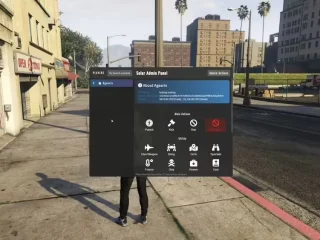
A captura de tela automática não é apenas uma imagem — é uma ferramenta interativa. Os IDs dos jogadores são sobrepostos aos personagens, tornando a identificação instantânea. Clique em um jogador para revelar opções: visualizar perfil, copiar ID do Discord, assistir à partida, teletransportar, expulsar, banir ou anotar detalhes. Clique com o botão direito em áreas para marcar locais ou capturar coordenadas. Isso transforma capturas de tela de evidências em informações úteis.
Funcionalidades da barra lateral do administrador
- Fila de ingressos – Todos os chamados em aberto são exibidos com indicadores de prioridade.
- Sistema de Reivindicações – Clique para reservar um ingresso e evitar respostas duplicadas.
- Notificações de luz verde – Os ícones brilham quando os jogadores respondem
- Ações rápidas – Feche, transfira ou encaminhe chamados com um clique
- Opções de filtro – Mostre apenas seus ingressos, ingressos não utilizados ou todos os ingressos ativos.
- Função de pesquisa – Encontre ingressos específicos por nome do jogador, palavra-chave ou data.
Compatibilidade de Framework
- ✅ ESX – Integração completa com permissões ESX e dados do jogador
- ✅ qbNúcleo – Suporte nativo ao QBCore com trabalhopermissões baseadas em
- ✅ Standalone – Funciona de forma independente, sem necessidade de estrutura adicional.
Opções de configuração
- Defina quais funções/grupos têm acesso administrativo aos tickets.
- Defina os níveis de permissão (Ajudante, Moderador, Administrador, Superadministrador)
- Personalize as cores do chat por nível de administrador ou individualmente.
- Configure o fechamento automático de chamados após um período de inatividade.
- Configure categorias de resolução para rastreamento estatístico.
- Ativar/desativar a captura de tela com base nas políticas de privacidade.
- Personalize o posicionamento da interface do usuário, as cores e os sons de notificação.
Desempenho & Otimização
- Impacto mínimo – 0,01-0,02 ms em repouso, 0,03-0,05 ms em atividade
- Banco de dados eficiente – O armazenamento em cache inteligente reduz as consultas ao banco de dados
- Escalável – Gerencia centenas de chamados sem perda de desempenho.
- Confiável – Desenvolvido pela rcore, conhecida por seus recursos profissionais para FiveM.
Instalação e Configuração
- Baixe e extraia para a sua pasta de recursos.
- Importe o arquivo SQL para criar tabelas de banco de dados.
- Configurar tipo de framework (ESX/QBCore/Standalone)
- Defina as permissões de administrador no arquivo config.lua.
- Personalize as cores do chat e as preferências da interface do usuário.
- Configure o webhook do Discord (opcional) para registro externo.
- Inicie o recurso e teste com o comando /report
Casos de uso
- Violações de regras – Jogadores denunciam RDM, VDM ou falhas em RP com evidências visuais.
- Problemas técnicos – Bugs, falhas ou jogadores presos recebem assistência rápida da administração.
- Denúncias de assédio – Documente comportamentos tóxicos com transcrições de conversas
- Disputas de propriedade – Capturar a localização dos dispositivos e resolver conflitos de propriedade.
- Itens faltantes – Acompanhe as reclamações de perda de itens com documentação cronológica.
- Coordenação de pessoal – Vários administradores colaboram em situações complexas
O que você ganha
- Sistema completo de relatórios avançados rcore
- Gerenciamento de tickets no jogo com o comando /report
- Captura automática de tela com sobreposição de ID do jogador
- Ferramentas interativas de captura de tela para ações administrativas
- Geração de transcrição HTML para todos os bilhetes
- Linha do tempo visual da atividade de bilhetes
- Barra lateral administrativa com sistema de notificações
- Cores de bate-papo por administrador
- Canais de comunicação administrativos ocultos
- Painel de estatísticas abrangente
- Arquivo de histórico de tickets com busca
- Ferramentas de integração com o Discord
- Guia de instalação e documentação de configuração
Aprimore a qualidade do suporte do seu servidor com os Relatórios Avançados do rcore — ferramentas profissionais para servidores profissionais.