








rcore Advanced Reports – Professionelles Ticket- und Admin-Supportsystem für FiveM
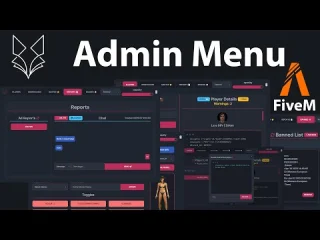
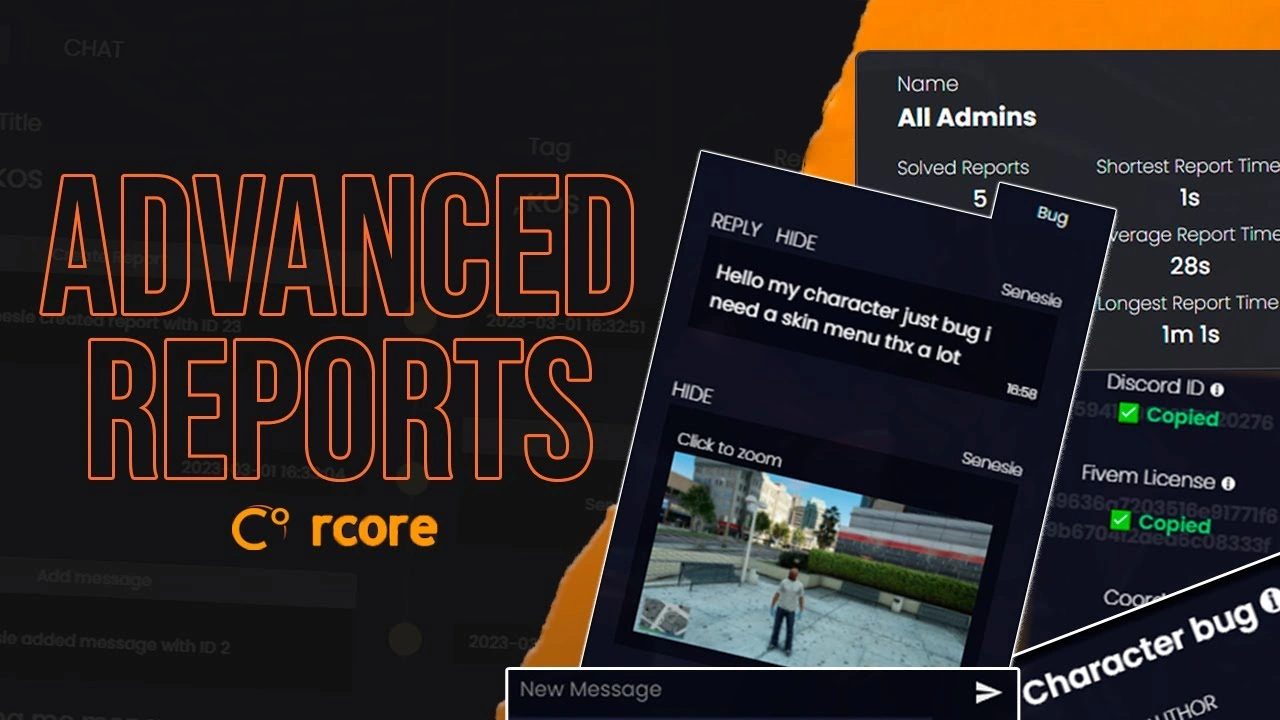
Transformiere den Admin-Support deines Servers in eine professionelle Operation mit rcore Advanced Reports — das fortschrittlichste Ticket-Management-System, das für FiveM verfügbar ist. Diese leistungsstarke Ressource verwandelt chaotische Spielerberichte in organisierte, effiziente Arbeitsabläufe mit HTML-Transkripten, interaktiven Zeitachsen, automatischen Screenshots und umfassender Statistikverfolgung. Entwickelt für ernsthafte Server, die professionelle Support-Tools verlangen.
Warum Ihr Server dies benötigt
Die Bearbeitung von Spielermeldungen über einfache Chatbefehle oder Discord-Tickets führt zu Chaos, verzögerten Reaktionszeiten und Frustration bei Spielern und Mitarbeitern. rcore Advanced Reports löst dieses Problem vollständig durch ein In-Game-Supportsystem, das Kontext erfasst, die Kommunikation organisiert und Administratoren alle notwendigen Werkzeuge zur Verfügung stellt, um Probleme schnell und professionell zu beheben.
Kernfunktionen
- Einfache Spielerberichterstattung – Spieler erstellen Tickets mit einem einzigen Befehl: /report. Eine übersichtliche, intuitive Benutzeroberfläche führt sie durch die Beschreibung ihres Problems, ohne komplizierte Formulare oder externe Websites.
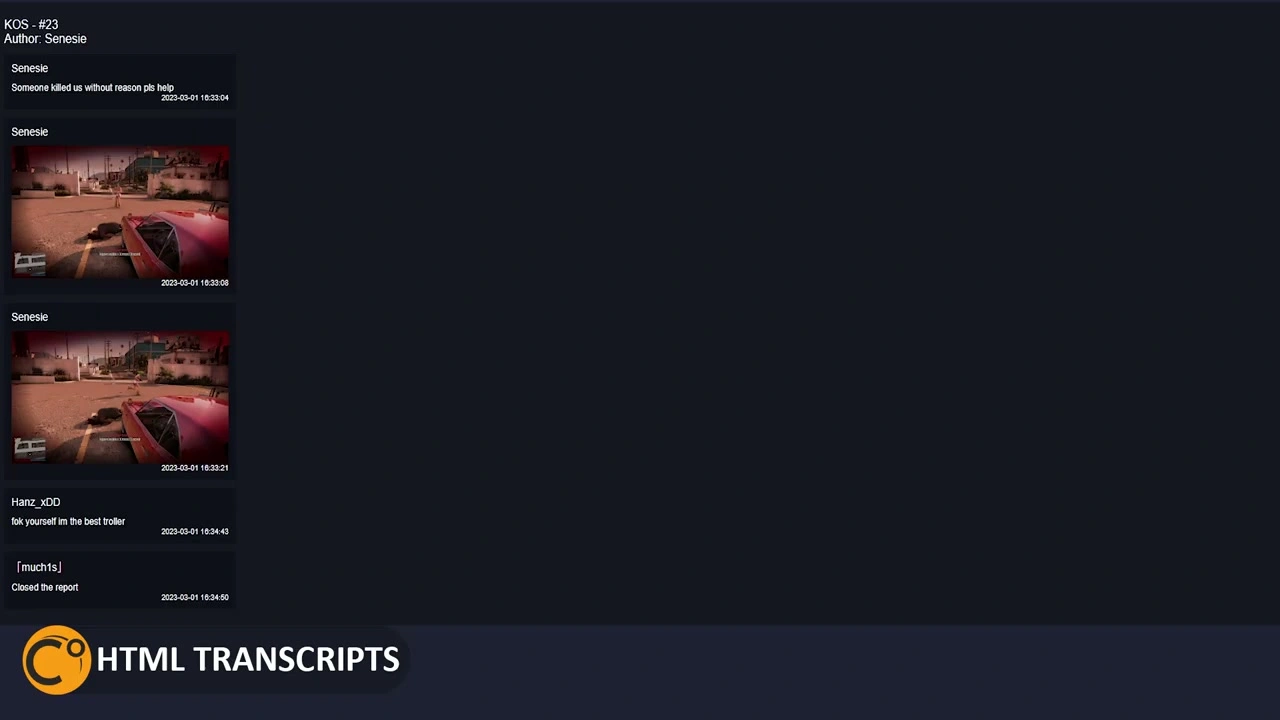
- HTML-Transkriptgenerierung – Jedes Ticket generiert automatisch ein vollständiges HTML-Transkript des gesamten Gesprächs. Ideal zur Dokumentation von Sperrgründen, zur Überprüfung von Mitarbeitermaßnahmen oder zur Pflege von Compliance-Aufzeichnungen.
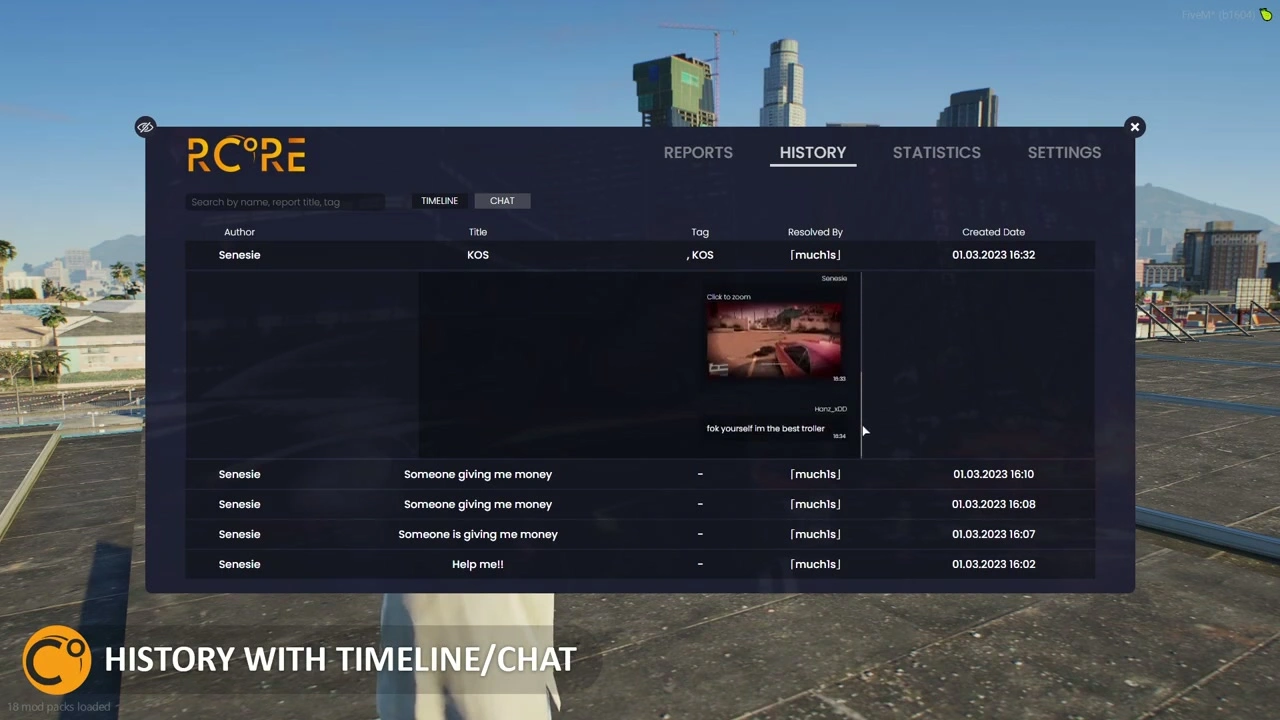
- Interaktive Zeitleiste Die visuelle Zeitleiste zeigt alle Aktionen zu einem Ticket an: wer geantwortet hat, wann der Administrator es übernommen hat, die Bearbeitungszeit und den Nachrichtenverlauf. So ist die Ticketprüfung sofort möglich, ohne dass man durch Protokolle scrollen muss.
- Automatische Screenshot-Erfassung – Wenn ein Spieler einen Bericht erstellt, erfasst das System automatisch einen Screenshot der Umgebung mit Spieler-IDs, die auf nahegelegenen Charakteren überlagert werden. Eliminiert “Er sagte, sie sagte”-Situationen mit visuellen Beweisen.
- Klickbare Screenshot-Elemente – Der Admin kann auf Spieler im Screenshot klicken, um mit ihnen zu interagieren, Discord IDs sofort kopieren, sich an den Ort teleportieren oder Moderationsmaßnahmen ergreifen. Kontextbezogene Tools erscheinen basierend auf dem, was du anklickst.
- Online-/Offline-Mitarbeiter umschalten – Mitarbeiter können sich als aktiv oder beschäftigt markieren. Nur Online-Admins erhalten Benachrichtigungen für neue Tickets, was Spam verhindert, wenn du nicht im Dienst bist oder andere Aufgaben erledigst.
- Chatfarben pro Administrator – Jedem Teammitglied wird in den Tickets eine eigene Chatfarbe zugewiesen. Spieler erkennen sofort, mit wem sie sprechen, und Administratoren können Antworten in aktiven Tickets schnell unterscheiden.
- Visuelles Benachrichtigungssystem – Die Ticket-Symbole in der Seitenleiste färben sich grün, sobald neue Nachrichten eingehen. Administratoren verpassen so keine Spielerantworten mehr, was Frustration reduziert und die Bearbeitungszeiten verkürzt.
- Versteckte Admin-Nachrichten – Mitarbeiter können Nachrichten senden, die nur für andere Administratoren sichtbar sind. Ideal, um Antworten abzustimmen, Maßnahmen zu besprechen oder Details festzuhalten, ohne dass der Meldende dies bemerkt.
- Discord-Integration – Discord-IDs mit einem Klick aus Screenshots kopieren. Nützlich zum Abgleich von Bann-Einsprüchen, zum Überprüfen der Spielerhistorie oder zum Kontaktieren von Nutzern außerhalb des Spiels.
Perfekt für
- Stark frequentierte Rollenspielserver bearbeiten täglich über 50 Meldungen.
- Gemeinden, die für Einsprüche gegen Verbote professionelle Dokumentation benötigen
- Server mit großen Mitarbeiterteams, die Koordinationswerkzeuge benötigen
- Administratoren, die visuelle Beweise anstelle von reinen Textberichten wünschen
- Organisationen, die Leistungskennzahlen und Verantwortlichkeitsverfolgung benötigen
Erweiterte Statistiken & Verwaltung
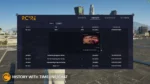
- Vollständige Tickethistorie – Greife auf jeden jemals erstellten Ticket mit Such- und Filterfunktionen zu. Überprüfe frühere Entscheidungen, suche nach Wiederholungstätern oder auditieren Sie die Aktionen des Personals.
- Leistungsverfolgung – Sieh, welcher Admin jedes Ticket gelöst hat, wie lange die Lösung gedauert hat und welche Mitarbeiter am aktivsten sind. Identifiziere Top-Performer und diejenigen, die Unterstützung benötigen.
- Tätigkeitsberichte – Detaillierte Statistiken zeigen Tickets pro Admin, durchschnittliche Bearbeitungszeit, die geschäftigsten Tageszeiten und häufige Berichts-Kategorien. Treffe datenbasierte Personalentscheidungen.
- Qualitätskontrolle – Superadmins können geschlossene Tickets überprüfen, um qualitativ hochwertige Antworten, ordnungsgemäße Verfahren und die konsequente Durchsetzung der Serverregeln sicherzustellen.
- Exportkapazitäten – Export von Ticketprotokollen, Statistiken oder spezifischen Fällen zur externen Überprüfung, Dokumentation oder für Berufungsverfahren gegen Sperren.
Arbeitsablauf für Mitarbeiter
- Der Spieler reicht einen Bericht ein, in dem er sein Problem beschreibt.
- Das System erstellt automatisch Screenshots mit Spieler-IDs.
- Das Ticket erscheint mit einer Benachrichtigung in der Seitenleiste des Online-Adminbereichs.
- Administrator beansprucht Ticket (verhindert, dass mehrere Mitarbeiter auf dasselbe Problem reagieren)
- Die Unterhaltung findet im Spiel über farbcodierte Nachrichten statt.
- Der Administrator verwendet Screenshot-Tools, um die beteiligten Spieler zu identifizieren.
- Die durchgeführten Aktionen werden automatisch in der Zeitleiste protokolliert.
- Der Administrator markiert das Ticket mit der entsprechenden Lösungskategorie als gelöst.
- HTML-Transkript erstellt und zur späteren Verwendung archiviert
Screenshot Intelligence
Der automatische Screenshot ist mehr als nur ein Bild – er ist ein interaktives Tool. Spieler-IDs werden über die Charaktere gelegt, sodass diese sofort identifiziert werden können. Klicke auf einen Spieler, um Optionen anzuzeigen: Profil ansehen, Discord-ID kopieren, zusehen, teleportieren, kicken, bannen oder Details notieren. Mit einem Rechtsklick kannst du Bereiche markieren oder Koordinaten erfassen. So werden Screenshots von Beweismaterial zu verwertbaren Informationen.
Funktionen der Admin-Seitenleiste
- Ticketwarteschlange – Alle offenen Tickets werden mit Prioritätsindikatoren angezeigt.
- Schadensystem – Klicke, um ein Ticket zu beanspruchen und doppelte Antworten zu verhindern
- Grüne-Licht-Benachrichtigungen – Die Symbole leuchten auf, wenn die Spieler reagieren.
- Schnellaktionen – Tickets mit einem Klick schließen, weiterleiten oder eskalieren
- Filteroptionen – Zeige nur deine Tickets, unzugewiesene Tickets oder alle aktiven Tickets an.
- Suchfunktion – Finde bestimmte Tickets anhand des Spielernamens, eines Stichworts oder des Datums
Framework-Kompatibilität
- ✅ ESX – Vollständige Integration mit ESX-Berechtigungen und Spielerdaten
- ✅ Abonnieren – Native QBCore-Unterstützung mit Arbeit-basierte Berechtigungen
- ✅ Standalone – Funktioniert unabhängig ohne Framework-Anforderungen
Konfigurationsoptionen
- Definiere, welche Jobs/Gruppen Admin-Zugriff auf Tickets haben
- Berechtigungsstufen festlegen (Helfer, Moderator, Administrator, Superadministrator)
- Chatfarben pro Admin-Rang oder Benutzer anpassen
- Automatische Ticketschließung nach Inaktivitätszeit konfigurieren
- Auflösungskategorien für die statistische Nachverfolgung einrichten
- Screenshot-Erstellung basierend auf Datenschutzrichtlinien aktivieren/deaktivieren
- Passe die Positionierung, Farben und Benachrichtigungstöne von UI an
Leistung & Optimierung
- Minimale Auswirkungen – 0,01–0,02 ms im Leerlauf, 0,03–0,05 ms aktiv
- Effiziente Datenbank – Intelligentes Caching reduziert Datenbankabfragen
- Skalierbar – Bewältigt Hunderte von Tickets ohne Leistungseinbußen.
- Zuverlässig – Entwickelt von rcore, bekannt für professionelle FiveM-Ressourcen
Installation und Einrichtung
- Lade herunter und entpacke es in deinen Ressourcenordner
- Importiere die SQL-Datei, um Datenbanktabellen zu erstellen
- Framework-Typ konfigurieren (ESX/QBCore/Standalone)
- Administratorrechte in config.lua festlegen
- Chatfarben und Benutzeroberflächeneinstellungen anpassen
- Discord-Webhook (optional) für externe Protokollierung konfigurieren
- Ressource starten und mit dem Befehl /report testen
Anwendungsfälle
- Regelverstöße – Spieler melden RDM, VDM oder RP-Fehler mit visuellen Beweisen
- Technische Probleme – Bei Fehlern, Störungen oder feststeckenden Spielern erhalten die Administratoren schnelle Hilfe.
- Belästigungsmeldungen – Toxisches Verhalten mithilfe von Gesprächsprotokollen dokumentieren
- Eigentumsstreitigkeiten – Standorte per Screenshot erfassen und Eigentumskonflikte lösen
- Fehlende Gegenstände – Verlustmeldungen anhand einer Zeitleiste dokumentieren
- Personalkoordination – Mehrere Administratoren arbeiten bei komplexen Situationen zusammen
Was du bekommst
- Vollständiges rcore Advanced Reports-System
- Ticketverwaltung im Spiel mit dem Befehl /report
- Automatische Screenshot-Aufnahme mit Spieler-ID-Überlagerung
- Interaktive Screenshot-Tools für Administratoraktionen
- HTML-Transkriptgenerierung für alle Tickets
- Visuelle Zeitleiste der Ticketaktivitäten
- Admin-Seitenleiste mit Benachrichtigungssystem
- Chatfarben pro Administrator
- Versteckte Kommunikationskanäle für Administratoren
- Umfassendes Statistik-Dashboard
- Ticketverlaufsarchiv mit Suchfunktion
- Discord-Integrationstools
- Installationsanleitung und Konfigurationsdokumentation
Steigere die Supportqualität deines Servers mit rcore Advanced Reports — professionelle Tools für professionelle Server.