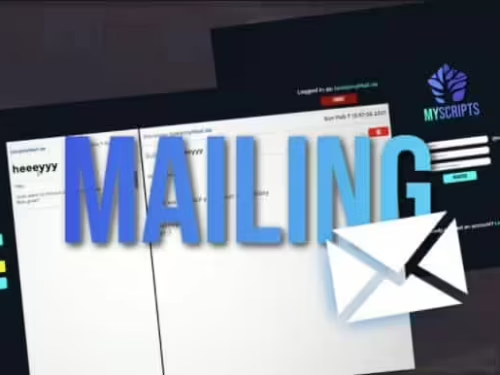



[Explanation]
This is a script with a beautiful interface that allows you to make reports/feedbacks through a command.
[How it works]
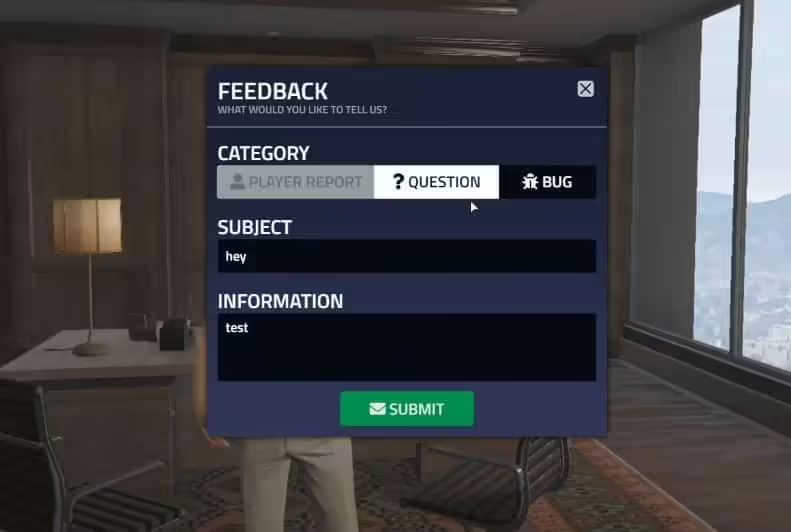
Basically when you type ‘/report‘ a nice menu pops up, it allows you to send different types of feedbacks such as a player report, a general question or to report a bug to the server admins.
To assist the feedbacks players make, admins should type ‘/reports‘, which will open a list of the pendent feedbacks, once you select a feedback it will open a window with all the information of that feedback, such as the category (player report, question, bug), the subject and the explanation of the issue.
You are able to set a feedback cooldown to prevent players from spamming feedbacks.
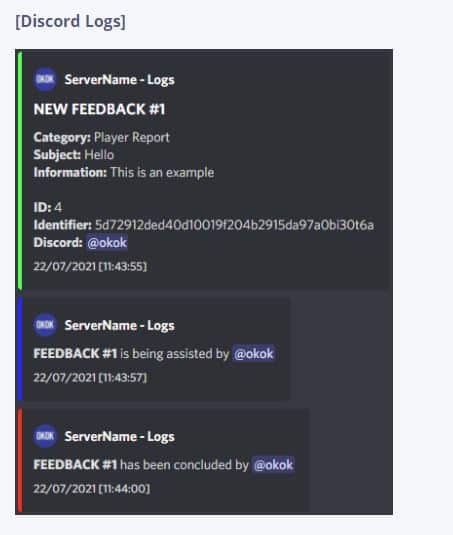
It includes Discord logs such as: when a feedback is created, when an admin assists the feedback and when an admin concludes it.
[Config]
————————– COMMANDS & FUNCTIONALITY
Config.FeedbackClientCommand = ‘report’ — The command that the players use to report something
Config.FeedbackAdminCommand = ‘reports’ — The command that the admins use to check the pendent feedbacks list
Config.FeedbackCooldown = 10 — Time in minutes
————————– ADMIN PERMISSIONS
Config.ESX = false — Set this to true if you use ESX
— If you use ESX you don’t need to add any identifier to Config.AdminList because it checks if you have permission by your player group (superadmin, admin, mod)
— Types of identifiers: steam: | license: | xbl: | live: | discord: | fivem: | ip:
Config.AdminList = {
‘license:2ash123ad1337a15029a21a6s4e3622f91cde1d0’, — Example, change this
‘discord:370910283901283929’ — Example, change this
}
————————– DISCORD LOGS
— To set your Discord Webhook URL go to server.lua, line 13
Config.BotName = ‘ServerName’ — Write the desired bot name
Config.ServerName = ‘ServerName’ — Write your server’s name
Config.IconURL = ” — Insert your desired image link
Config.DateFormat = ‘%d/%m/%Y [%X]’ — To change the date format check this website – https://www.lua.org/pil/22.1.html
— To change a webhook color you need to set the decimal value of a color, you can use this website to do that – https://www.mathsisfun.com/hexadecimal-decimal-colors.html
Config.NewFeedbackWebhookColor = ‘65352’
Config.AssistFeedbackWebhookColor = ‘16127’
Config.ConcludeFeedbackWebhookColor = ‘16711680’
[Optimization]
Idle: 0.00-0.01ms
When executing any event: 0.00-0.01ms
- Easy to use
- Easy to install
- No IP lock
- Source code
- Fully customizable

![Advanced Character Creator System [Standalone] FiveM resource preview](https://fivemx.com/wp-content/uploads/2022/09/chrome_IQnK33nwY6-jpg-500x375.avif)